How do I use the Yu Garden Adidas Fashion Portrait template?
Choose the primary action to open PicX Studio with the available template settings. Review the model and format, personalize the creative direction, and generate when ready.
A complex environmental portrait prompt blending traditional Chinese architecture with modern streetwear and specific camera settings.
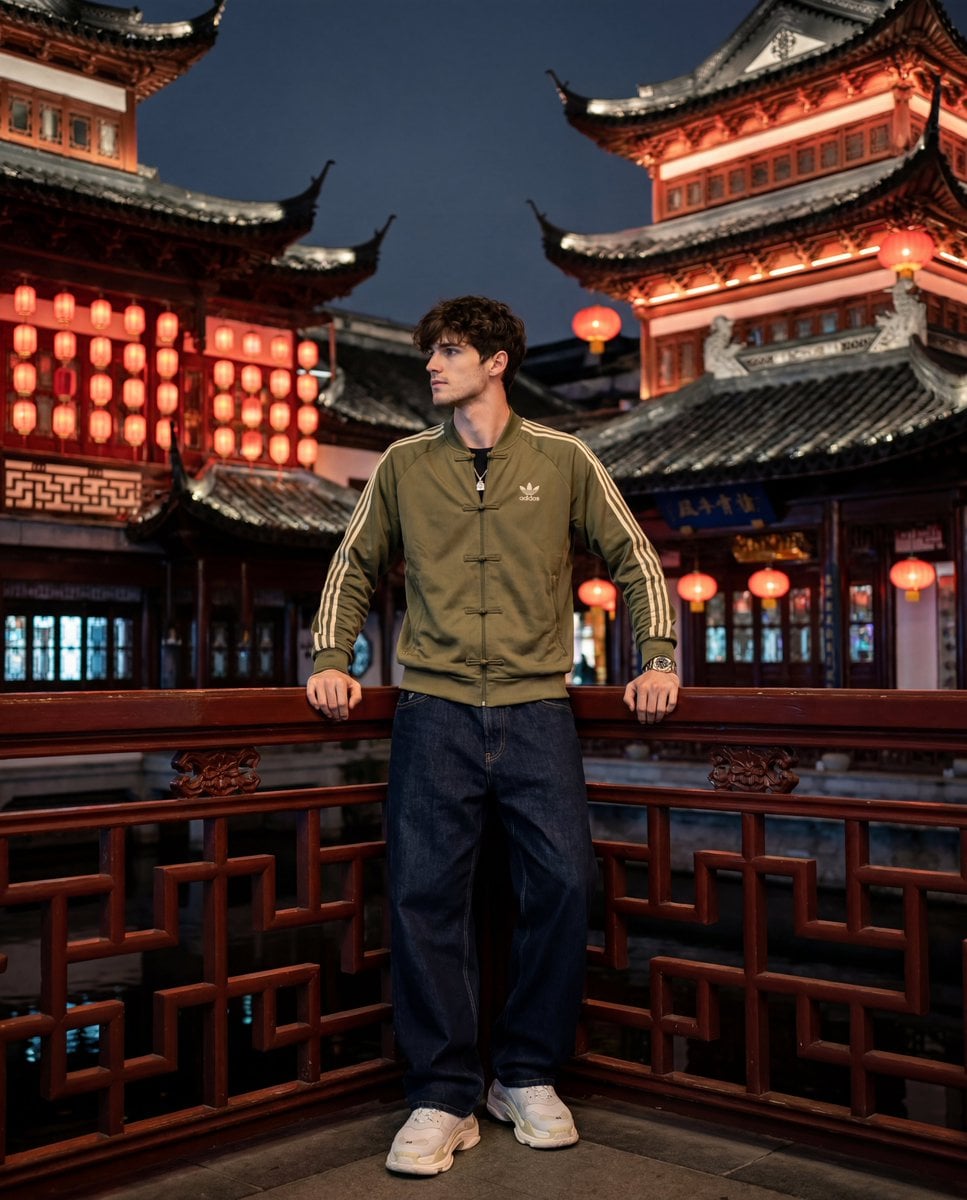
A hyper-realistic vertical 4:5 photograph of a carved balcony at night in the traditional Chinese Yu Garden complex in {argument name="location" default="Shanghai"}. A low angle shot, behind the subject are multi-tiered pagodas with raised roof angles, rows of red paper lanterns, black tiled roofing, and a warm red-amber architectural style. In the center of the frame is an {argument name="color" default="olive-green"} {argument name="tracksuit brand" default="Adidas"} tracksuit Originals with traditional Chinese frog-button fastenings (knotted buttons) at the center of the chest and cream triple stripes on the sleeves. The hero rests his forearms on a dark - red wooden railings-lattice, looking in semi-profile to the side. Clothing: olive sweatshirt Adidas with Chinese knot buttons; wide-leg dark indigo baggy jeans; white Balenciaga Triple S; steel Audemars Piguet Royal Oak; silver chain with pendant. Lighting: red-amber practical rim from lanterns and pagoda backlighting + cool bluish ambient from the night sky in front. Mixed lighting, impure amber-blue-gray tone. Sony A7R V camera, 35mm lens f/1.4, environmental portrait, natural depth of field, light film grain. Without plasticity, CGI and Al- artifacts.
Choose the primary action to open PicX Studio with the available template settings. Review the model and format, personalize the creative direction, and generate when ready.
Yes. You can change the subject, setting, lighting, mood, format, and available model controls before creating your image.
This template is free to open and customize. Generation usage is shown in PicX Studio before you create.
Start with Nano Banana 2, which is the model associated with this template. You can compare another compatible model for a different finish.
Follow a topic to a crawlable collection of related PicX Studio templates.