How do I use the Alpine Spring Portrait of a Woman template?
Choose the primary action to open PicX Studio with the available template settings. Review the model and format, personalize the creative direction, and generate when ready.
A detailed photorealistic prompt describing a woman in her late 20s sitting outdoors in a spring alpine setting with blooming tulips and cherry blossoms.
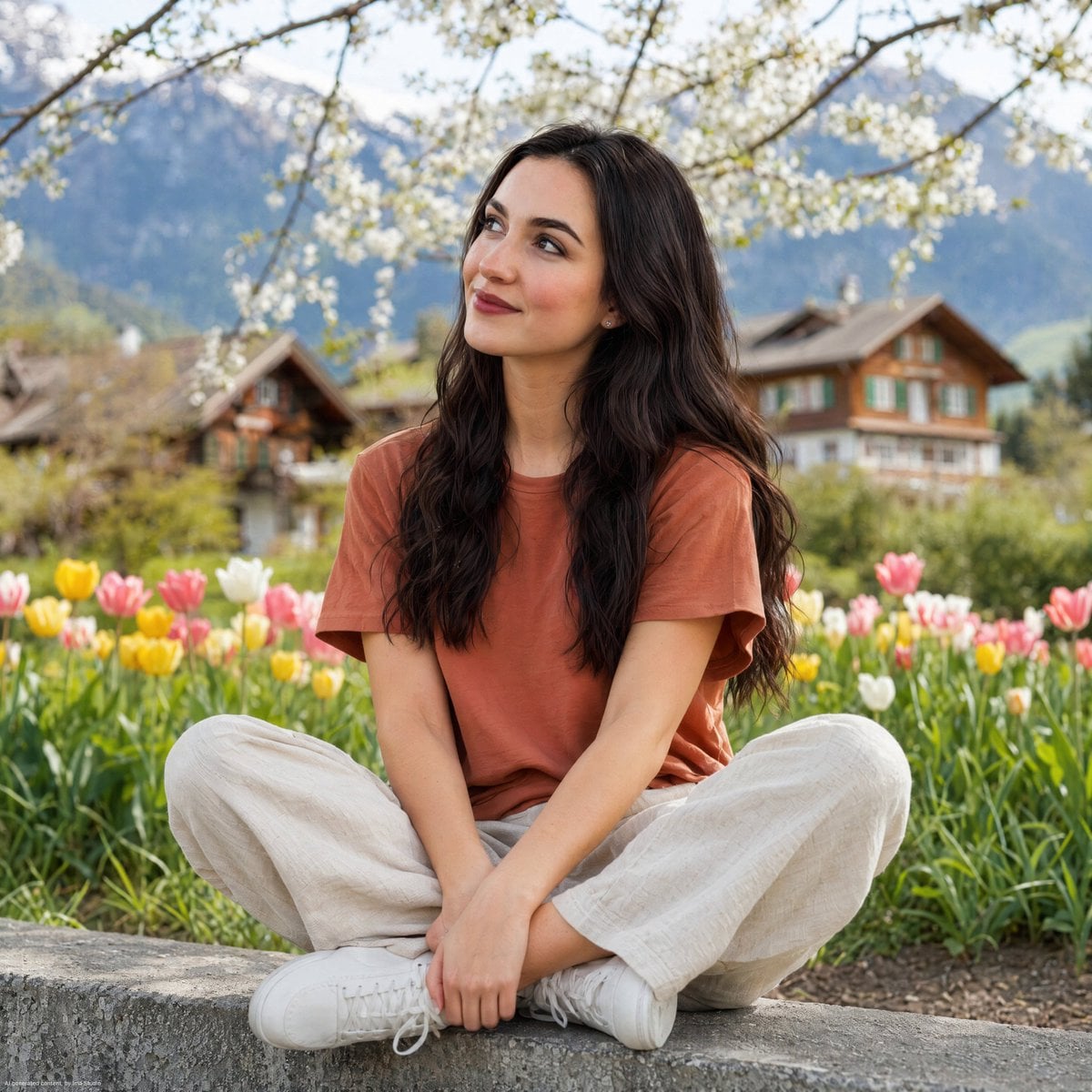
A young woman in her late 20s with long, wavy dark brown hair sitting cross-legged on a low concrete ledge outdoors. She is wearing a {argument name="shirt color" default="rust/terracotta orange"} short-sleeve crew neck t-shirt, {argument name="trousers style" default="loose beige linen wide-leg trousers"}, and clean white low-top sneakers. She has a relaxed, natural smile and is looking slightly upward and to the left. Small silver stud earrings. Background features a lush green meadow with {argument name="spring flowers" default="colorful spring tulips (pink, yellow, white)"} in bloom, blossoming white cherry tree branches overhead, and traditional Alpine wooden houses with mountains in the soft-focused distance. Natural daylight, spring atmosphere. Shallow depth of field, sharp subject, bokeh background. Medium shot, eye-level angle, photorealistic portrait photography style.
Choose the primary action to open PicX Studio with the available template settings. Review the model and format, personalize the creative direction, and generate when ready.
Yes. You can change the subject, setting, lighting, mood, format, and available model controls before creating your image.
This template is free to open and customize. Generation usage is shown in PicX Studio before you create.
Start with Nano Banana 2, which is the model associated with this template. You can compare another compatible model for a different finish.
Follow a topic to a crawlable collection of related PicX Studio templates.