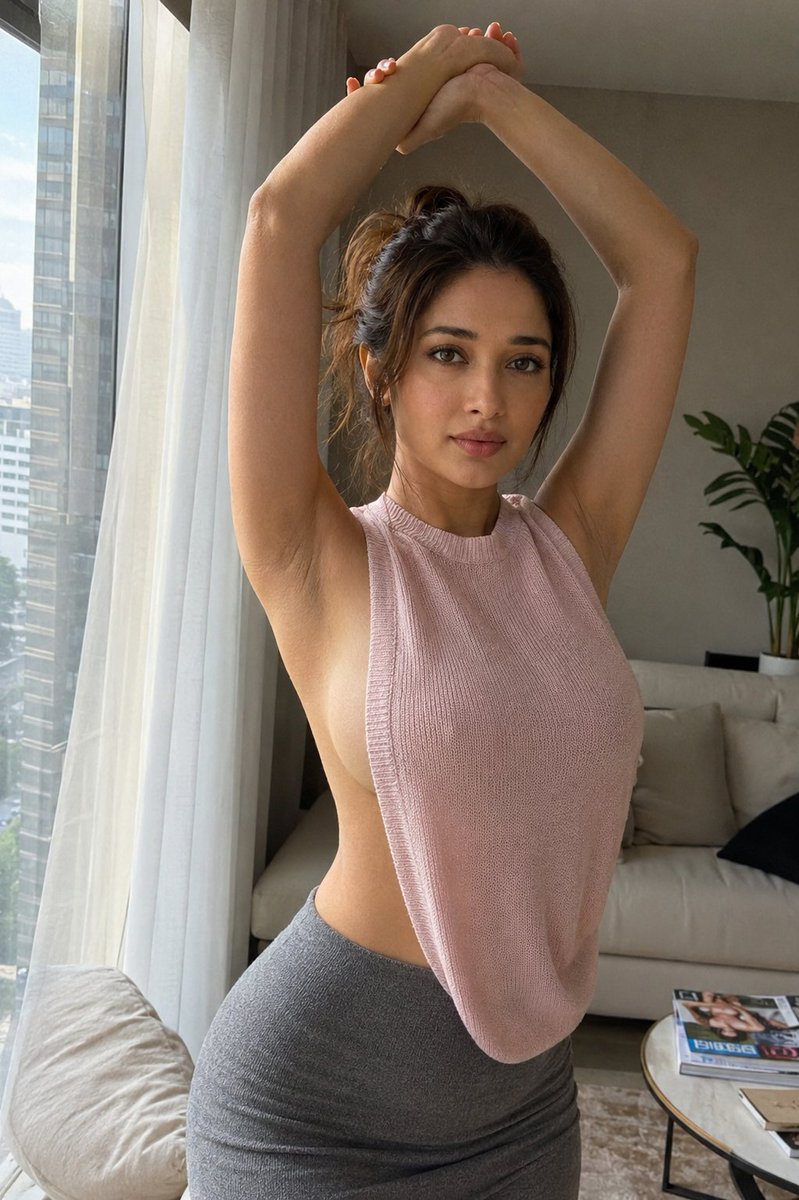


How do I use the Realistic iPhone Snapshot Stretching Woman template?
Choose the primary action to open PicX Studio with the available template settings. Review the model and format, personalize the creative direction, and generate when ready.
A casual handheld-style portrait of a woman in a stretching pose inside a modern apartment, focusing on natural lighting and authentic smartphone camera quality. (free to use) — Free AI image template on PicX Studio.
A highly realistic casual iPhone snapshot of a {argument name="subject description" default="beautiful woman in her 20s"} standing near a tall window inside a modern apartment. She has delicate, natural beauty: deep chestnut layered hair loosely tied up with a few loose strands framing her face, defined double eyelids, a slim straight nose, soft natural lips, and realistic skin texture. She is doing a relaxed stretching pose: her left hand holding her right wrist, both arms raised above her head with the wrists slightly overlapping. The upward stretch naturally elongates her upper body, with one hip gently tilted outward and one knee relaxed. She wears a {argument name="clothing color" default="pink"} sleeveless knit top with wide side openings and a high-waisted gray pencil skirt. As her arms lift, the side opening naturally reveals her underarm, shoulder line, and part of her side waist, creating a subtle yet eye-catching sensual detail. The camera angle feels like a close-up spontaneous handheld shot, slightly off-center composition with authentic iPhone photo quality, including mild grain and imperfect framing. Natural window light enters softly from the side, casting gentle shadows along her body. The background includes a neutral-toned sofa, light curtains, a small table, scattered magazines, and green plants. The overall mood is realistic lifestyle photography — elegant, natural, and slightly teasing, with realistic human anatomy and no overly polished studio look.2:3ar Same face
Use Realistic iPhone Snapshot Stretching Woman to plan an AI image around nano-banana-2 generation. Match the preview's composition first, then personalize the subject, setting, and mood for your own project.
Use the primary action to load the template settings in PicX Studio.
Adjust the subject and creative details for your destination.
Create the image, compare the result with the preview, and refine one variable at a time.
A continuous mix — similar concepts first, woven with same-model prompts and fresh picks from the catalog.
Choose the primary action to open PicX Studio with the available template settings. Review the model and format, personalize the creative direction, and generate when ready.
Yes. You can change the subject, setting, lighting, mood, format, and available model controls before creating your image.
This template is free to open and customize. Generation usage is shown in PicX Studio before you create.
Start with nano-banana-2, which is the model associated with this template. You can compare another compatible model for a different finish.
A continuous mix — similar concepts first, woven with same-model prompts and fresh picks from the catalog.
Follow a topic to a crawlable collection of related PicX Studio templates.
32,032 public templates available. Verified via the PicX Studio public templates API; refreshed hourly.


