How do I use the Chinese Dragon Wood Mosaic template?
Choose the primary action to open PicX Studio with the available template settings. Review the model and format, personalize the creative direction, and generate when ready.
An artistic prompt for a traditional Chinese dragon created from random colored wood mosaic shapes with intricate outlines.
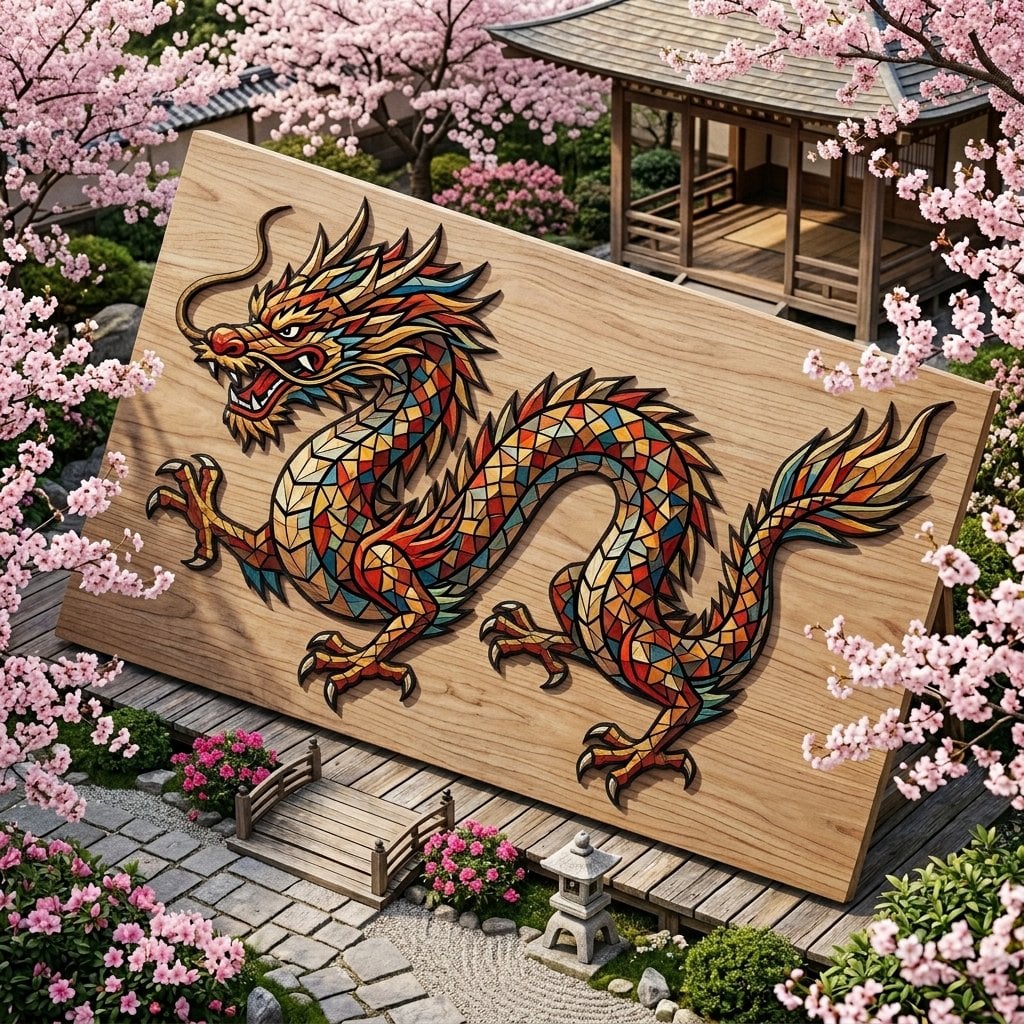
mosaic made from tiny randomly cut {argument name="material" default="colored wood shapes"}, colored wood shapes are edgy with various geometrical shapes, they form traditional {argument name="subject" default="Chinese dragon"}. dragon body is shaped out of tiny colored wood pieces forming a mosaic. pale colored wood surface with intricate thin black outlines dividing the mosaic pieces. background is traditional nature Sakura bloom garden surrounding the dragon.
Choose the primary action to open PicX Studio with the available template settings. Review the model and format, personalize the creative direction, and generate when ready.
Yes. You can change the subject, setting, lighting, mood, format, and available model controls before creating your image.
This template is free to open and customize. Generation usage is shown in PicX Studio before you create.
Start with Nano Banana 2, which is the model associated with this template. You can compare another compatible model for a different finish.
Follow a topic to a crawlable collection of related PicX Studio templates.