How do I use the Woman with Ice Cream Shop Portrait template?
Choose the primary action to open PicX Studio with the available template settings. Review the model and format, personalize the creative direction, and generate when ready.
A detailed descriptive prompt for a woman in an ice cream shop, focusing on fashion accessories, tattoos, and a playful expression.
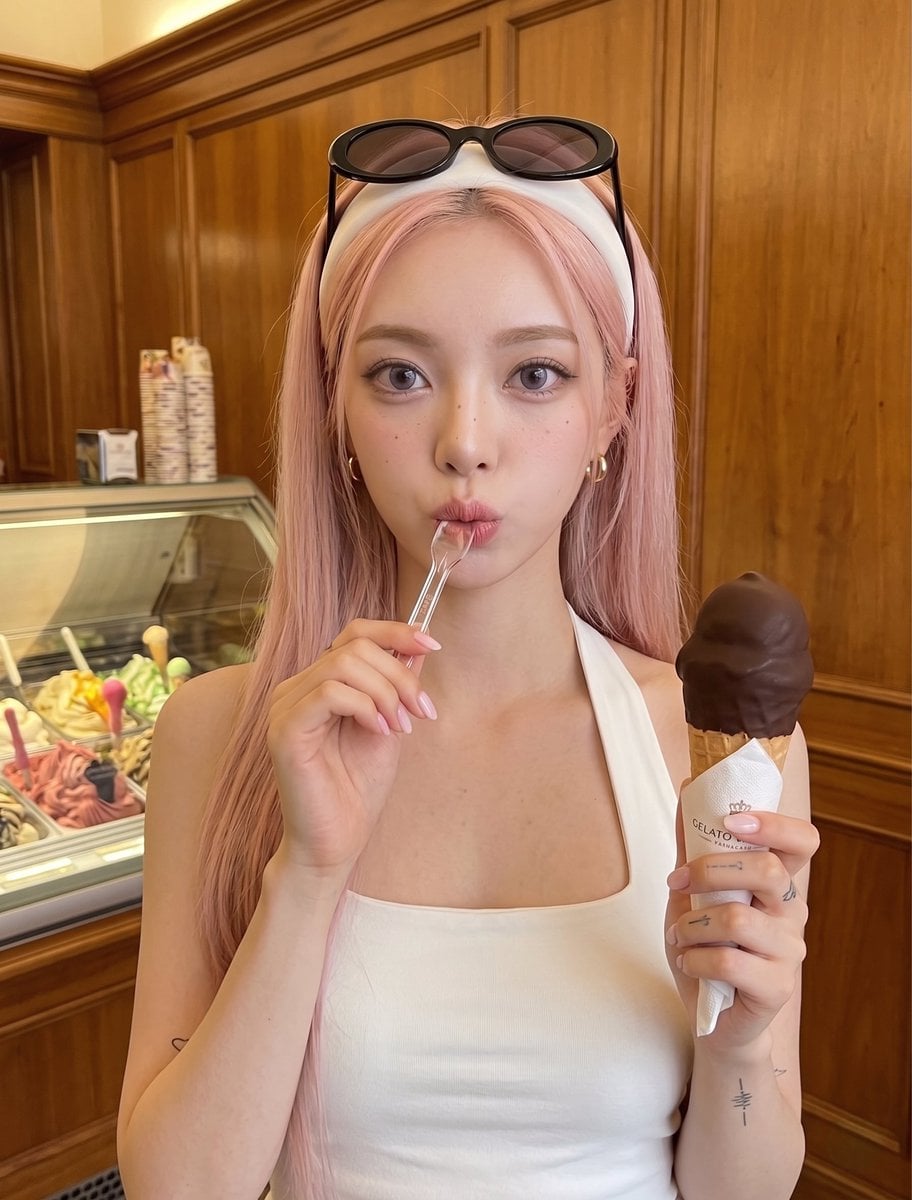
Subject and Appearance A {argument name="subject" default="young woman with pale porcelain skin and long, straight hair"}. She is wearing a fitted, {argument name="clothing" default="white sleeveless square-neck halter top"}. Accessories include a thick white headband, dark-tinted oval sunglasses with thick black frames, and small gold hoop earrings. She has a pale pink manicure on her fingernails. Several small, minimalist tattoos are visible: one on her right inner forearm, faint markings on her right fingers, and a tiny heart on her left inner arm. Pose and Action She is looking directly at the camera with a playful expression. In her right hand, she is holding a {argument name="object" default="chocolate-dipped ice cream cone"} wrapped at the base with a white paper napkin. Her left hand is holding a small, clear plastic tasting spoon, which is playfully resting between her puckered lips. Setting and Lighting The background consists of warm, medium-toned wood paneling, suggesting a classic or vintage interior. To the left side of the frame, an illuminated glass display case, typical of a gelato or ice cream shop, is partially visible. The lighting is warm and even, casting soft shadows and highlighting the golden tones of the wood and the subject's skin.
Choose the primary action to open PicX Studio with the available template settings. Review the model and format, personalize the creative direction, and generate when ready.
Yes. You can change the subject, setting, lighting, mood, format, and available model controls before creating your image.
This template is free to open and customize. Generation usage is shown in PicX Studio before you create.
Start with Nano Banana 2, which is the model associated with this template. You can compare another compatible model for a different finish.
Follow a topic to a crawlable collection of related PicX Studio templates.