How do I use the Traditional Indian Outfit Portrait template?
Choose the primary action to open PicX Studio with the available template settings. Review the model and format, personalize the creative direction, and generate when ready.
A detailed portrait prompt for a young woman in a vibrant traditional Indian outfit with intricate gold embroidery.
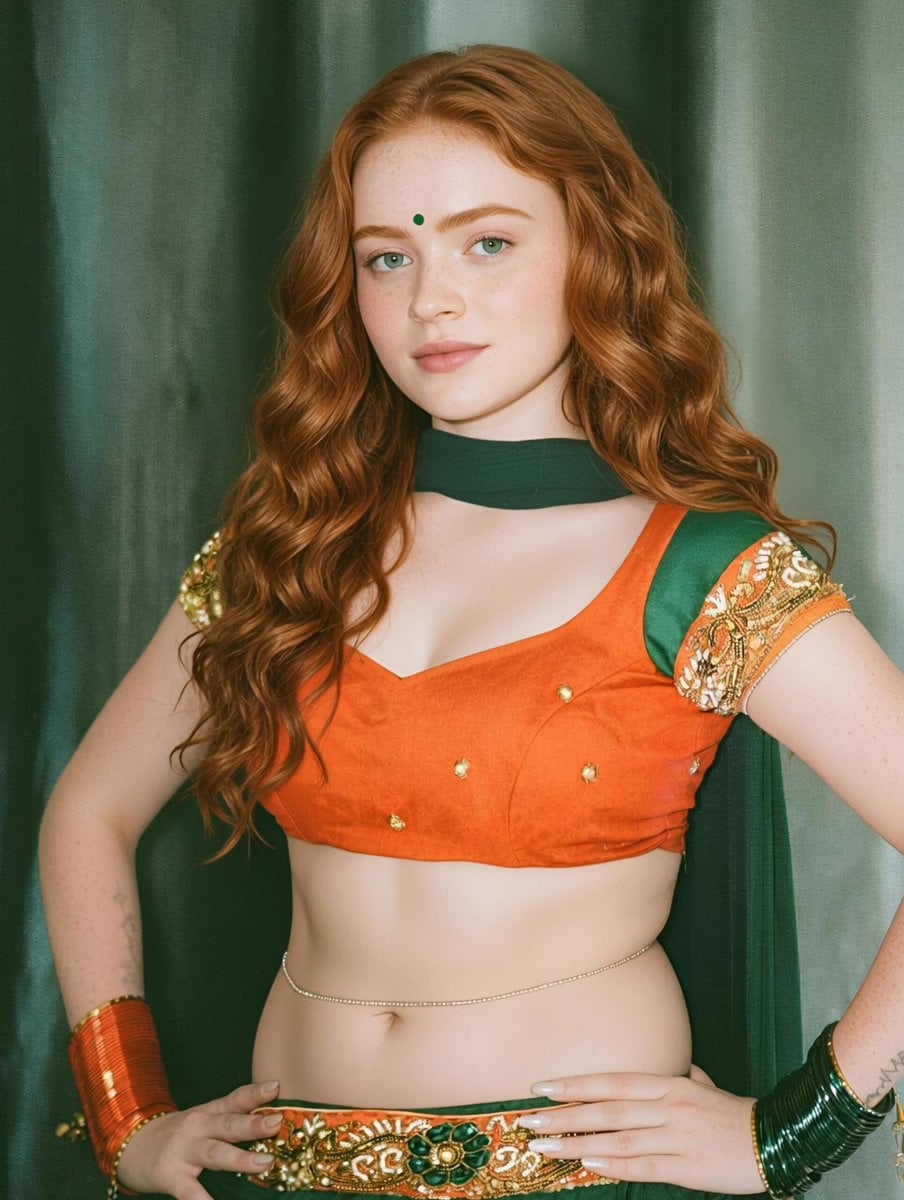
A highly detailed portrait of a beautiful young woman with fair freckled skin, striking {argument name="eye color" default="green eyes"}, and long voluminous wavy red hair cascading over her shoulders, wearing a traditional outfit consisting of a vibrant {argument name="outfit color" default="orange"} sleeveless choli blouse with intricate gold embroidery and small decorative studs, paired with green fabric accents on the shoulders and a matching green choker necklace. She has a small green bindi on her forehead, subtle makeup, and is adorned with elaborate gold and green bangles on both wrists, along with a delicate thin waist chain and an ornate embroidered belt featuring green, orange, and gold floral patterns around her waist. She stands confidently in front of a rich dark green draped curtain backdrop, with one hand placed on her thigh and the other near her waist, gazing directly at the viewer with a gentle expression. Soft studio lighting highlights the textures of the fabrics, jewelry, and her hair. Cinematic realistic photography style, sharp focus, high resolution.
Choose the primary action to open PicX Studio with the available template settings. Review the model and format, personalize the creative direction, and generate when ready.
Yes. You can change the subject, setting, lighting, mood, format, and available model controls before creating your image.
This template is free to open and customize. Generation usage is shown in PicX Studio before you create.
Start with Nano Banana 2, which is the model associated with this template. You can compare another compatible model for a different finish.
Follow a topic to a crawlable collection of related PicX Studio templates.