How do I use the Eclectic Urban Fashion Portrait template?
Choose the primary action to open PicX Studio with the available template settings. Review the model and format, personalize the creative direction, and generate when ready.
A medium shot of a woman in a denim corset and faux fur jacket against an urban distressed wall, featuring a warm bohemian palette.
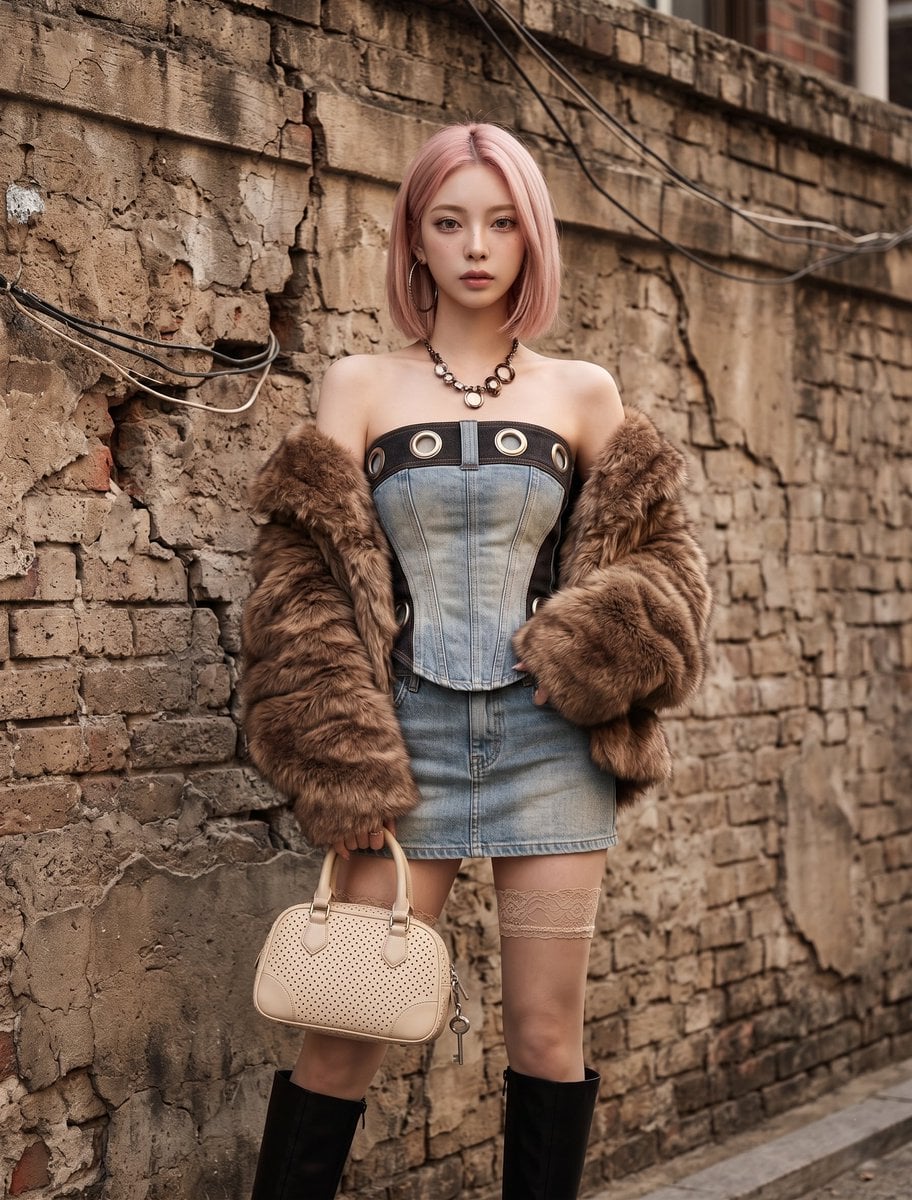
A medium shot captures a {argument name="subject" default="young Asian woman"} in a stylized outfit, standing against a textured, weathered wall. She wears a form-fitted, {argument name="outfit" default="light denim corset"} with dark accents and oversized metallic grommets, paired with a short, matching denim skirt. Her ensemble includes dramatic, oversized hoop earrings and a chunky necklace. Her arms are draped in a {argument name="jacket" default="brown faux fur jacket"} with voluminous sleeves. She carries a small, cream-colored handbag with decorative holes and a dangling key charm. Her stockings are lace-trimmed, complementing her knee-high, black heeled boots. The setting features an urban, distressed wall with visible cracks and wires. The image employs natural daylight, creating a warm, muted color palette that enhances the bohemian, fashion-forward mood and commemorates an offbeat, eclectic style. HEX VALUES: ["#d2cbb3", "#dcd6be", "#c8bfa5", "#978a76", "#b9af96", "#a99c86", "#433b35", "#8d7760", "#0e0d10", "#79614d", "#282423", "#654e3d", "#717169", "#575751", "#e5e2d1"]
Choose the primary action to open PicX Studio with the available template settings. Review the model and format, personalize the creative direction, and generate when ready.
Yes. You can change the subject, setting, lighting, mood, format, and available model controls before creating your image.
This template is free to open and customize. Generation usage is shown in PicX Studio before you create.
Start with Nano Banana 2, which is the model associated with this template. You can compare another compatible model for a different finish.
Follow a topic to a crawlable collection of related PicX Studio templates.