How do I use the Heroic Fantasy Warrior Portrait template?
Choose the primary action to open PicX Studio with the available template settings. Review the model and format, personalize the creative direction, and generate when ready.
A complex, structured prompt for a powerful warrior woman in a dynamic battle scene with highly detailed gold and black armor.
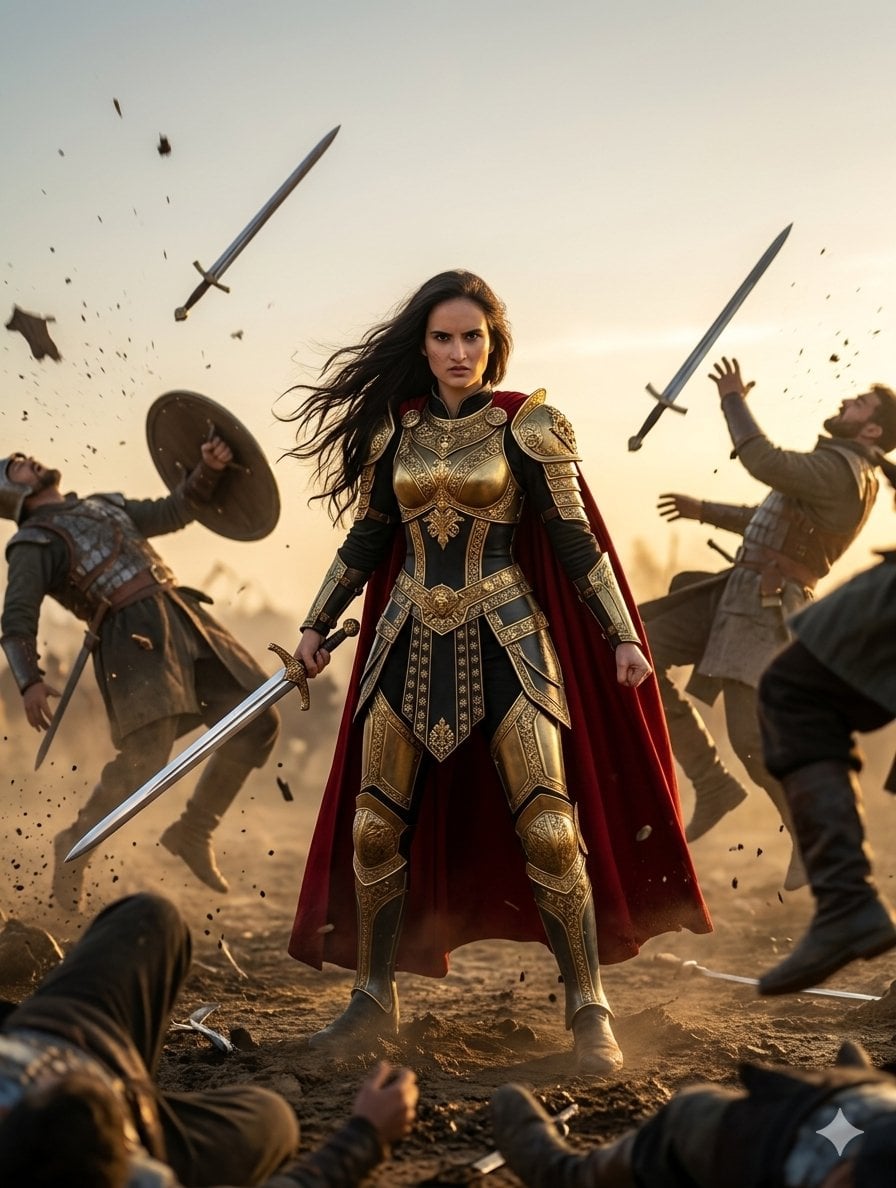
{ "subject": { "description": "{argument name="subject description" default="A powerful warrior woman"}", "features": { "hair": "long, dark, windswept", "expression": "intense, determined, serious", "pose": "standing, heroic stance, looking directly at camera", "armor": { "type": "fantasy-classical hybrid", "materials": ["highly polished gold filigree", "blackened metal"], "elements": ["cuirass with lion motif", "pauldrons", "gauntlets", "greaves"], "adornment": "elaborate engravings and patterns" }, "clothing": { "cape": "{argument name="cape color" default="flowing, crimson red"}, attached at shoulders" }, "weapons": { "main": { "type": "longsword with ornate golden hilt", "position": "held low in right hand" } } } }, "scene_dynamics": { "event": "mid-battle devastation / dynamic action scene", "foreground": { "elements": ["prone bodies", "fallen weapons", "upturned dirt"] }, "background": { "atmosphere": "chaotic, dusty battlefield", "action": [ "a male warrior on the left falling backward, losing a shield and sword", "a male warrior on the right flailing and falling, arms up", "mid-air objects" ] }, "flying_objects": { "items": ["multiple swords spinning", "shrapnel", "dirt clumps", "armor fragments"], "effect": "dynamic frozen motion" } }, "environment": { "ground": "dry, tilled earth and debris", "sky": "clear, golden hour sunset, hazy from dust", "depth": "deep field, indicating a large army battle in the far background" }, "composition": { "main_subject_position": "dead center, full body, dominating the frame", "framing": "lower camera angle looking up to enhance power", "balance": "symmetrical center with dynamic chaos radiating outward", "focus": "sharp focus on the central woman and her armor; background elements in motion blur" }, "lighting": { "source": "backlit by a setting sun (golden hour)", "quality": "warm, soft, directional", "effects": ["strong rim lighting on hair and cape", "golden reflections on armor", "dust particles illuminated in the air"] }, "style": { "type": "high-quality cinematic still frame", "aesthetic": "dark fantasy, realism", "color_palette": ["deep reds", "rich golds", "blackened steel", "warm earth tones"], "texture": "highly detailed textures on leather, metal, and fabric" } }
Choose the primary action to open PicX Studio with the available template settings. Review the model and format, personalize the creative direction, and generate when ready.
Yes. You can change the subject, setting, lighting, mood, format, and available model controls before creating your image.
This template is free to open and customize. Generation usage is shown in PicX Studio before you create.
Start with Nano Banana 2, which is the model associated with this template. You can compare another compatible model for a different finish.
Follow a topic to a crawlable collection of related PicX Studio templates.