How do I use the 3D Stylized Woman with Mazda Hatchback template?
Choose the primary action to open PicX Studio with the available template settings. Review the model and format, personalize the creative direction, and generate when ready.
A hyper-detailed 3D caricature prompt featuring a stylized young woman leaning against a champagne-colored Mazda.
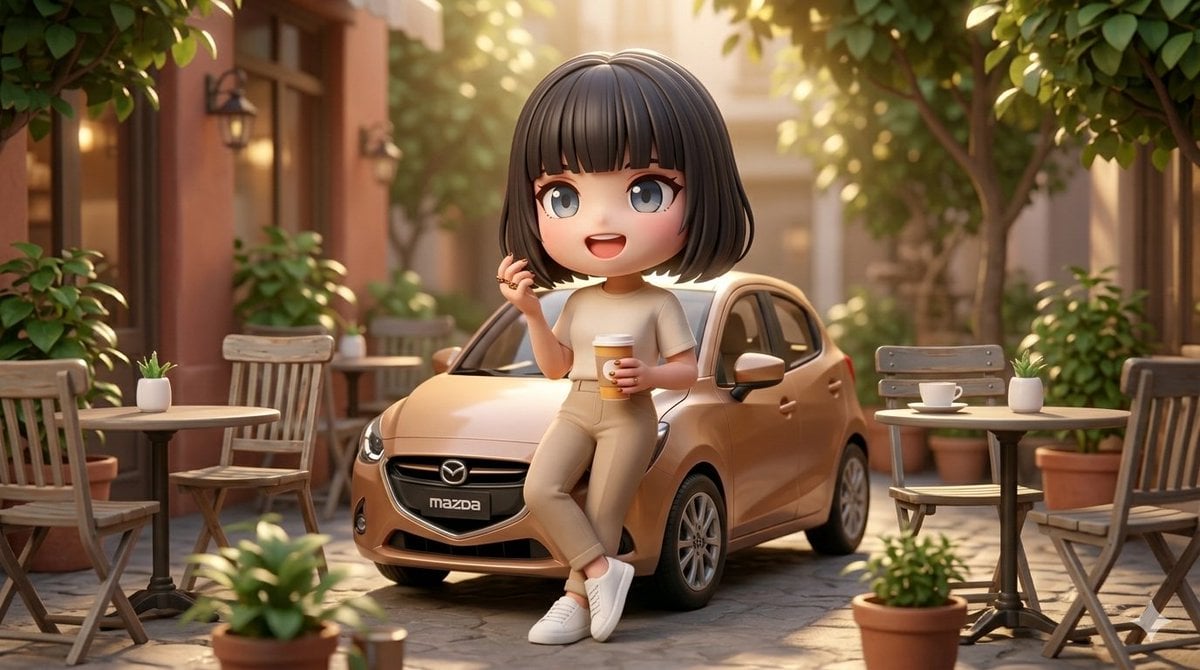
A highly detailed 3D caricature-style render of a cute, stylized {argument name="subject" default="young woman"} with large expressive green eyes and soft facial features. She has medium-brown hair styled in a loose, slightly messy bun with a few strands falling naturally. She is casually leaning against a modern {argument name="car model" default="champagne-colored Mazda hatchback"} parked on a charming {argument name="environment" default="cobblestone street"}. *She is wearing a beige/cream t-shirt, tan chinos, and clean white sneakers, holding a takeaway coffee cup in one hand. Her pose is relaxed and confident, with a subtle, friendly expression. The environment is a warm, sunlit outdoor European-style café setting with small tables, chairs, and greenery. Soft cinematic lighting with golden hour sunlight filters through leafy trees, creating gentle highlights and shadows. Background features shallow depth of field with soft bokeh. Ultra-realistic textures blended with stylized proportions, octane render, global illumination, 8k resolution, highly detailed materials, soft skin shading, realistic reflections on the car surface, vibrant yet natural color grading.
Choose the primary action to open PicX Studio with the available template settings. Review the model and format, personalize the creative direction, and generate when ready.
Yes. You can change the subject, setting, lighting, mood, format, and available model controls before creating your image.
This template is free to open and customize. Generation usage is shown in PicX Studio before you create.
Start with Nano Banana 2, which is the model associated with this template. You can compare another compatible model for a different finish.
Follow a topic to a crawlable collection of related PicX Studio templates.