
Ancient Prehistoric Swamp Landscape
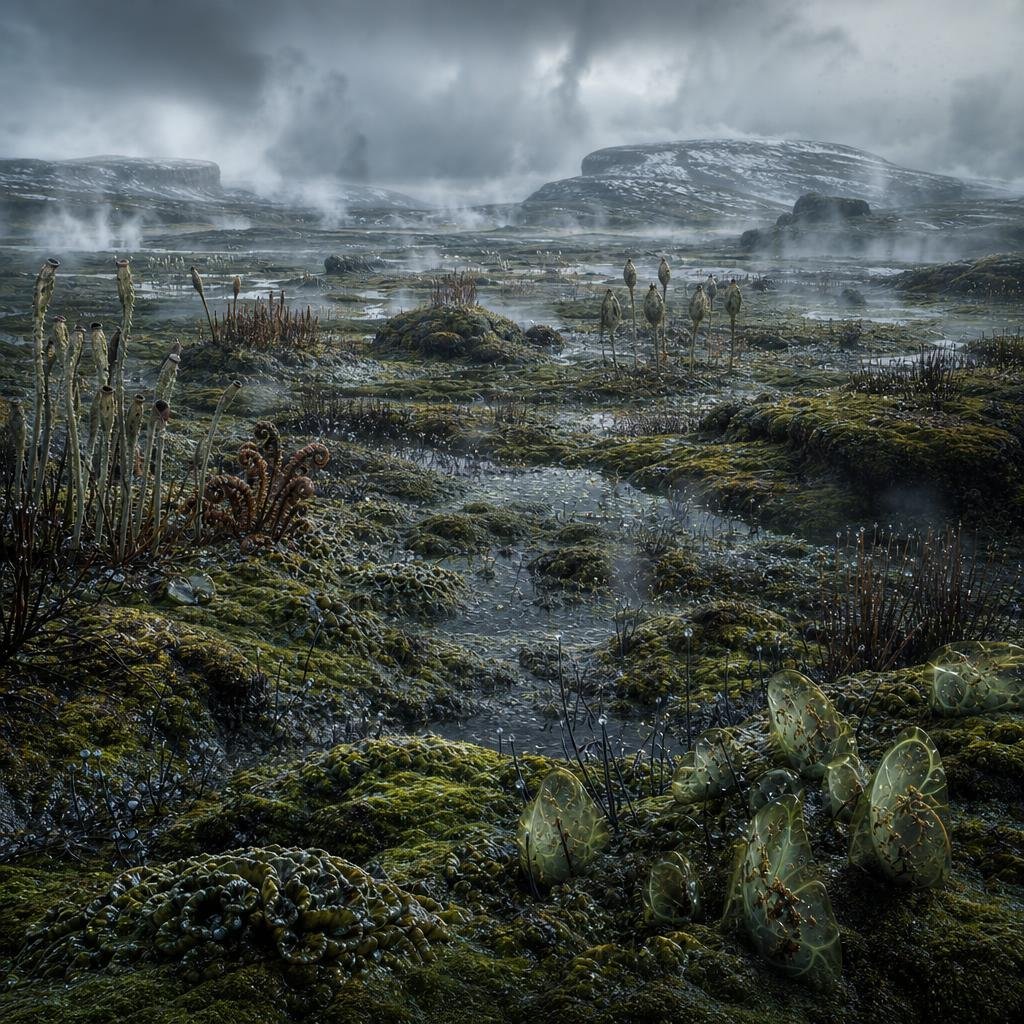
A cinematic realistic paleoart scene of a misty primordial marsh with primitive plants, wet mossy ground, and distant snow-dusted mesas.
- Prompt included
- Model and format preset
- Free template
The prompt behind this image
Copy the exact prompt behind Ancient Prehistoric Swamp Landscape, or open it in the studio and make it yours.
Create a highly detailed cinematic paleoart landscape showing a wet, alien-looking prehistoric swamp from the early land-plant era, with no animals or humans. The view is from low ground level across a shallow flooded marsh full of mossy green hummocks, slick mud, puddles, and winding rivulets reflecting a cold gray sky. Populate the foreground and midground with primitive vegetation: tall thin reed-like stalks with dark club-shaped tips, sparse brushy thickets, curled fern-like fronds, spiky low plants, bead-like wet growths, and exactly one prominent cluster of translucent pale green oval jelly-like sacs or seed pods in the lower right foreground, glowing subtly with brown vein-like interiors. In the distance, show flat-topped rocky mesas and low hills dusted with patches of snow, softened by drifting mist and steam rising in multiple wisps across the marsh. The atmosphere should be bleak, cold, ancient, and stormy, with heavy layered clouds, blue-gray lighting, damp surfaces, high realism, rich texture, scientific-documentary detail, wide-angle composition, deep depth of field, no text, no buildings, no modern objects.
How to use Ancient Prehistoric Swamp Landscape in 3 steps
- 1Upload ImagePNG, JPG or paste
Add your photo
Upload the photo the template builds on. The prompt, model and format are already set.
- 2…a portrait of your subject in softgolden-hour light, 85mm…
Personalize
Edit the subject and creative details for your destination.
- 3Generate
Generate
Press Generate — your image is created in PicX Studio, so you can compare it with the original and refine one variable at a time.
More like this
Templates with the same subject, style or setup. Open one to see its prompt.

Teen Girl Alpine Lake Mountain View

Mountain Lake Sunset Landscape

Ghibli Final Takeoff Field

Ghibli Rainy Tram Interior

Ghibli Star Observatory

Ghibli Tiny House On Back

Ghibli Lantern River Festival

Ghibli Whale Bone Beach

Ghibli Abandoned Amusement

Ghibli Shadow Puppet Theater

Ghibli Bakery Morning Rush

Ghibli Paper Crane Flock
Make it yours
Ancient Prehistoric Swamp Landscape works as-is. These are the safest ways to change it without losing the look.
Change one field
Copy a single group, rewrite it, and generate again so you can see what that field is doing.
Keep the frame, change the subject
Hold the composition and light of Ancient Prehistoric Swamp Landscape, then swap wardrobe, props or the person for a new take.
| If the result… | Why | Fix |
|---|---|---|
| The result drifts from the preview | Too many fields changed at once. | Reuse Ancient Prehistoric Swamp Landscape as-is first, then change one group — subject, light, or setting. |
| The model over-stylizes the scene | The prose prompt leaves finish and camera underspecified. | Add one camera or lighting sentence and stay on GPT Image 2. |
More GPT Image 2 templates
Other prompts made for GPT Image 2.

Six VTuber Japanese Logo Sheet

Realistic Portrait of Woman and Deer

The Vista Modular Condo Poster

AI Model Routing Comparison Infographic

2.5D Anime Art Board

Isometric Productivity Desk Scene

New York Double Exposure Poster

Four-Panel AI Landscape Comparison

Japanese Tatami Lifestyle Magazine Cover

NESCAFÉ Coffee Map Poster
More image prompts
Fresh picks from across the catalog.

Animated version 3d blender

Ultra-Cinematic Floating Energy Drink Product Shot

Cinematic Billionaire Lifestyle Portrait

Ice and Liquid Hybrid Logo Design

Surreal Symbolic Head Prompt

Stylized 3D Fashion Portrait
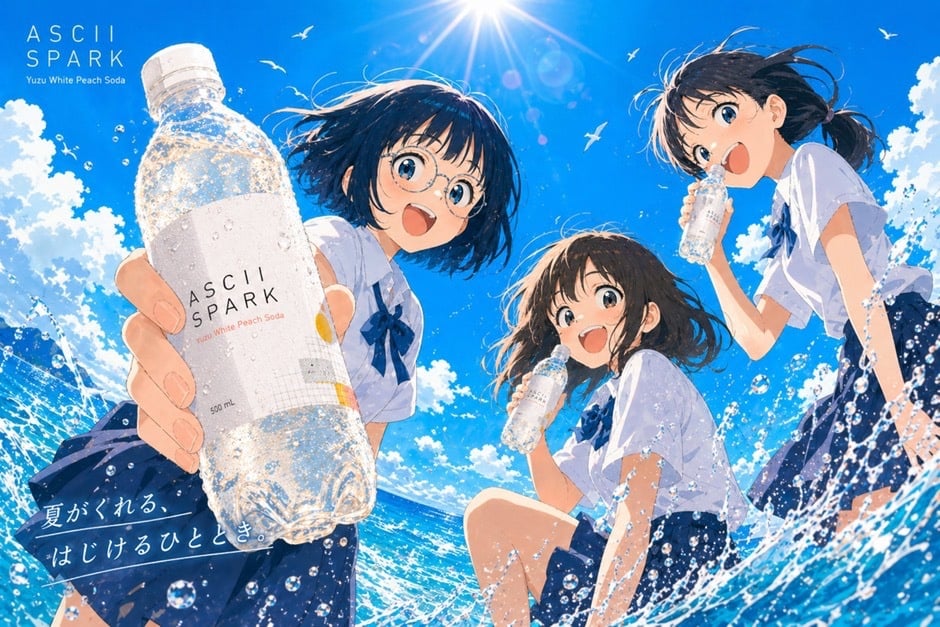
Anime Summer Soda Ad Poster

Hyper-Realistic iPhone 17 Pro Selfie Simulation Prompt

Nostalgic Film Print Portrait on Wooden Table

Deep Black Skin Selfie Portrait Prompt
Browse template categories
Ancient Prehistoric Swamp Landscape questions
How do I use the Ancient Prehistoric Swamp Landscape template?
Add your photo if the template asks for one, edit the prompt if you like — the template's model and format are already selected — and press Generate. Your version opens in PicX Studio.
Can I customize the Ancient Prehistoric Swamp Landscape template?
Yes. You can change the subject, setting, lighting, mood, format, and available model controls before creating your image.
Is the Ancient Prehistoric Swamp Landscape template free?
Opening and editing this template is free. Generating uses credits, shown on the Generate button when you are signed in.
Which AI model should I use?
Start with GPT Image 2, which is the model associated with this template. You can compare another compatible model for a different finish.
Looking for something else? Browse all templates.

Your photo, any look
Thousands of ready templates for every top image and video model, from one credit balance.