How do I use the Fashion Portrait Colored Smoke Studio template?
Edit the prompt in the box under the preview — the template's model and format are already selected — and press Generate. Your version appears right on this page.
Curated from MeiGen gallery (ID: 2003730339542499635) by ShaHid WaNii.

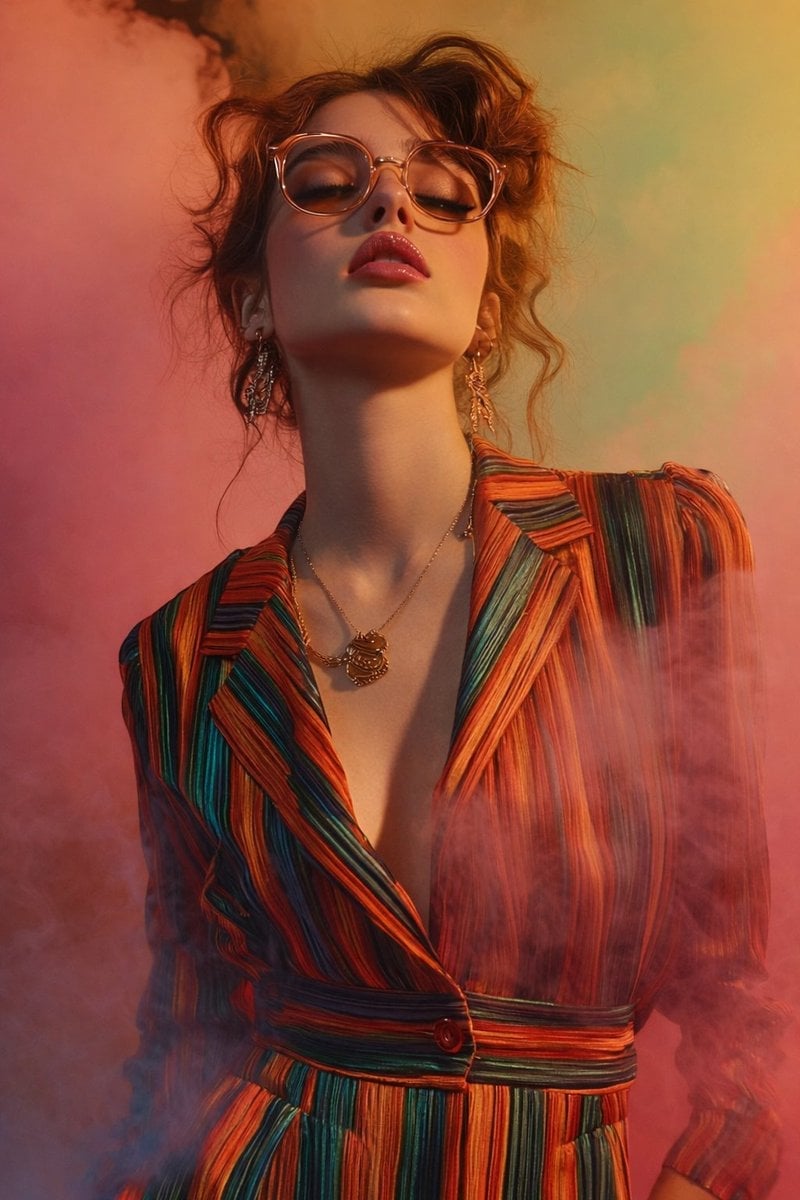
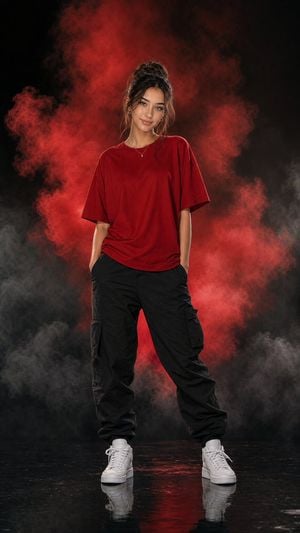
{ "image_type": "fashion portrait photography", "resolution_target": "8K Ultra HD", "aspect_ratio": "vertical (portrait)", "composition": { "framing": "medium close-up portrait", "crop": "from upper chest to slightly above head", "subject_position": "centered", "camera_angle": "low angle, slightly upward-facing", "perspective": "dramatic upward perspective emphasizing neck and jawline", "depth_of_field": "shallow depth of field with soft background blur" }, "subject": { "gender_presentation": "female-presenting", "age_range": "young adult", "skin_tone": "fair/light", "pose": { "head_position": "tilted slightly back", "chin": "raised upward", "shoulders": "relaxed, facing forward" }, "facial_expression": { "eyes": "closed", "mouth": "slightly parted", "expression_mood": "calm, confident, introspective" }, "face_details": { "face_shape": "oval", "jawline": "soft but defined", "cheekbones": "subtly defined", "skin_texture": "smooth, evenly lit" } }, "hair": { "color": "reddish-brown / auburn", "length": "medium", "style": "loosely styled with soft waves", "texture": "slightly tousled", "flyaways": "visible loose strands around head and neck" }, "eyewear": { "type": "eyeglasses", "frame_style": "rounded", "frame_material_appearance": "translucent", "frame_color": "light amber / peach-tinted", "lens": "clear" }, "makeup": { "lip_color": "deep pink / rose", "lip_finish": "glossy", "eye_makeup": "subtle, warm-toned", "overall_style": "natural with emphasis on lips" }, "accessories": { "earrings": { "type": "dangling earrings", "material_appearance": "metallic", "design": "intricate, elongated" }, "necklace": { "type": "chain necklace", "pendant": "ornamental pendant", "material_appearance": "gold-toned metal" } }, "clothing": { "garment_type": "tailored jacket or dress with lapels", "neckline": "deep V-neck", "fit": "structured yet flowing", "fabric_texture": "smooth, slightly reflective", "pattern": "vertical multicolored stripes", "colors": [ "orange", "red", "green", "teal", "yellow" ], "buttons": "visible front button at mid-torso" }, "lighting": { "type": "studio lighting", "direction": "soft frontal with slight side emphasis", "contrast": "moderate", "highlights": "gentle highlights on face and glasses", "shadows": "soft shadows under chin and neck" }, "background": { "environment": "studio setup", "elements": "colored smoke or mist", "color_palette": [ "pink", "coral", "peach", "soft green" ], "background_style": "abstract, atmospheric" }, "atmosphere": { "mood": "cinematic, fashion-forward", "visual_effects": "floating colored smoke surrounding subject", "clarity": "subject sharp, background diffused" }, "color_grading": { "tone": "warm", "saturation": "rich but balanced", "overall_palette": "harmonized warm and pastel tones" }, "image_quality": { "sharpness": "high detail on facial features, clothing texture, accessories", "noise": "none visible", "finish": "clean, professional, editorial-grade" } }
Edit the prompt in the box under the preview — the template's model and format are already selected — and press Generate. Your version appears right on this page.
Yes. You can change the subject, setting, lighting, mood, format, and available model controls before creating your image.
Opening and editing this template is free. Generating uses credits, shown on the Generate button when you are signed in.
Choose a compatible model in PicX Studio based on the style, speed, and output controls your project needs.
Follow a topic to a crawlable collection of related PicX Studio templates.