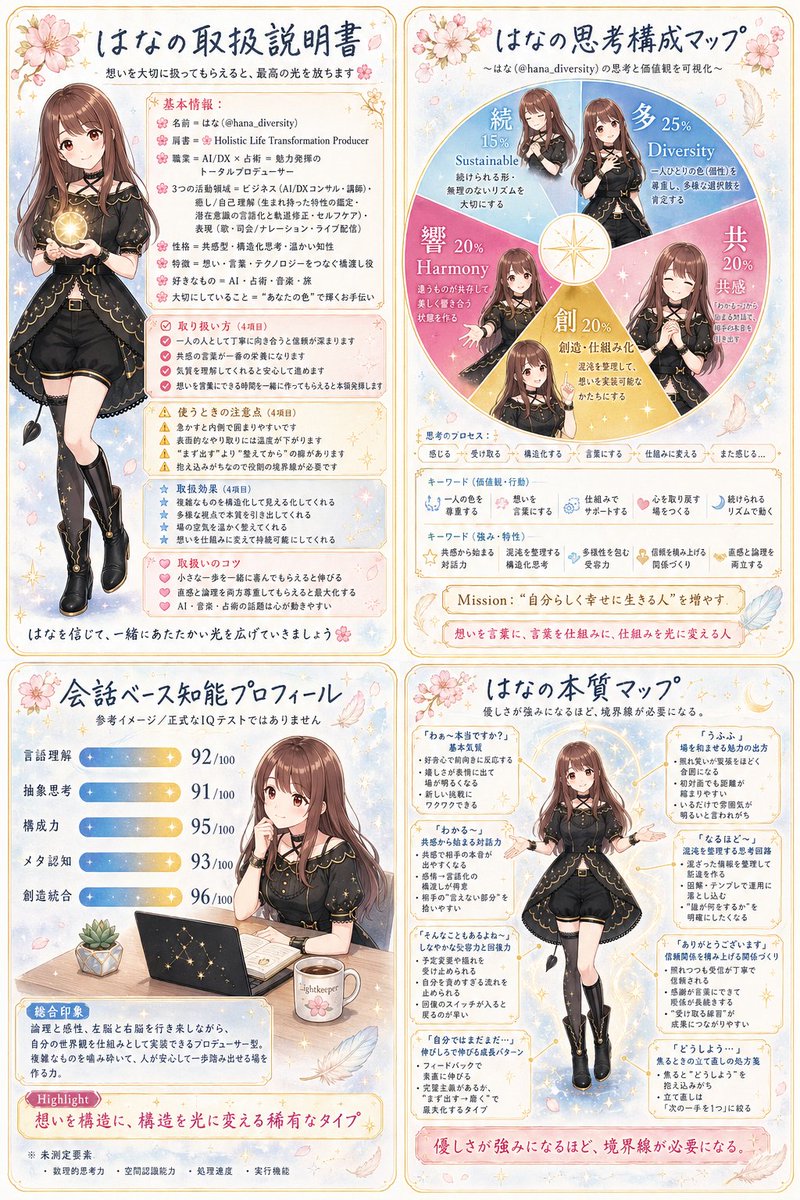
Anime Personality Infographic Poster
{"type":"Japanese anime-style personality infographic poster","theme":"soft pastel self-branding character sheet and mindset map","subject":{"character":"young adult woman, elegant and approachable","name":"{argument name=\"character name\" default=\"はな\"}","appearance":{"hair":{"color":"{argument name=\"hair color\" default=\"warm chestnut brown\"}","style":"long straight hair with soft inward curl at the ends, center part, smooth glossy bangs framing the face"},"expression":"gentle, kind, calm smile","outfit":{"count":7,"pieces":["black short-sleeve fitted top with gold piping and constellation-like trim","black high-waisted short pants with tailored seams","asymmetrical overskirt panels or tailcoat-like drapes with gold edging","wide black belt with gold rectangular buckle","thigh straps or garter-style leg accessories","black knee-high heeled boots with gold accents","small black ribbon and delicate jewelry details"]},"pose variants":{"count":4,"descriptions":["full-body standing pose on the upper left, holding a glowing golden orb with both hands","waist-up seated-at-desk pose on the lower left, one hand near the cheek beside a laptop and mug","full-body centered pose on the lower right, arms gently open to the sides as if explaining","4 additional half-body illustrations embedded inside a circular thinking map on the upper right"]}},"style":{"rendering":"clean polished anime illustration with refined linework, soft cel shading, luminous highlights, subtle sparkles","palette":{"main":["cream","blush pink","pastel blue","gold","black","warm brown"],"accents":["cherry blossom pink","pearl white","light beige"]},"mood":"gentle, intelligent, feminine, inspiring, trustworthy","decorative motifs":{"count":6,"items":["cherry blossoms","small flower clusters","gold filigree corners","sparkles and stars","feathers","soft watercolor-like background texture"]}},"layout":{"format":"vertical poster divided into 4 framed panels in a 2x2 grid with rounded ornate borders","sections":[{"title":"はなの取扱説明書","position":"top-left","count":5,"labels":["基本情報","取り扱い方(4項目)","使うときの注意点(4項目)","取扱説明書(4項目)","取扱いのコツ(4項目)"]},{"title":"はなの思考構成マップ","position":"top-right","count":5,"labels":["続 15% Sustainable","多 25% Diversity","共 20% 共感","創 20% 創造","響 20% Harmony"]},{"title":"会話ベース知能プロフィール","position":"bottom-left","count":6,"labels":["言語理解 92/100","抽象思考 91/100","構成力 95/100","メタ認知 93/100","創造統合 96/100","Highlight"]},{"title":"はなの本質マップ","position":"bottom-right","count":6,"labels":["『わぁ〜木村ですね』基本図","『うふふ…』場を和ませる魅力の出し方","『わかる〜』共感から始まる対話力","『そんなこともあるよね』しなやかな受容力と静観力","『ありがとうございます』感謝関係を構築上げる関係づくり","『どうしよう…』焦るときのいてほしい関わり方"]}],"centerpiece":"the character appears repeatedly across all four panels as the visual identity anchor"},"objects":{"count":6,"items":["glowing golden orb","dark laptop with gold star constellation design","open notebook or planner","white mug with printed text","small potted succulent","decorative compass-like star at the center of the circular chart"]},"text treatment":{"language":"Japanese","headline_style":"hand-lettered dark navy Japanese headers with friendly elegant feel","body_style":"small readable editorial text in neat blocks and pastel callout boxes","keep_text_dense":true},"background":"light cream paper-like backdrop with blush and pale blue gradients, scattered petals, sparkles, and delicate ornamental framing","composition_notes":"make it look like a beautifully designed social media infographic poster or personal brand profile sheet, balancing readable text areas with character art; preserve the feminine pastel editorial aesthetic and polished GPT-image-2 poster quality","customization":{"headline_name":"{argument name=\"headline name\" default=\"はな\"}","mission_text":"{argument name=\"mission text\" default=\"自分らしく幸せに生きる人\"}","highlight_text":"{argument name=\"highlight text\" default=\"想いを構造に、構造を光に変える稀有なタイプ\"}"}}






![118-google-nano-banana-pro-skincare-product- — A professional skincare shot of a [product container] with [cap/lid], labeled [brand, product, descriptor, volume](/_next/image?url=https%3A%2F%2Fcdn.picxstudio.com%2Fuploads%2Fpost118_img0_332898b8-29ea-42a9-87ab-9ed746a3f944.jpg&w=828&q=100)











![69-untitled — FORMAT: 15s / 145 BPM / 14 SHOTS
SUBJECT: @[image1]
WARDROBE: Clean modern outfit
ENVIRONMENT: Street / indoor transitions
MOOD: Discovery → contr](/_next/image?url=https%3A%2F%2Fcdn.picxstudio.com%2Fuploads%2Fpost69_img0_d45faecf-38c3-4bcb-81a4-f6eb1cf42bb2.jpg&w=828&q=100)





![Naive doodle-style subject illustration — A doodle-style {argument name="subject" default="[subject]"}, naive lines, humorous shape exaggeration](https://pbs.twimg.com/media/G6Wl2YxbsAARB2b.jpg)















![Procedural Book Nook Diorama Generation Prompt — <instructions> Input Variable: [INSERT TOPIC HERE] (e.g., History of Space Exploration)
Syst…](https://pbs.twimg.com/media/G9mPO2WXgAAXUg8.jpg)





![Colossal Structure Miniature World Prompt — [{argument name="product" default="PRODUCT"}] transformed into a colossal structure within a miniature world, tiny p](https://pbs.twimg.com/media/G_CGlJuWEAASTek.jpg)

![Surreal Studio Ghibli food advertisement prompt — Create a surreal 1:1 advertisement for [{argument name="brand name" default="Pringles"}], placing the hyper-re](https://pbs.twimg.com/media/G_Myqg8bcAA8X86.jpg)

