How do I use the Hyper-Realistic Flirtatious Portrait template?
Choose the primary action to open PicX Studio with the available template settings. Review the model and format, personalize the creative direction, and generate when ready.
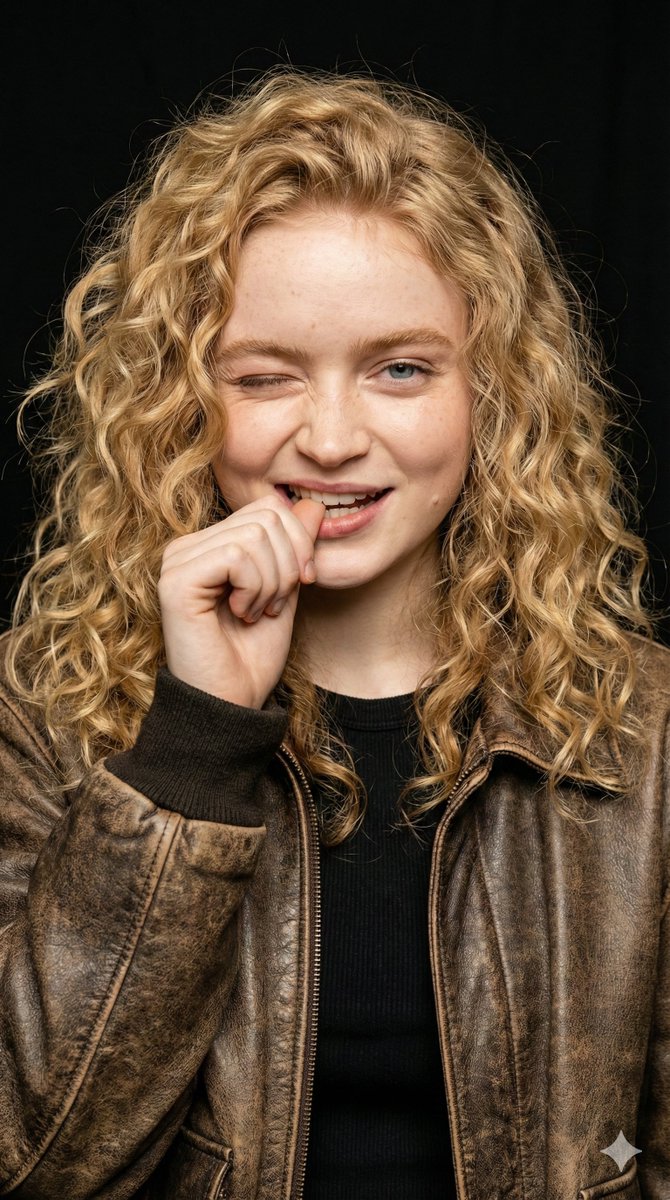
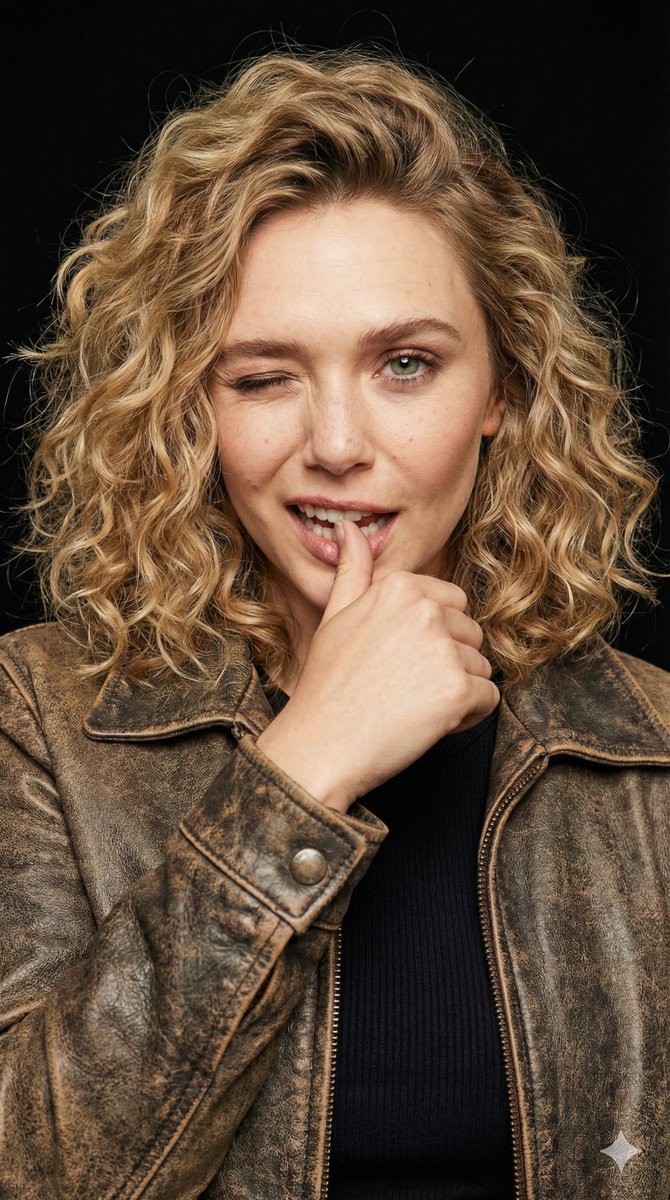
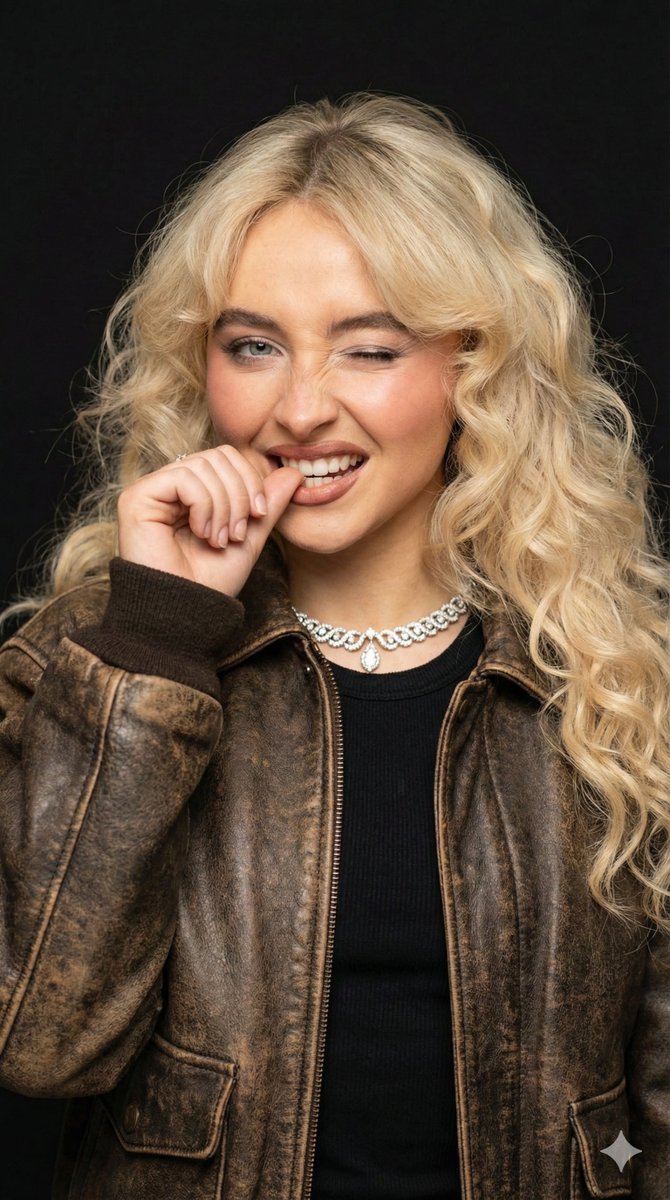
A detailed JSON prompt for generating a hyper-realistic portrait of a young woman with natural curls and freckles, captured in a playful, winking pose while biting her thumb. The prompt specifies studio lighting, technical camera settings (85mm, f/1.8), and a black background for high contrast. (free to use) — Free AI image template on PicX Studio.
{ "prompt_structure": { "subject": { "demographics": "Young woman, early 20s, Caucasian", "hair": "Voluminous, shoulder-length blonde hair with tight, defined natural curls/ringlets; messy yet styled texture", "face": "Fair complexion, visible freckles or natural skin texture, one blue eye open, distinct facial structure", "makeup": "Minimal natural makeup, nude lip, subtle mascara" }, "pose_and_expression": { "action": "Biting the thumb of the left hand playfully, head tilted slightly to the right", "facial_expression": "Winking left eye, cheeky/flirtatious grin, scrunching nose slightly", "gaze": "Direct eye contact with the camera (with the open eye)" }, "attire": { "outerwear": "Vintage distressed brown leather jacket, bomber or biker style, worn texture, silver snap button detail on collar", "inner_wear": "Black ribbed crew-neck top", "styling": "Casual, edgy, cool-girl aesthetic" }, "environment": { "background": "Solid, seamless matte black background", "context": "Studio portrait setting, minimalistic to focus on subject" }, "lighting": { "type": "Soft frontal studio lighting (beauty dish or ring light)", "qualities": "Even illumination on the face, creating a catchlight in the eye, soft shadows defining the hair texture, high contrast against the dark background" }, "technical_details": { "camera_settings": "85mm portrait lens, aperture f/1.8 for shallow depth of field, sharp focus on the face", "perspective": "Eye-level, close-up portrait framing (shoulders and head)" }, "photorealism_and_quality": { "style": "Hyper-realistic portrait photography, high fidelity", "resolution": "8k, UHD", "details": "Detailed skin pores, realistic hair strand rendering, leather texture mapping, cinematic lighting" }, "mood": "Playful, confident, flirtatious, energetic, charismatic, candid" } }
Use Hyper-Realistic Flirtatious Portrait to plan an AI image around nano-banana-2 generation. Match the preview's composition first, then personalize the subject, setting, and mood for your own project.
Use the primary action to load the template settings in PicX Studio.
Adjust the subject and creative details for your destination.
Create the image, compare the result with the preview, and refine one variable at a time.
A continuous mix — similar concepts first, woven with same-model prompts and fresh picks from the catalog.
Choose the primary action to open PicX Studio with the available template settings. Review the model and format, personalize the creative direction, and generate when ready.
Yes. You can change the subject, setting, lighting, mood, format, and available model controls before creating your image.
This template is free to open and customize. Generation usage is shown in PicX Studio before you create.
Start with nano-banana-2, which is the model associated with this template. You can compare another compatible model for a different finish.
Follow a topic to a crawlable collection of related PicX Studio templates.
39,155 public templates available. Verified via the PicX Studio public templates API; refreshed hourly.
A continuous mix — similar concepts first, woven with same-model prompts and fresh picks from the catalog.