Romantic Cinematic Triptych with Shared Earphones
{
"generation_request": {
"meta_data": {
"tool": "NanoBanana Pro",
"task_type": "photoreal_cinematic_romantic_triptych_editorial",
"version": "v1.0_CITY_WALK_EARPHONES_COUPLE_TRIPTYCH_FILM_LOOK",
"priority": "highest"
},
"references": {
"reference_image_1": {
"source": "UPLOAD_REFERENCE_IMAGE",
"purpose": "LAYOUT_POSE_EXPRESSION_LIGHTING_REFERENCE",
"strict_lock": true,
"match_reference_priority": "MAX",
"preserve_triptych_layout": true,
"preserve_framing_and_crop": true,
"preserve_subject_positions": true,
"preserve_earphone_cable_detail": true,
"preserve_emotions_sequence": true,
"preserve_background_bokeh_structure": true,
"no_style_drift": true
},
"reference_image_2": {
"source": "UPLOAD_FACE_REFERENCE (OPTIONAL)",
"purpose": "FACE_IDENTITY_LOCK_FEMALE",
"strict_lock": true,
"face_similarity_priority": "MAX",
"no_identity_blending": true,
"no_age_shift": true,
"preserve_skin_texture": true,
"preserve_facial_proportions": true,
"preserve_expression": true
},
"reference_image_3": {
"source": "UPLOAD_FACE_REFERENCE (OPTIONAL)",
"purpose": "FACE_IDENTITY_LOCK_MALE",
"strict_lock": true,
"face_similarity_priority": "MAX",
"no_identity_blending": true,
"no_age_shift": true,
"preserve_skin_texture": true,
"preserve_facial_proportions": true,
"preserve_expression": true
}
},
"creative_direction": {
"concept": "A three-panel romantic film still sequence on a city street: a couple sharing wired earphones, exchanging intimate smiles; the middle panel is a forehead kiss; the final panel is laughter—captured with warm, nostalgic 35mm film texture.",
"mood": "tender, playful, nostalgic, deeply human",
"style_keywords": "indie romance, golden hour city bokeh, candid intimacy, film still"
},
"layout": {
"format": "3-panel vertical triptych",
"panel_1": "close-up: they lean in close, sharing one set of wired earphones, soft eye contact and smile",
"panel_2": "close-up: he kisses her forehead, she laughs with eyes closed, arm around shoulders",
"panel_3": "close-up: both laughing openly, faces turned toward each other, earphone cable still visible",
"borders": "clean separations between panels, no text"
},
"scene": {
"location": "{argument name="location" default="city street / pedestrian area"}",
"background": "soft out-of-focus passersby, warm street tones, creamy bokeh lights",
"time": "late afternoon into golden hour",
"weather": "dry, mild, warm light"
},
"subjects": {
"male": {
"wardrobe": "dark knit sweater",
"hair": "short curly hair",
"pose_sequence": {
"pa


![Movement Sheet - Dance Reference (Seedance 2.0) — [STYLE]
Monochrome grayscale illustration, 3D-rendered character, clean instructional reference sheet, white b](https://pbs.twimg.com/media/HGzSvcnboAA_bjD.jpg?name=orig)







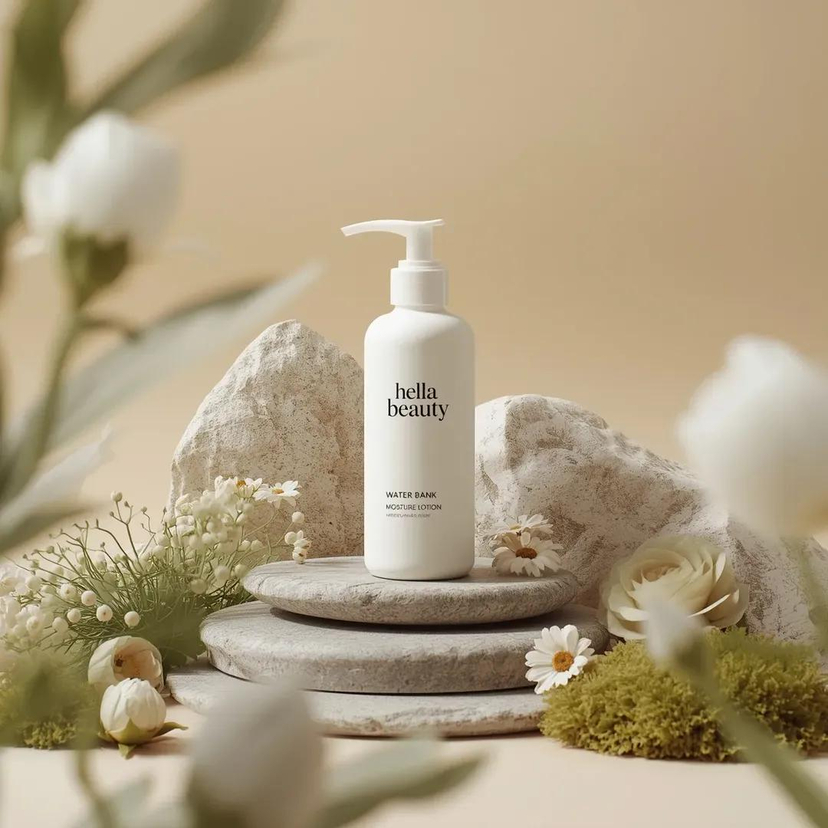
![A professional skincare shot of a labeled — A professional skincare shot of a [product container] with [cap/lid], labeled [brand, product, descriptor, volume] w](https://images.meigen.ai/tweets/2039599784173195358/0.jpg)

![Product Elemental Lifestyle - Midjourney v7/v8 — Prompt Studio: Product Elemental Lifestyle, with Midjourney v7 and v8\n\n[PRODUCT] half-buried in [volcanic bla](https://pbs.twimg.com/media/HFVlLNkbwAAUXmI.jpg?name=orig)


![Naive doodle-style subject illustration — A doodle-style {argument name="subject" default="[subject]"}, naive lines, humorous shape exaggeration](https://pbs.twimg.com/media/G6Wl2YxbsAARB2b.jpg)