
IMAGEAlibaba (Qwen) · from 16 credits / image
The open model built to put words in pictures
Qwen Image Generator
Text to image or restyle one photo. English and Chinese lettering, about 1 MP, five aspect ratios.
Qwen Image is the 20B open-weights model the Qwen team released in August 2025 to fix the weak spot of most image models: text. Ask for a shop sign, a book cover or a slide with several lines of copy and it lays the words out in place. PicX runs it in the cloud, so there is nothing to download.
- 1K
Words that land where you put them
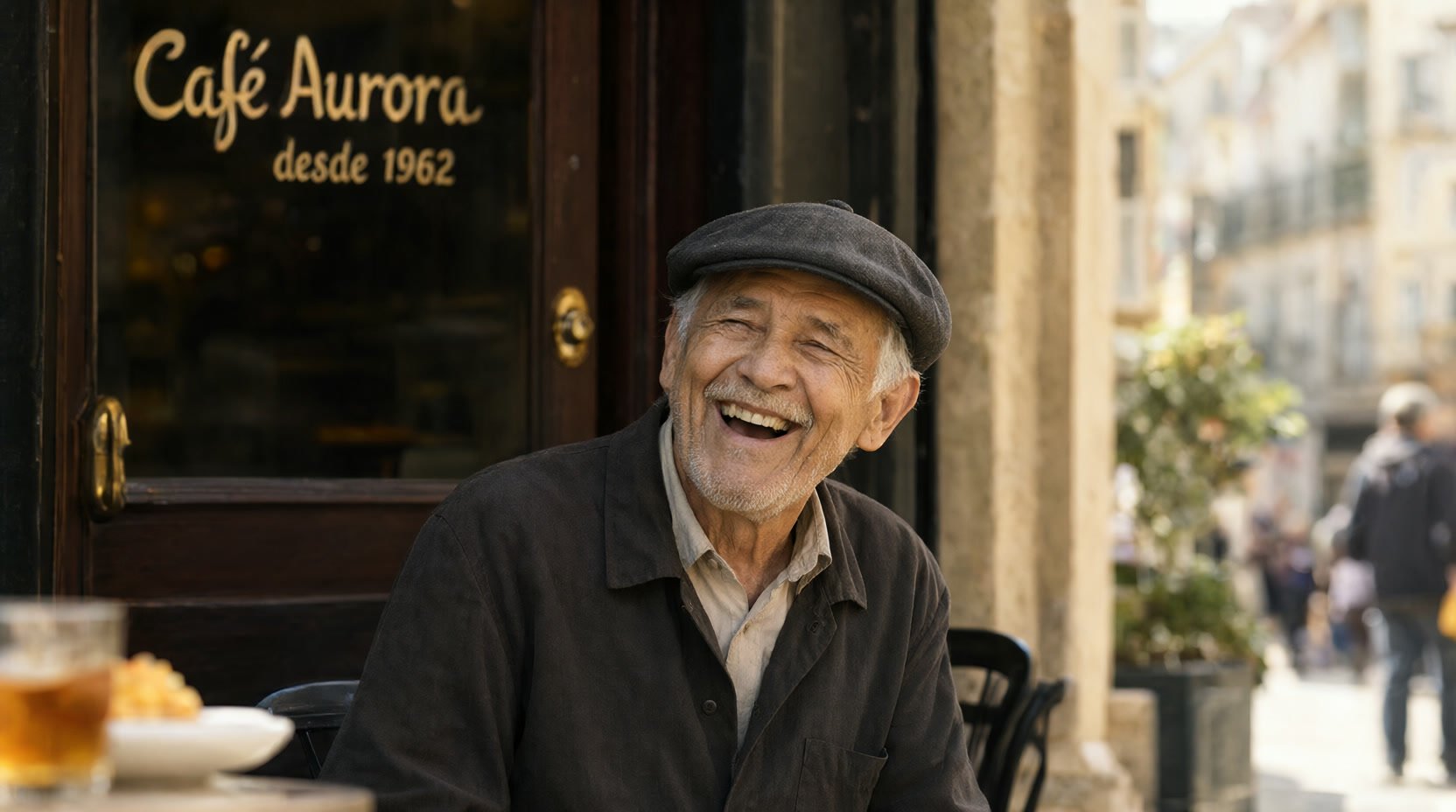
Lettering inside real scenes
Painted shop windows, menus and labels sit on the surface they belong to, with the spelling from your prompt. Put the exact words in quotes.
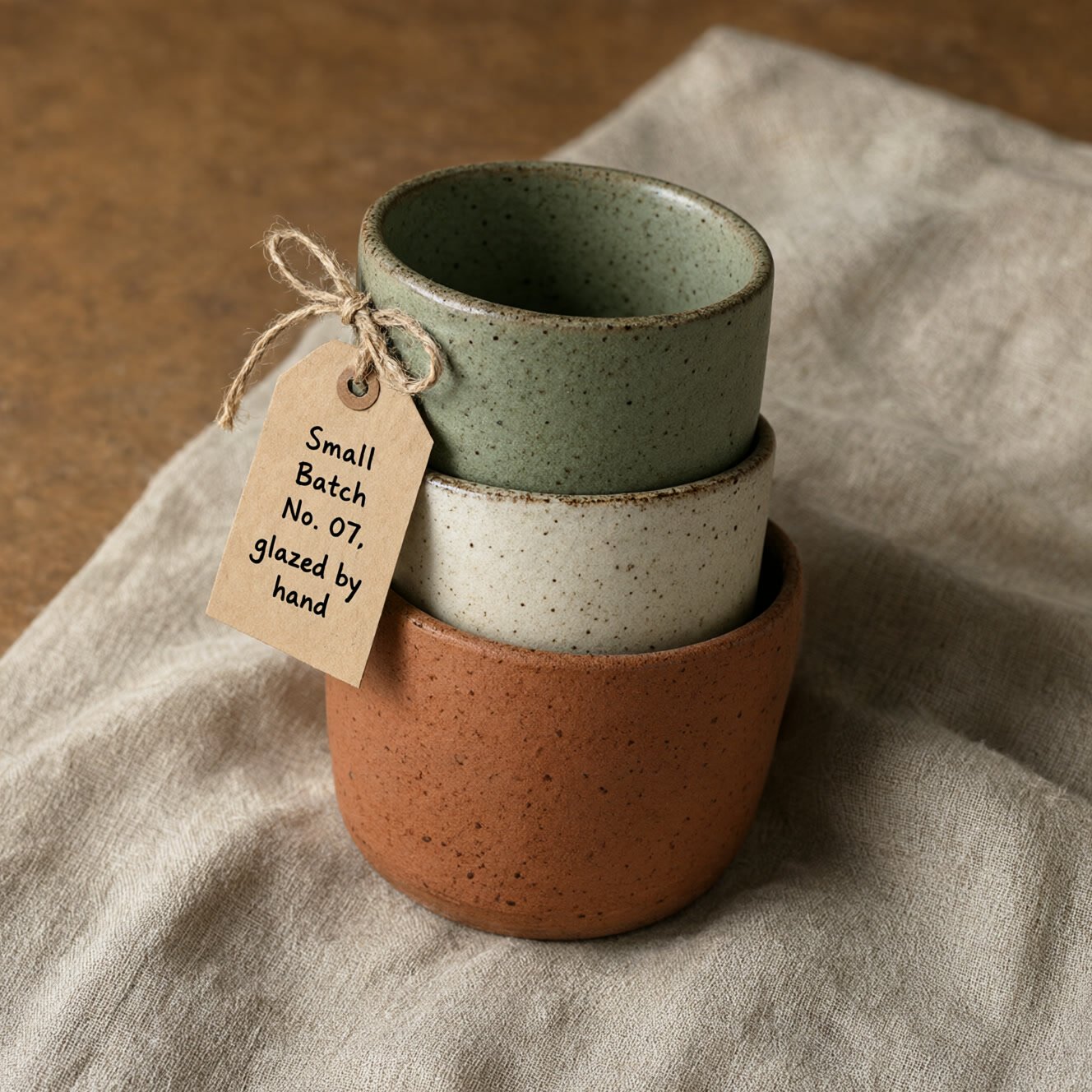
Small text and product labels
The launch post shows fine print that fills a tiny part of the frame. Tags, stamps and packaging copy are a natural fit.
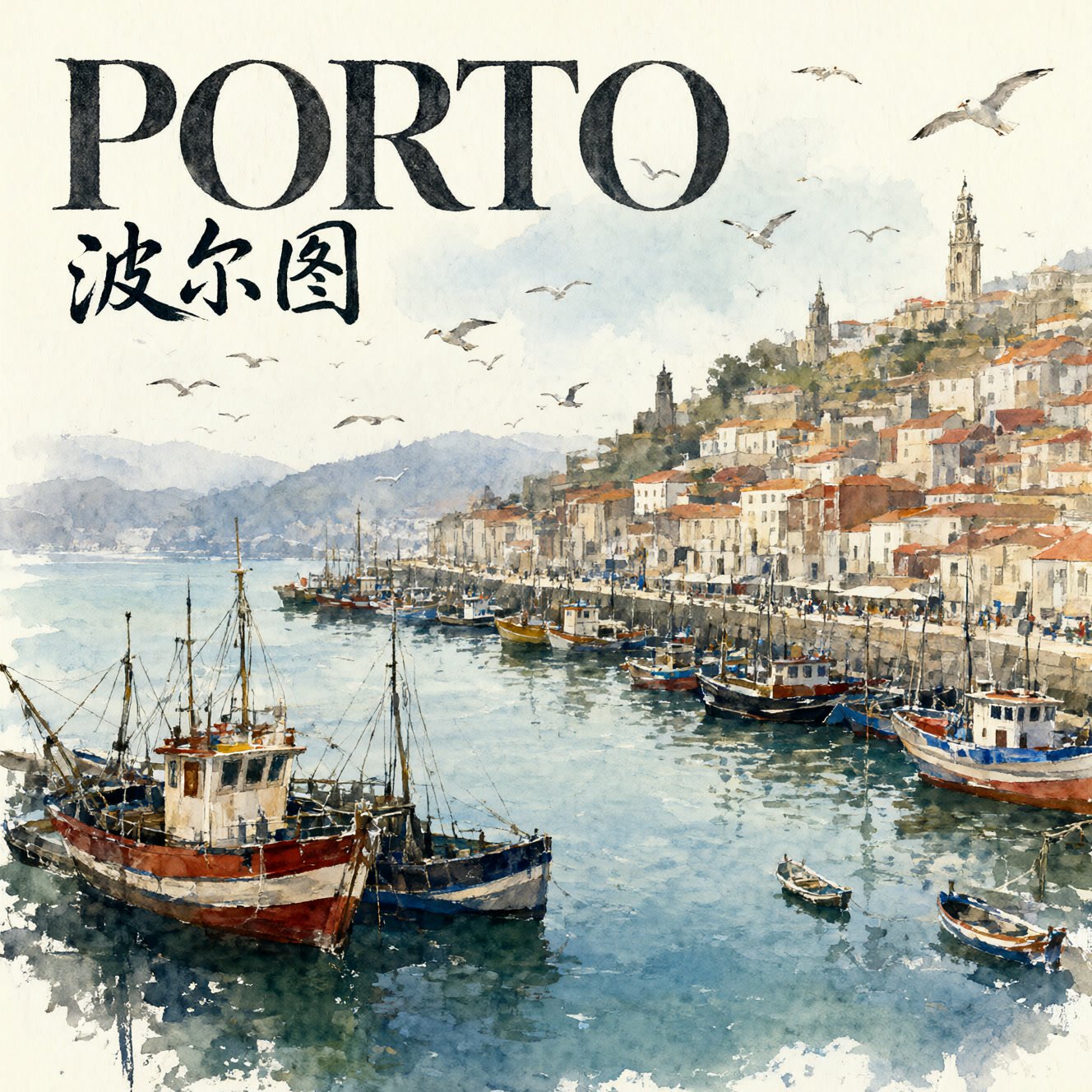
English and Chinese in one image
Latin letters and Chinese characters can share a layout, so a bilingual poster or sign takes one prompt instead of an edit pass.
Qwen Image, from its maker
Official release video by Alibaba (Qwen)
Qwen Image
Text to image or restyle one photo. English and Chinese lettering, about 1 MP, five aspect ratios.
Layouts with real copy
Slides and infographics A title plus a few bullet lines, laid out as a deck page. Qwen showcased PPT-style pages at launch.
Menus and signage Chalkboards, storefronts and street signs that read correctly, in either language.
Posters and book covers Headline, subtitle and credit line in a single render, ready for a mock-up.
Restyle a photo Upload one picture and describe a new look. The result keeps the original's shape.
Why pick Qwen Image
- Multi-lineParagraph-aware textHandles more than a one-word logo.
- EN + ZHTwo writing systemsLetters and characters together.
- 20BMMDiT modelQwen's open image foundation model.
- Apache 2.0Open weightsCommercial-friendly licence.
- 5 ratios1:1 to 16:9 and 9:16Feeds, slides and stories.
- Zero setupNo GPU or ComfyUIRuns in the browser.
What Qwen Image costs
Billed per image, at the resolution you pick. The same prices the generator shows before you run it.
- 1K16credits / imageOn Starter≈ 225 images / mo
Every model on every planCredits never expireSee plans
Pay for Qwen Image with crypto
Buy credits with Bitcoin, USDT, USDC, ETH, Solana and more — no card, nothing auto-renews, packs from $5, and 15% extra credits on crypto payments.
Which Qwen Image to choose
Every Qwen Image version in the PicX model picker, as PicX runs it today. This page covers the original Qwen Image; prompt-based edits of one photo are on Qwen Image Edit.
Qwen announced native 2K for Qwen Image 2.0; on PicX it runs at 1K for now.
How to use Qwen Image in 3 steps
- 1
Write the words in quotes
Describe the scene, then put every piece of text you want rendered inside quotes and say where it goes: 'headline at the top', 'small print on the tag'.
- 2
Optionally add one photo
Attach a single image to restyle it from your prompt. For targeted changes such as swapping an object or rewriting existing text, use Qwen Image Edit instead.
- 3
Pick a ratio and generate
Choose square, 4:3, 3:4, 16:9 or 9:16. Output is about one megapixel. Check the spelling, then tweak the prompt and run again.
Qwen Image prompts to copy
Real prompts and what they made. Copy one, or open it in the generator with the model already picked.
Street portrait
Candid street portrait of an elderly man in a flat cap laughing outside a Lisbon cafe, the window behind him hand-painted in gold with 'Café Aurora' and 'desde 1962' underneath, soft afternoon light, 85mm, shallow depth of field
Ceramic mugs
Three speckled ceramic mugs in sage, cream and terracotta stacked on linen, a small kraft paper tag tied to the top mug reading 'Small Batch No. 07, glazed by hand', top-down artisan product photo
Bilingual harbour poster
Loose watercolour travel poster of a fishing harbour with colourful boats and seagulls, large serif headline 'PORTO' at the top with '波尔图' in brush calligraphy beneath it, white paper showing through
Product launch slide
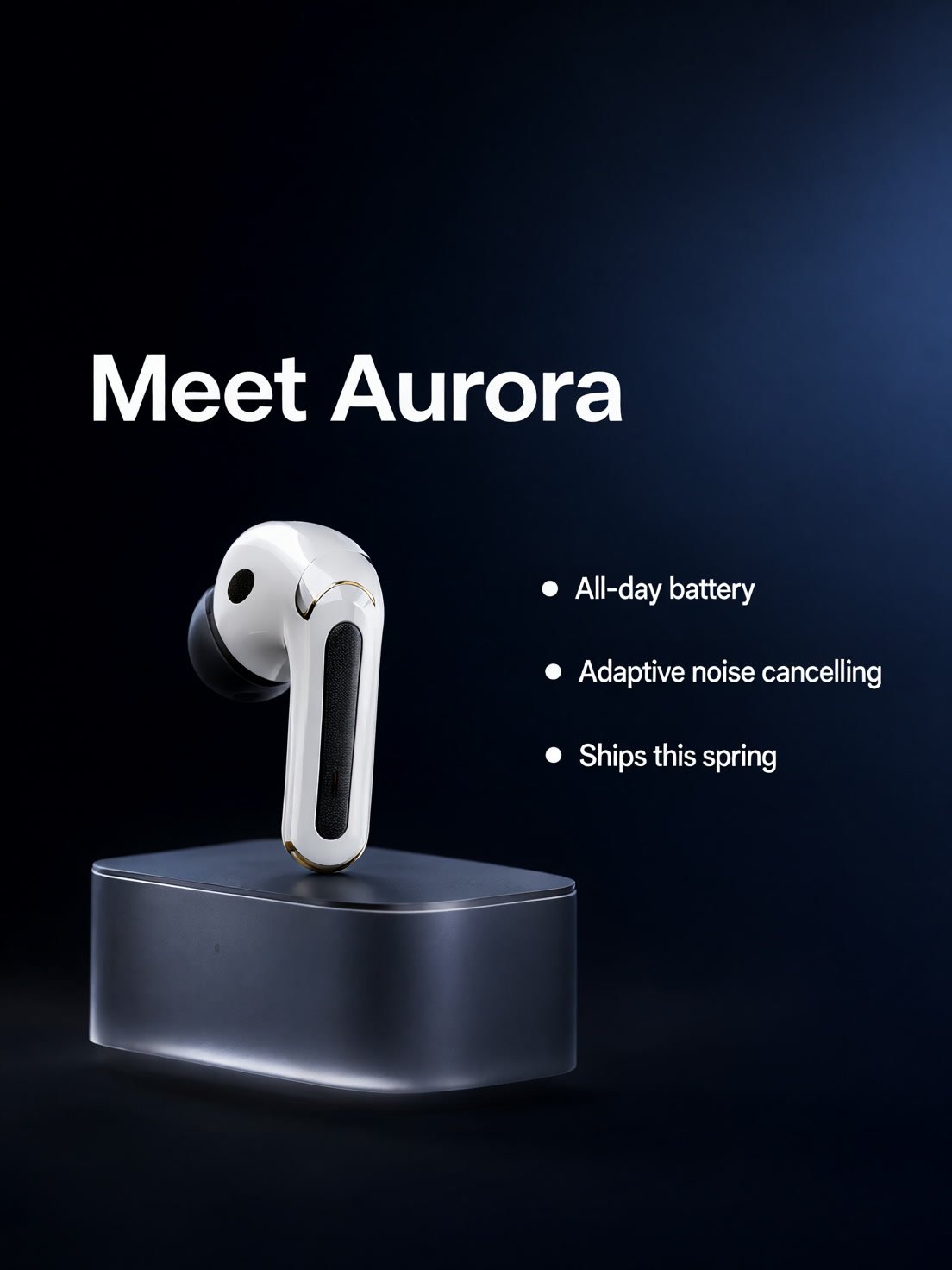
Minimal keynote slide with the title 'Meet Aurora' above a sleek wireless earbud, three bullet lines on the right: 'All-day battery', 'Adaptive noise cancelling', 'Ships this spring', dark gradient background, clean sans-serif
Templates to start from
Browse all templates







Qwen Image questions
What is Qwen Image?
It is the Qwen team's open image foundation model, a 20B MMDiT released on 4 August 2025. Its headline skill is rendering text, including multi-line layouts in English and Chinese, alongside photoreal, painterly, anime and minimalist styles.
What is the difference between Qwen Image and Qwen Image Edit?
Qwen Image creates new pictures from a prompt; on PicX it can also restyle one uploaded photo. Qwen Image Edit is a separate model made to change specific parts of an existing photo, such as replacing an object or rewriting text while keeping the look. Use the Qwen Image Edit page for that.
How do I get clean text with Qwen Image?
Put the exact wording in quotes, keep each text block short, and say where it sits in the frame. Qwen's model card also suggests ending English prompts with a short quality phrase such as 'Ultra HD, 4K, cinematic composition'. You can add it on PicX too, but it is a style hint, not a size setting: the output stays about one megapixel.
Is Qwen Image open source?
Yes. The original Qwen Image weights are published on Hugging Face and ModelScope under the Apache 2.0 licence. PicX hosts the model so you can use it without downloading the files or setting up ComfyUI.
Is Qwen Image free?
Downloading the Apache 2.0 weights costs nothing, but a 20B model needs serious GPU memory to run at home. Here the hardware is ours and each Qwen Image render is paid from your credit balance instead. Your sign-up bonus is a single free picture from Nano Banana 2, not a Qwen Image render.
Which Qwen Image version should I use?
Start with Qwen Image for signs, labels and posters at about 1 MP. Move to Qwen Image 2.1 when you need many reference photos, or to Qwen Image 3 when you want 2K output. The table above lists what each one supports on PicX.
Is there a Qwen Image API?
Yes. The PicX Studio REST API, CLI and MCP server let you script Qwen Image renders, for example batches of bilingual signs or slide images, billed to the credits you already use on the website. No separate provider account is needed. See the developer docs for the endpoint and parameters.

Put your words in the picture
Write the copy in quotes and let Qwen Image lay it out.