
IMAGEAlibaba (Qwen) · from 24 credits / image
Alibaba's open editor that keeps the font when it changes the words
Qwen Image Edit Online
One photo in. English and Chinese text edits. About 1 MP out.
Qwen Image Edit reads your photo twice: once for what it means and once for how it looks. That lets it make a tiny local fix, rewrite a sign in the same lettering, or redraw the whole subject from a new angle.
- 1K
Two kinds of edit, one model
Text edits that keep the lettering
Swap a title, a date or a price on a poster in English or Chinese. Qwen built the editor on Qwen Image's text rendering, so new words come out in the original typeface, size and style.
Small fixes that leave the rest alone
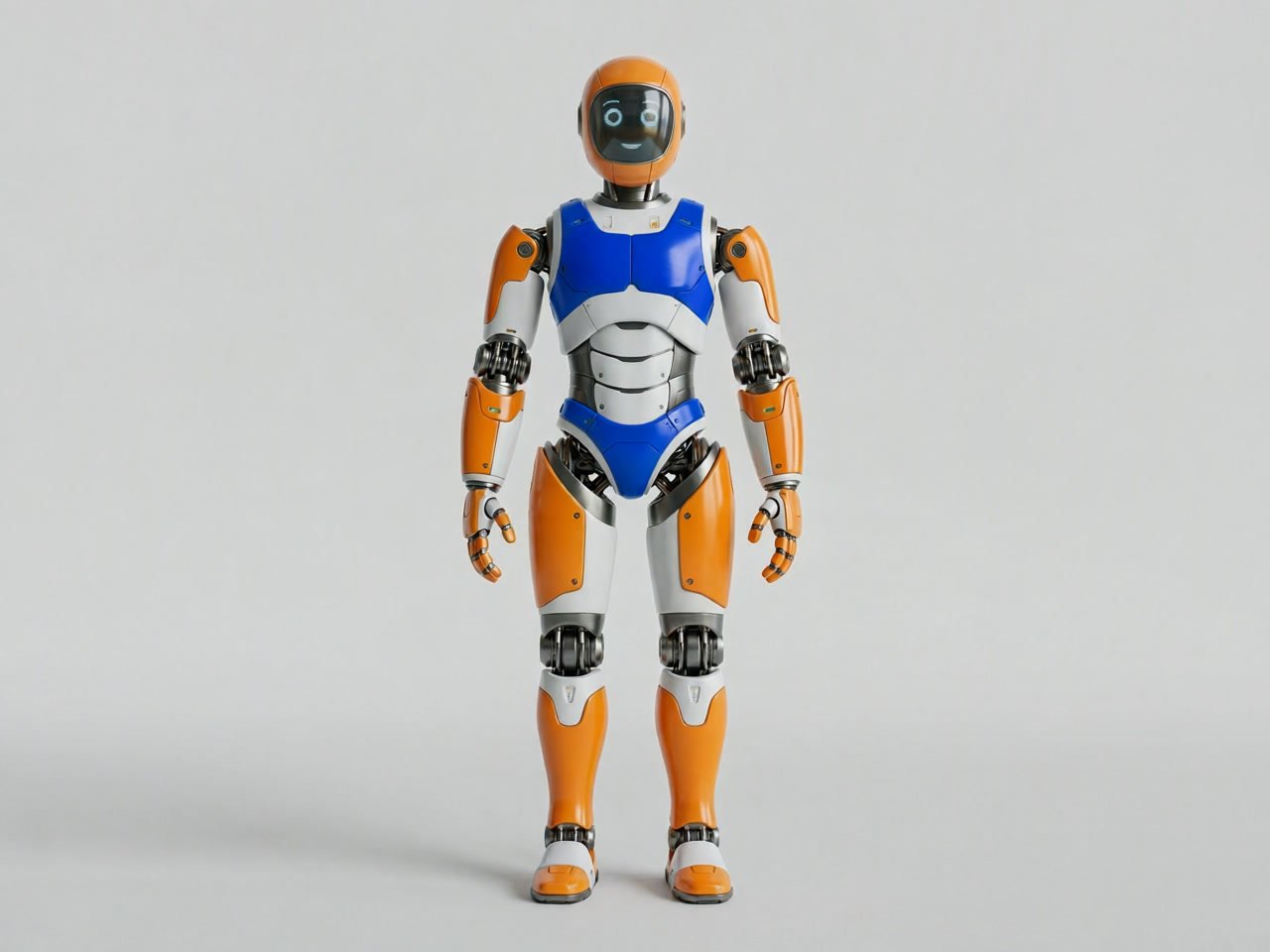
Qwen calls these appearance edits: add a sign, remove a stray object, recolour one part. The pixels outside the change are meant to stay as they were.
Big changes that keep the subject
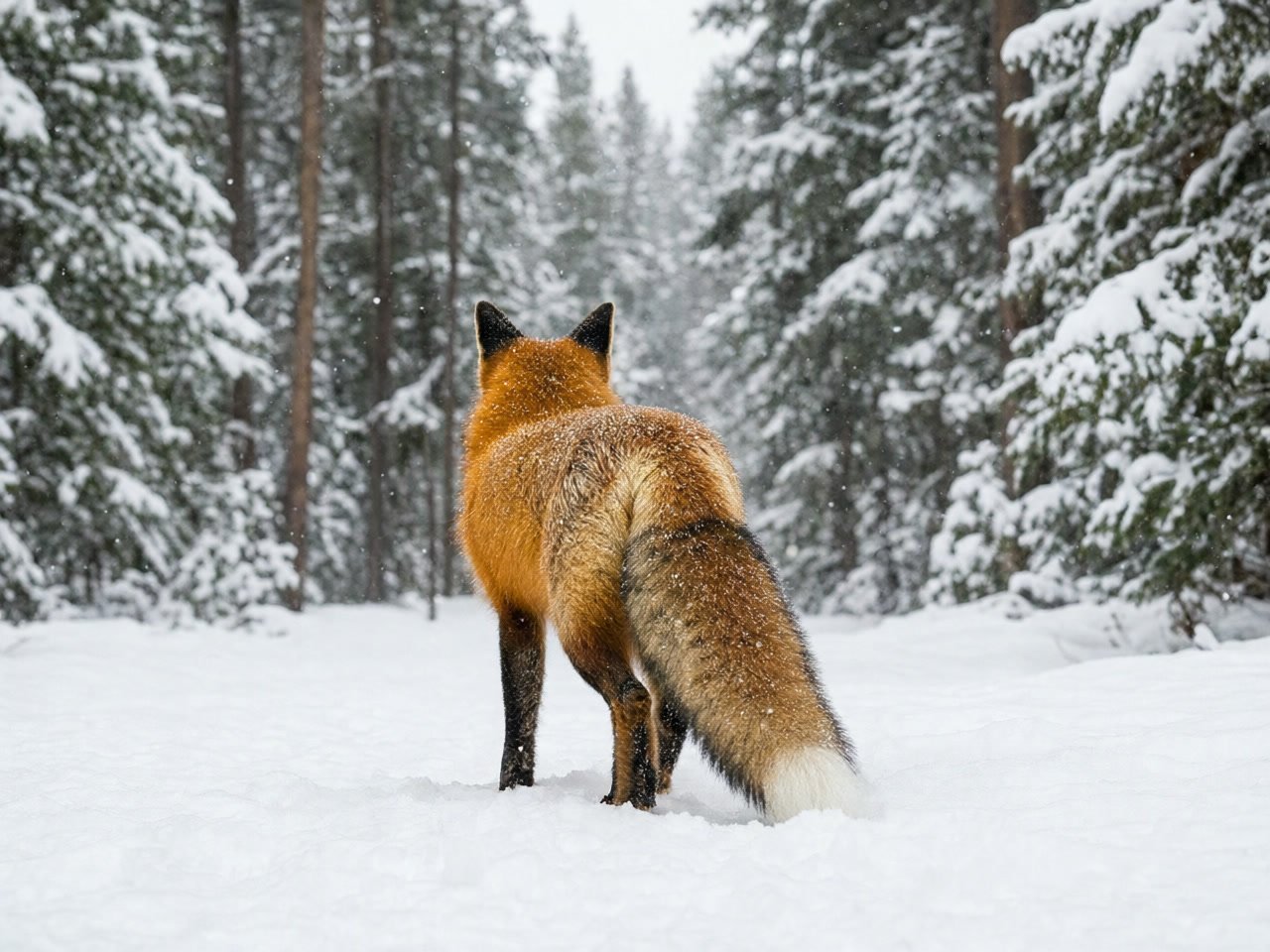
Semantic edits can repaint most of the image while the subject stays recognisable: turn it to show its back, restyle it, or put it in a new scene.
Qwen Image Edit, from its maker
Official release video by Alibaba (Qwen)
Qwen Image Edit
One photo in. English and Chinese text edits. About 1 MP out.
Where it earns its place
Poster and menu updates Change the date, the venue or a price without redrawing the design.
Bilingual graphics Add or fix Chinese and English lines on the same layout.
Mascots and characters Keep one character recognisable across poses, angles and styles.
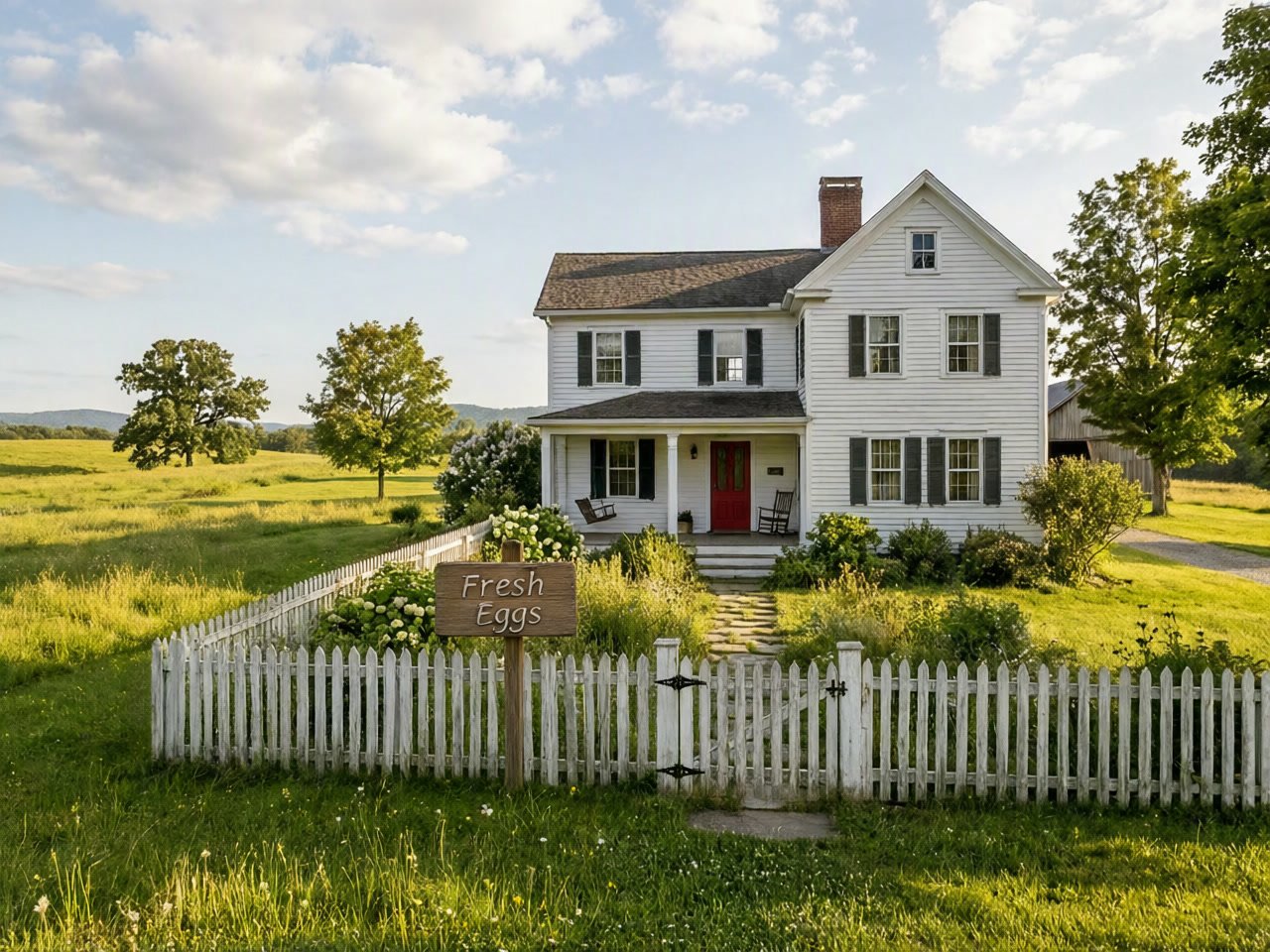
Product and scene props Insert a sign or label with lighting that fits the photo.
Why pick Qwen Image Edit
- EN + ZHBilingual text editsKeeps the original font, size and style.
- LocalAppearance editsChange one element, keep the rest.
- IdentitySemantic editsNew angle or style, same subject.
- ChainFix step by stepEdit the result again to refine it.
- OpenApache 2.0 weightsPublished openly; self-hosting is optional.
- 1 photoEdit-first modelBuilt to change an image, not to invent one.
What Qwen Image Edit costs
Billed per image, at the resolution you pick. The same prices the generator shows before you run it.
- 1K24credits / imageOn Starter≈ 150 images / mo
Every model on every planCredits never expireSee plans
Pay for Qwen Image Edit with crypto
Buy credits with Bitcoin, USDT, USDC, ETH, Solana and more — no card, nothing auto-renews, packs from $5, and 15% extra credits on crypto payments.
Qwen Image Edit vs 2509 and 2511
Qwen keeps shipping dated updates of the editor. PicX runs the single-image Qwen Image Edit; the newer builds' extra features are listed so you know what is not here yet.
Version features are from Qwen's model cards. Live credit prices are in the pricing table.
How to use Qwen Image Edit in 3 steps
- 1
Upload the photo to edit
Qwen Image Edit on PicX works from one image. It edits; it does not create pictures from text alone, so start with the photo, poster or render you want changed.
- 2
Decide which kind of edit it is
For an appearance edit, point at the single element to add, remove or recolour. For a semantic edit, describe the end picture instead: the back view, a Ghibli-style portrait, a new setting. For lettering, write out the full new wording.
- 3
Pick a shape, generate, then chain
Choose 1:1, 4:3, 3:4, 16:9 or 9:16 and generate. If one detail is still off, edit the result again with a narrower instruction instead of starting over.
Qwen Image Edit prompts to copy
Real prompts and what they made. Copy one, or open it in the generator with the model already picked.
Turn the subject around
Show the same red fox from behind, turned 180 degrees and walking away into the snowy pine forest, keep the falling snow and the soft light
Rewrite the poster text
Change the title 'Neon Tide Live' to 'Neon Tide 2027' and the date to 'Saturday 8 PM', and add the Chinese line '霓虹潮' under the title, keep the same font, colours and layout
Recolour one part only
Recolour only the robot's chest panel cobalt blue, keep every other orange panel, its pose and the plain grey background exactly the same
Insert a sign that fits the light
Add a small wooden sign reading 'Fresh Eggs' beside the picket fence, with a shadow that matches the afternoon sun
Templates to start from
Browse all templates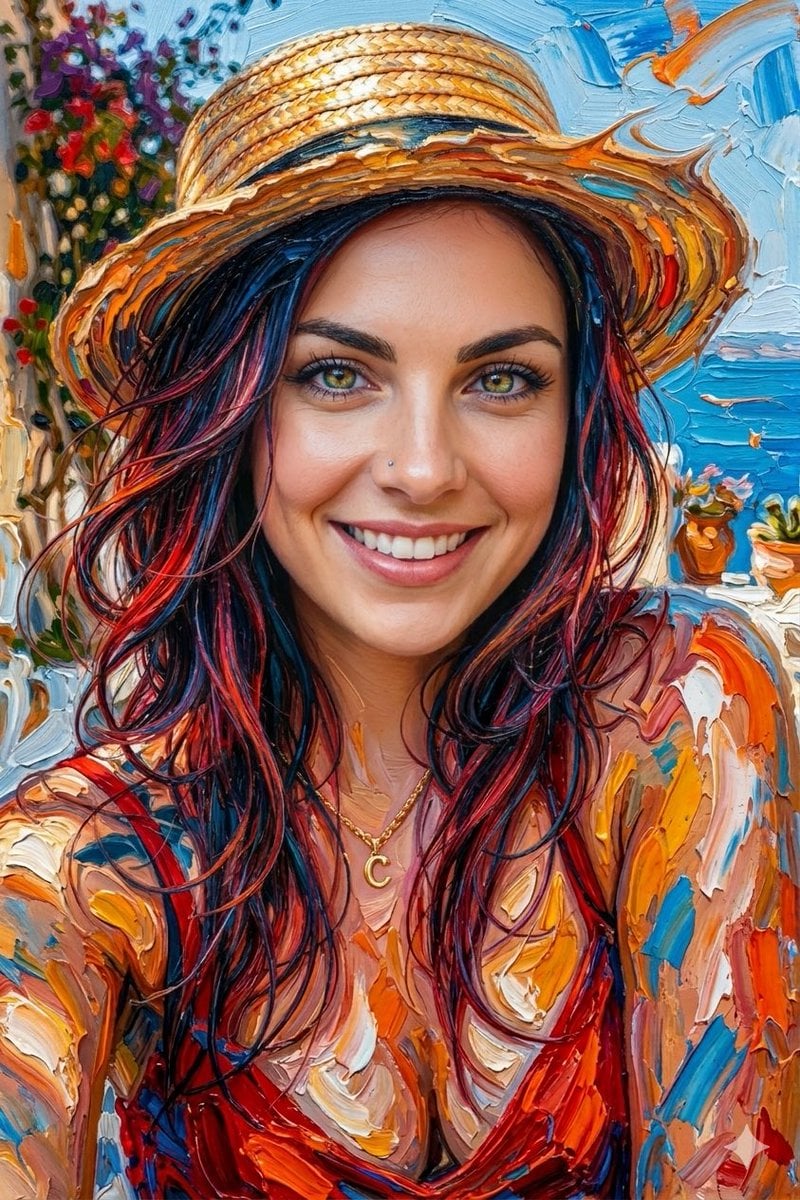







Qwen Image Edit questions
How do I use Qwen Image Edit online?
Open it on PicX Studio, upload one JPG, PNG or WebP photo, write the change in a sentence (for example: replace the background with a marble counter, keep the bottle) and generate. There is nothing to install and no GPU or ComfyUI workflow to set up.
What is the difference between Qwen Image Edit 2509 and 2511?
They are later dated builds of the same editor. Per Qwen's model cards, 2509 added editing with 1 to 3 input images, stronger face and product consistency, and depth, edge, keypoint and sketch inputs. 2511 reduced drift from the original, improved character consistency, can merge two people into one group shot and folds popular LoRA effects into the base model. PicX offers the single-image Qwen Image Edit; multi-image editing and control inputs are not available on PicX yet.
Can Qwen Image Edit change text in an image?
Yes, it is the model's best-known skill. It can add, delete or change English and Chinese text while keeping the original font, size and style. Spell out the full replacement line rather than describing it, for example the new date exactly as it should read. Qwen's own demo of correcting rare Chinese calligraphy needed two passes, so for small or unusual characters, run a second, narrower edit on the result.
How do I write good Qwen Image Edit prompts?
Match the wording to Qwen's two edit types. Appearance prompts are narrow and use 'only': 'remove only the coffee cup from the desk'. Semantic prompts paint the destination: 'the same capybara mascot as a sticker, waving, flat colours'. If a result is close but not right, feed it back in with a smaller follow-up instruction; Qwen's launch post shows exactly this chained approach.
Is Qwen Image Edit free?
The licence is free: Qwen released the 20B editor under Apache 2.0, so self-hosting costs only your own compute. The hosted version on PicX Studio is a credit model, charged per edit. The single free image that comes with a new account is generated by Nano Banana 2, not by Qwen Image Edit.
Qwen Image Edit vs FLUX Kontext vs Nano Banana: which should I use?
On PicX, Qwen Image Edit and FLUX Kontext both edit one photo, and only Kontext can also make an image from text alone. Pick Qwen Image Edit for English or Chinese text changes and for semantic edits like turning a subject around. Nano Banana 2.1 takes up to 10 reference images and outputs up to 4K, so use it when you need to combine photos or need a bigger file.
Can I run Qwen Image Edit locally or in ComfyUI?
Locally, yes: the weights are on Hugging Face and Qwen's model card documents loading them with the Diffusers QwenImageEditPipeline. ComfyUI setups come from the community rather than from Qwen, so follow their own guides. Expect heavy hardware needs for a 20B-parameter model; PicX is the option when you just want the edited file.

Edit a photo with Qwen Image Edit
Change the words, the object or the angle. Keep everything else.