How do I use the Close-up Candid Cafe Portrait template?
Choose the primary action to open PicX Studio with the available template settings. Review the model and format, personalize the creative direction, and generate when ready.
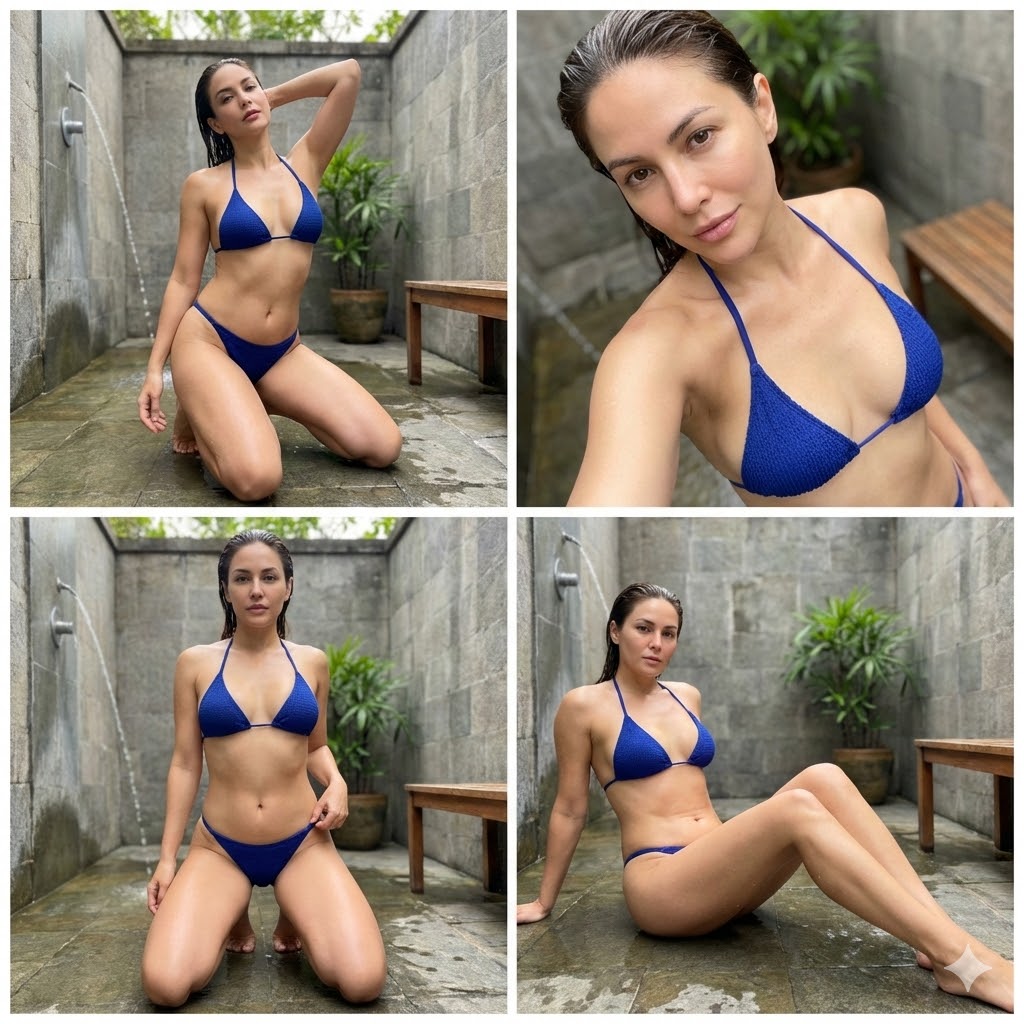
A highly constrained JSON prompt for generating a close-up, photorealistic portrait of a young woman in a cozy indoor cafe, emphasizing strict adherence to a reference image for facial identity, makeup, and skin texture, and focusing on warm, soft lighting. (free to use) — Free AI image template on PicX Studio.
{ "image_prompt": { "reference": { "face_identity": "use uploaded reference image", "identity_lock": true, "face_accuracy": "100% identical to reference — same facial structure, proportions, skin texture, makeup style, and facial details" }, "subject": { "type": "young woman", "appearance": { "hair": { "color": "dark brown", "style": "loose, straight with soft natural waves, side-parted, falling over shoulders" }, "skin": { "tone": "same as reference image", "texture": "natural, smooth, realistic glow" }, "makeup": { "base": "natural dewy finish", "blush": "soft rosy pink on cheeks", "eyes": "minimal eye makeup, natural lashes", "lips": "natural nude-pink lipstick", "overall": "exactly same makeup as reference image" }, "expression": "soft relaxed smile", "gaze": "looking directly at camera" }, "pose": { "position": "seated", "hands": { "right": "chin resting on right hand", "left": "not visible or resting naturally" } } }, "outfit": { "top": { "type": "casual short-sleeve t-shirt", "color": "{argument name="top color" default="off-white / cream"}", "fit": "relaxed" }, "accessories": { "watch": { "hand": "right", "type": "silver metal strap wristwatch" }, "earrings": "small subtle studs" } }, "environment": { "location": "cozy indoor café", "background": [ "stone-textured wall", "warm ambient café lighting", "soft decorative elements" ] }, "lighting": { "type": "warm indoor lighting", "quality": "soft, flattering, evenly diffused", "effect": "natural skin glow without harsh shadows" }, "composition": { "shot_type": "close-up portrait", "camera_angle": "eye-level", "framing": "head and shoulders centered", "style": "casual candid café portrait" }, "image_style": { "realism": "highly photorealistic", "detail": "sharp facial details, natural textures", "mood": "warm, calm, intimate", "resolution": "high resolution" }, "constraints": { "no_face_change": true, "no_makeup_change": true, "no_beauty_overediting": true, "maintain_original_features": true } } }
Use Close-up Candid Cafe Portrait to plan an AI image around nano-banana-2 generation. Match the preview's composition first, then personalize the subject, setting, and mood for your own project.
Use the primary action to load the template settings in PicX Studio.
Adjust the subject and creative details for your destination.
Create the image, compare the result with the preview, and refine one variable at a time.
A continuous mix — similar concepts first, woven with same-model prompts and fresh picks from the catalog.
Choose the primary action to open PicX Studio with the available template settings. Review the model and format, personalize the creative direction, and generate when ready.
Yes. You can change the subject, setting, lighting, mood, format, and available model controls before creating your image.
This template is free to open and customize. Generation usage is shown in PicX Studio before you create.
Start with nano-banana-2, which is the model associated with this template. You can compare another compatible model for a different finish.
Follow a topic to a crawlable collection of related PicX Studio templates.
39,155 public templates available. Verified via the PicX Studio public templates API; refreshed hourly.
A continuous mix — similar concepts first, woven with same-model prompts and fresh picks from the catalog.