
Cinematic Train Sequence Prompt for Seedance 2.0
A highly detailed, multi-shot prompt for Seedance 2.0 focusing on complex camera work and scene transitions involving a high-speed train (Shinkansen) passing through a rural landscape.
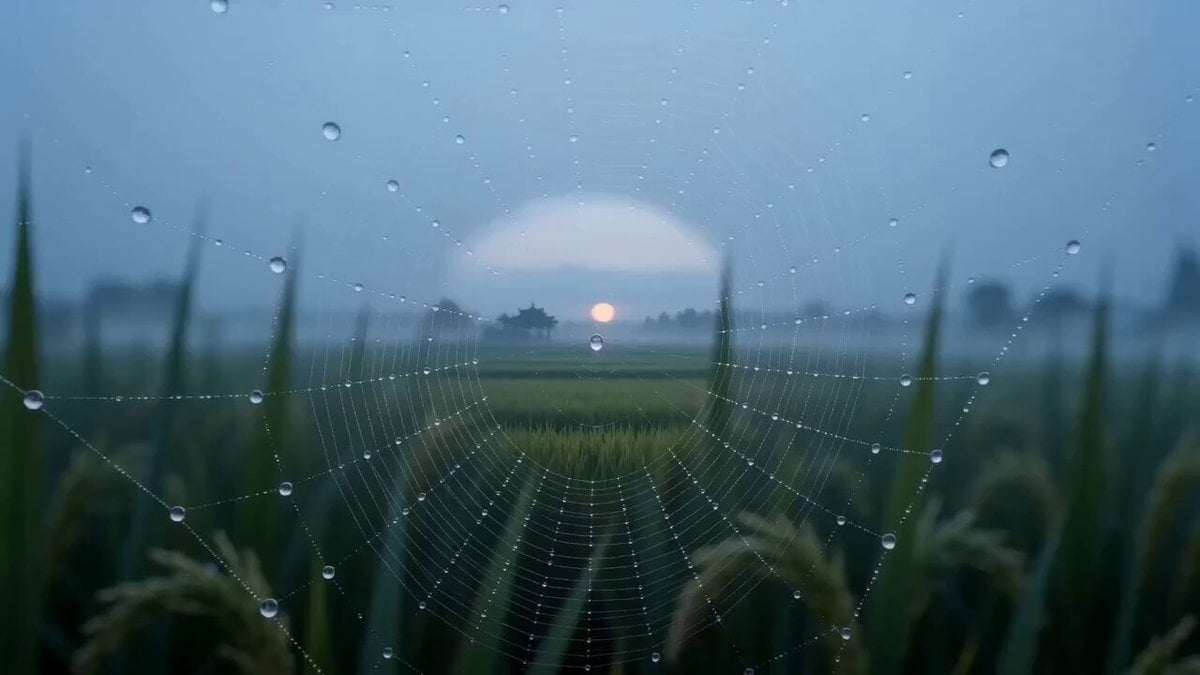
- Prompt included
- Model and format preset
- Premium template
The prompt behind this video
Copy the exact prompt behind Cinematic Train Sequence Prompt for Seedance 2.0, or open it in the studio and make it yours.
Opening Shot - Silent Dawn (Using Combo Camera Move 3: Crane Reveal) The frame opens on a close-up of a spider web covered in morning dew, the dewdrops reflecting blurred images of the countryside. The camera slowly pulls back and rises like a breath, gradually revealing the boundless rice paddies locked beneath a thin mist below. On the distant horizon, a thin silver streak silently cuts across the blue-gray sky — it is the Shinkansen. (Crane shot + pull-back shot; mood: tranquil, poetic, scene-setting) Acceleration - The Metal Beast (Using Combo Camera Move 4: Dizzying Chase + elements of Combo Camera Move 1) Suddenly, the camera seems to be caught by magnetic force, rushing forward toward the silver track at an impossible acceleration. Intense handheld shake simulates a violent blast of air, and the rice paddies instantly blur into a streaking green torrent. The camera whip-pans rapidly, matching pace with the train's nose as it suddenly closes in. The instant their speeds synchronize, all sound is stripped from the world, leaving only a visually intense Dutch angle tilt to emphasize this momentum beyond normal reason. (Violent handheld shake + rapid whip-pan + Dutch angle; mood: explosive, shocking, off-balance) Penetration - The Barrier Shifts (Using Combo Camera Move 9: Space-Time Transition) Just as it's about to collide with the train's nose, the camera aims at the cab's side window. A cold, honeycomb-textured glass pattern fills the frame. Match cut point: a blurred slow-motion silhouette of a bird striking the glass — the instant it makes contact, the camera has seamlessly passed through. The cold, high-speed world outside abruptly switches to the warm, quiet, low-noise cabin interior. The light shifts from a cold blue to a warm yellow. (Match cut + lighting/texture transformation; mood: magical, a turning point, entering another space) Gaze - The Still Heart (Using Combo Camera Move 5: Graceful Orbit, with elements of Combo Camera Move 2) Once inside, all motion settles into absolute calm. With a Steadicam-like floating quality, the camera drifts gently along the aisle, orbiting the woman seated by the window. As it passes her profile, an extremely slow push-in brings focus onto her glasses lenses — the blurred, flowing mountains, forests, and villages outside the window are reflected in the lenses like an abstract painting. Steam rises slowly from the cup's rim at a pace that defies physics. (Steady Steadicam orbit + extremely slow push-in + macro close-up; mood: serene, introspective, time seemingly frozen) Detachment - The Outer Spiral (Using Combo Camera Move 4 again: an intensified version of the Dizzying Chase) The camera passes out through the window on the other side, instantly returning to the eye of the speed storm. It begins spiraling at high speed around the train, the train's streamlined body carving dazzling metallic arcs of light in the sun. The violent orbiting motion, combined with handheld tremor, is dizzying and mesmerizing, showcasing the pure formal beauty of machinery and speed. (High-speed spiral orbit + handheld shake; mood: detached, dizzying, mechanical aesthetics) Closing - The Bridge Between Heaven and Earth (Using Combo Camera Move 8: a variant of the Grand Entrance) As the spiral reaches its highest point, the camera abruptly pulls back and up. The train is crossing a massive iron bridge spanning an emerald green canyon, its form appearing precise and elegant. The camera continues rising while panning, revealing the full canyon and the distant mountains. It finally settles on a sweeping aerial wide shot: the silver train, like a slender needle, quietly disappears into the shadowed tunnel of the mountains. All is silent, save for one last, distant echo of the train's whistle rippling gently among the mountains until it fades away. (Large-scale pull-back + crane movement + pan; mood: grand, detached, settling into eternity)
How to use Cinematic Train Sequence Prompt for Seedance 2.0 in 3 steps
- 1
Open
The prompt is already in the box next to the preview, with the template's model and format selected.
- 2…a portrait of your subject in softgolden-hour light, 85mm…
Personalize
Edit the subject and creative details for your destination.
- 3Generate
Generate
Press Generate — your video is created in PicX Studio, so you can compare it with the original and refine one variable at a time.
More like this
Templates with the same subject, style or setup. Open one to see its prompt.
Subway Flood — Epic Tunnel Chaos
Last Train Before Rain GPT

Maglev Train Action Sequence

Wholesome Puppy and Kitten Story - Seedance 2.5

Mysterious Home Exploration Vlog - Seedance 2.5

Dark Tokusatsu Transformation - Seedance 2.5

Cinematic Xinjiang Drone Landscapes - Seedance 2.5

Late Night Kitchen Phone Recording - Seedance 2.5

3D Animated Cat and Old Man - Seedance

Realistic City Street Story Cinematic Video - Seedance

Seedance 2.0 First Test — Dynamic Motion Showcase

Dragon Rider Cinematic Flight — Seedance 2.5
Make it yours
Cinematic Train Sequence Prompt for Seedance 2.0 works as-is. These are the safest ways to change it without losing the look.
Change one field
Copy a single group, rewrite it, and generate again so you can see what that field is doing.
Keep the frame, change the subject
Hold the composition and light of Cinematic Train Sequence Prompt for Seedance 2.0, then swap wardrobe, props or the person for a new take.
| If the result… | Why | Fix |
|---|---|---|
| The result drifts from the preview | Too many fields changed at once. | Reuse Cinematic Train Sequence Prompt for Seedance 2.0 as-is first, then change one group — subject, light, or setting. |
| The model over-stylizes the scene | The prose prompt leaves finish and camera underspecified. | Add one camera or lighting sentence and stay on Seedance 2.0. |
More Seedance 2.0 templates
Other prompts made for Seedance 2.0.

Comical Martial Arts Punch Scene

Martial Arts Fight Sequence

Wuxia Protection and Trust Script

Vintage Korean Arcade MiniDV Vlog

Mercedes 190 SL Luxury Ad

Rainy Night Supernatural Reverse Comedy Video Script

Amazon Civilization Discovery

Futuristic South Asian City Transformation

Cozy Luxury Cafe Commercial

Cyber Ronin Nanotech Transformation Video
More video prompts
Fresh picks from across the catalog.

Wildflower Field Video Animation
Storyboard to Cinematic 3D Animation
Surreal Giantess Portrait with Billowing Clouds

Attractive Cyberpunk Man
90s Anime Sword Fart Fail
Mrdasonx Quantum Missile Bullet Time
Cinematic Heist Industrial Port Action
Psychological Horror Window Doppelganger
2000s MiniDV Balcony Night
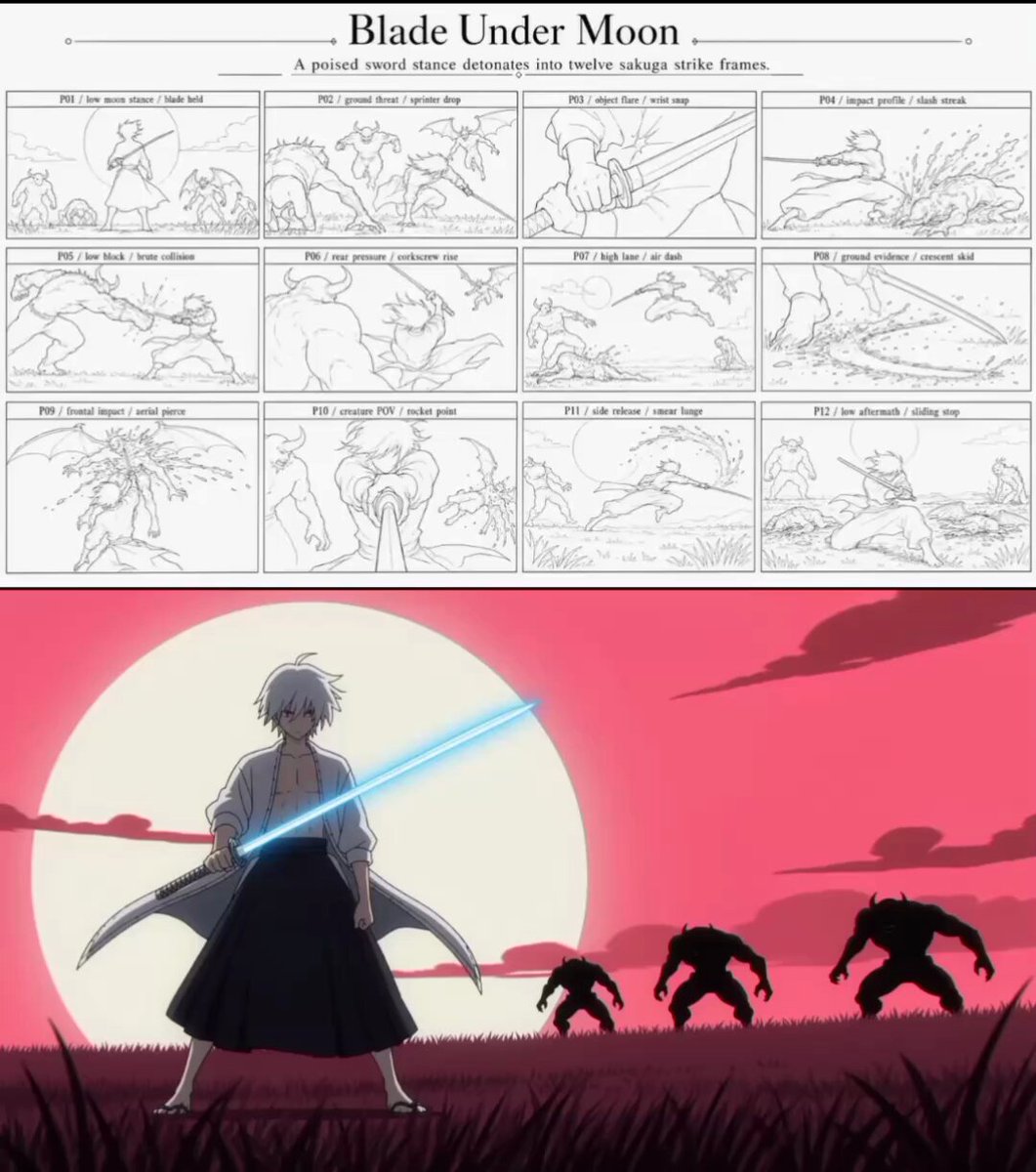
Sakuga Anime Action Storyboard
Browse template categories
Cinematic Train Sequence Prompt for Seedance 2.0 questions
How do I use the Cinematic Train Sequence Prompt for Seedance 2.0 template?
Add your photo if the template asks for one, edit the prompt if you like — the template's model and format are already selected — and press Generate. Your version opens in PicX Studio.
Can I customize the Cinematic Train Sequence Prompt for Seedance 2.0 template?
Yes. You can change the subject, setting, lighting, mood, format, and available model controls before creating your video.
Is the Cinematic Train Sequence Prompt for Seedance 2.0 template free?
Opening and editing this template is free. Generating uses credits, shown on the Generate button when you are signed in.
Which AI model should I use?
Start with Seedance 2.0, which is the model associated with this template. You can compare another compatible model for a different finish.
Looking for something else? Browse all templates.

Your photo, any look
Thousands of ready templates for every top image and video model, from one credit balance.