How do I use the Comic to Video Adaptation Prompt (Journey to the West) template?
Edit the prompt in the box under the preview — the template's model and format are already selected — and press Generate. Your version appears right on this page.
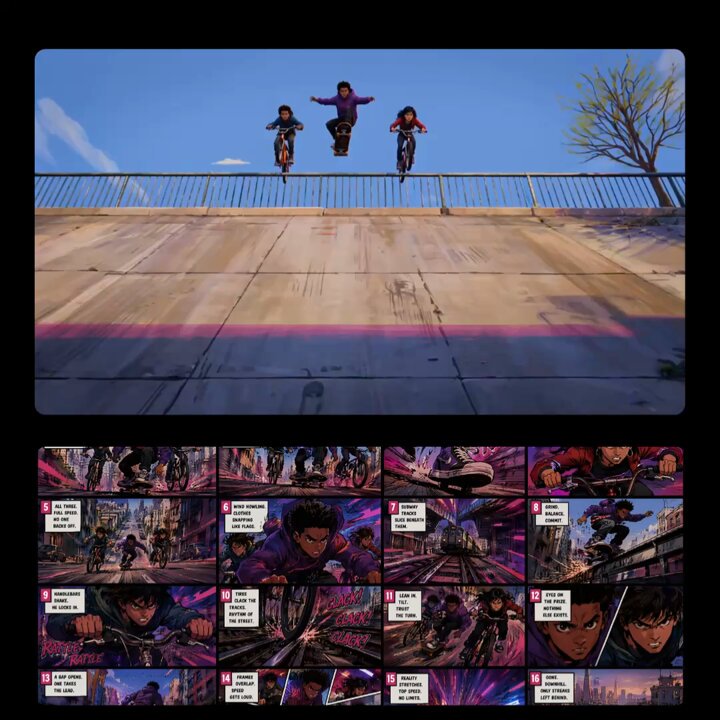
A prompt for adapting a comic strip into a video, maintaining the dialogue and sequence of the original images, adding special sound effects for scene transitions and key plot points, and adopting a humorous style based…
将@图1以从左到右从上到下的顺序进行漫画演绎,保持人物说的台词与图片上的一致,分镜切换以及重点的情节演绎加入特殊音效,整体风格诙谐幽默;演绎方式参考@视频1
将@图1以从左到右从上到下的顺序进行漫画演绎,保持人物说的台词与图片上的一致,分镜切换以及重点的情节演绎加入特殊音效,整体风格诙谐幽默;演绎方式参考@视频1
Edit the prompt in the box under the preview — the template's model and format are already selected — and press Generate. Your version appears right on this page.
Yes. You can change the subject, setting, lighting, mood, format, and available model controls before creating your video.
Opening and editing this template is free. Generating uses credits, shown on the Generate button when you are signed in.
Start with Seedance 2.0, which is the model associated with this template. You can compare another compatible model for a different finish.
Follow a topic to a crawlable collection of related PicX Studio templates.