

How do I use the Premium 3D Caricature Identity template?
Choose the primary action to open PicX Studio with the available template settings. Review the model and format, personalize the creative direction, and generate when ready.
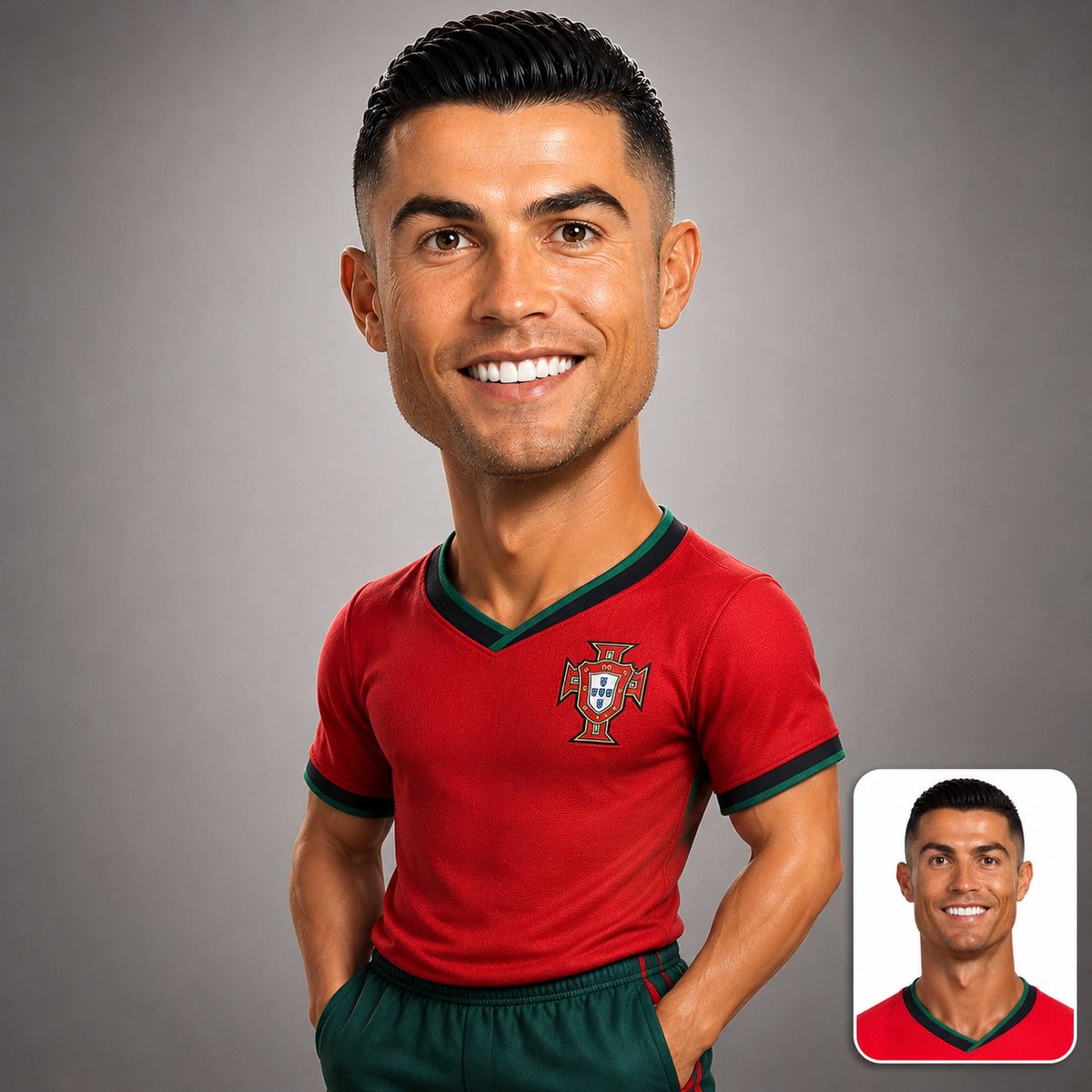
A stylized 3D caricature prompt that preserves the identity of a person from an uploaded image, styled as a luxury designer toy. (free to use) — Free AI image template on PicX Studio.
Create a premium stylized 3D caricature of the {argument name="subject" default="person in the uploaded image"}, preserving their exact identity, facial features, hairstyle, skin tone, age, and expression. Oversized head, smaller realistic upper body, luxury designer-toy aesthetic, visible torso and arms, confident natural pose, ultra-detailed CGI, smooth premium materials, soft studio lighting, neutral gray background, hyper-realistic rendering, sharp focus, 1:1 composition. Include the original uploaded photo as a rounded-corner inset in the bottom-right corner (15–20% of frame) with a subtle white border and soft shadow, creating a clean before-and-after comparison. Negative prompt: {argument name="negative content" default="pedestal, base, bust statue, floating head, Pixar, anime, cartoon, low-poly, blurry, distorted face, extra limbs, text, watermark, logo, cluttered background, low quality."}
Use Premium 3D Caricature Identity to plan an AI image around gpt-image-2 generation, themes such as en and gpt-image-2. Match the preview's composition first, then personalize the subject, setting, and mood for your own project.
Use the primary action to load the template settings in PicX Studio.
Adjust the subject and creative details for your destination.
Create the image, compare the result with the preview, and refine one variable at a time.
A continuous mix — similar concepts first, woven with same-model prompts and fresh picks from the catalog.
Choose the primary action to open PicX Studio with the available template settings. Review the model and format, personalize the creative direction, and generate when ready.
Yes. You can change the subject, setting, lighting, mood, format, and available model controls before creating your image.
This template is free to open and customize. Generation usage is shown in PicX Studio before you create.
Start with gpt-image-2, which is the model associated with this template. You can compare another compatible model for a different finish.
A continuous mix — similar concepts first, woven with same-model prompts and fresh picks from the catalog.
Follow a topic to a crawlable collection of related PicX Studio templates.
28,484 public templates available. Verified via the PicX Studio public templates API; refreshed hourly.