
Textile Collage Elf Maiden
Generates a richly textured fairycore elf portrait made from lace, dried flowers, ribbons, and vintage botanical materials.
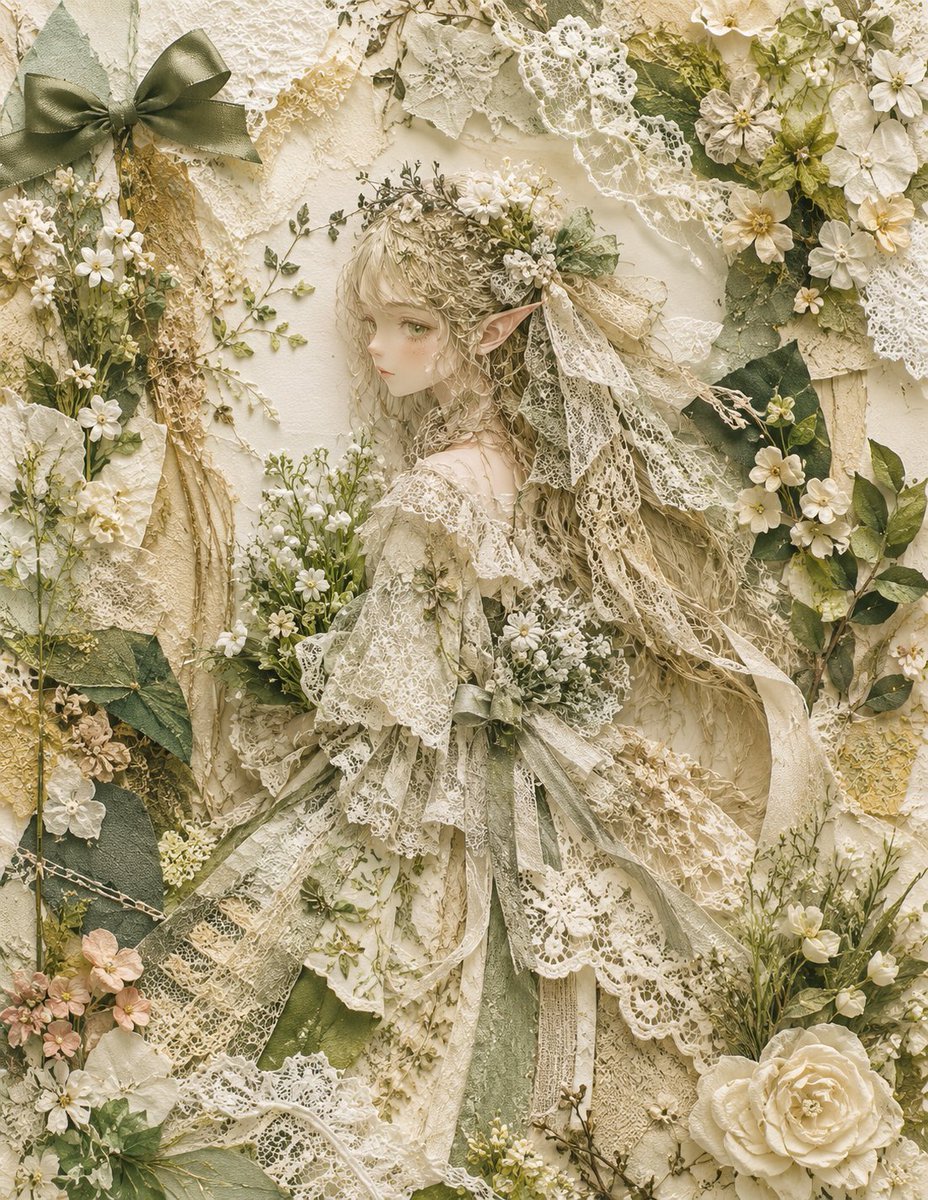
- Prompt included
- Model and format preset
- Free template
The prompt behind this image
Copy the exact prompt behind Textile Collage Elf Maiden, or open it in the studio and make it yours.
Create a highly detailed vertical mixed-media textile collage portrait of {argument name="character type" default="a delicate elf maiden"} made from real-looking lace, dried flowers, leaves, ribbons, and layered fabric scraps. The composition has exactly 1 central elf figure shown full body in a soft side-facing pose, with 2 long pointed ears, very long wavy ash-blonde hair, and a simple matte beige rectangular mask covering the face as an intentional blank placeholder. Dress the figure in exactly 5 visible costume components: a tattered off-white lace gown, a layered lace shawl, a large lace-and-flower headpiece, trailing gauze ribbons, and a small wildflower bouquet held at the chest. Surround the figure with a dense cream-and-sage botanical frame containing exactly 4 prominent anchor decorations: 1 large olive satin bow in the upper left, 1 diagonal white lace ribbon sweeping across the upper right, 1 large cream rose in the lower right, and 1 vertical cluster of dried beige grasses along the left side. Use {argument name="color palette" default="ivory, antique cream, beige, sage green, muted olive, pale gold"} with no bright colors. Emphasize tactile material realism: crocheted lace holes, frayed fabric edges, translucent gauze, pressed leaves, tiny white blossoms, dried stems, embroidered mesh, paper-like petals, and subtle shadows between layers. The background is an ornate handmade wall of overlapping lace scraps, botanical cuttings, and vintage fabric, filling the entire frame with no empty space. Lighting is soft diffuse natural light, warm vintage tone, shallow dimensional relief, romantic fairycore aesthetic, extremely intricate texture, high resolution, no text, no watermark.
How to use Textile Collage Elf Maiden in 3 steps
- 1Upload ImagePNG, JPG or paste
Add your photo
Upload the photo the template builds on. The prompt, model and format are already set.
- 2…a portrait of your subject in softgolden-hour light, 85mm…
Personalize
Edit the subject and creative details for your destination.
- 3Generate
Generate
Press Generate — your image is created in PicX Studio, so you can compare it with the original and refine one variable at a time.
More like this
Templates with the same subject, style or setup. Open one to see its prompt.










Make it yours
Textile Collage Elf Maiden works as-is. These are the safest ways to change it without losing the look.
Change one field
Copy a single group, rewrite it, and generate again so you can see what that field is doing.
Keep the frame, change the subject
Hold the composition and light of Textile Collage Elf Maiden, then swap wardrobe, props or the person for a new take.
| If the result… | Why | Fix |
|---|---|---|
| The result drifts from the preview | Too many fields changed at once. | Reuse Textile Collage Elf Maiden as-is first, then change one group — subject, light, or setting. |
| The model over-stylizes the scene | The prose prompt leaves finish and camera underspecified. | Add one camera or lighting sentence and stay on GPT Image 2. |
More GPT Image 2 templates
Other prompts made for GPT Image 2.

Six VTuber Japanese Logo Sheet

Realistic Portrait of Woman and Deer

The Vista Modular Condo Poster

AI Model Routing Comparison Infographic

2.5D Anime Art Board

Isometric Productivity Desk Scene

New York Double Exposure Poster

Four-Panel AI Landscape Comparison

Japanese Tatami Lifestyle Magazine Cover

NESCAFÉ Coffee Map Poster
More image prompts
Fresh picks from across the catalog.

Social Media Pet Avatar Creator
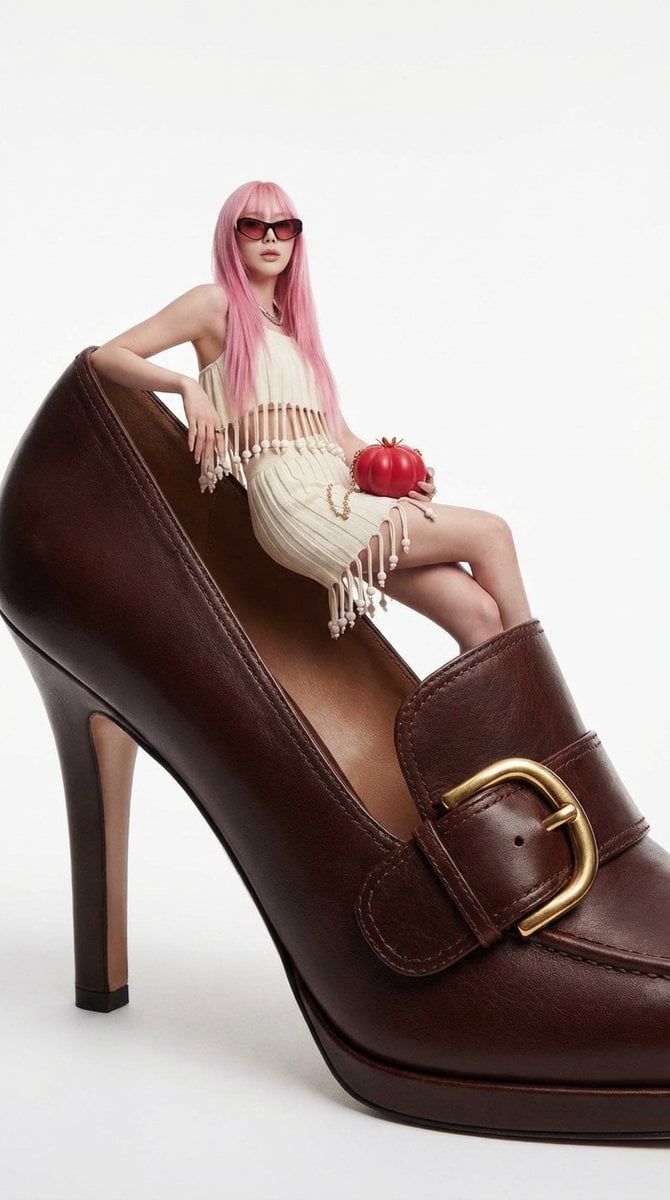
Fashion Editorial: Woman on Giant High-Heel Shoe
Structured Prompt for Messy Bedroom Mirror Selfie (Alev Character, Raw Flash)

Comparing Nano Banana Pro and 2 with a Profile Flyer Prompt
Three Colorful Cheerleaders Studio Pose

Image cleanup and colorization for old photographs

Handmade Enamel Magnet Souvenir
Schoolgirl Turned Rural Farmer Classroom Scene
Cinematic Product Reveal of a Vintage Briefcase

Professional studio portrait prompt
Browse template categories
Textile Collage Elf Maiden questions
How do I use the Textile Collage Elf Maiden template?
Add your photo if the template asks for one, edit the prompt if you like — the template's model and format are already selected — and press Generate. Your version opens in PicX Studio.
Can I customize the Textile Collage Elf Maiden template?
Yes. You can change the subject, setting, lighting, mood, format, and available model controls before creating your image.
Is the Textile Collage Elf Maiden template free?
Opening and editing this template is free. Generating uses credits, shown on the Generate button when you are signed in.
Which AI model should I use?
Start with GPT Image 2, which is the model associated with this template. You can compare another compatible model for a different finish.
Looking for something else? Browse all templates.

Your photo, any look
Thousands of ready templates for every top image and video model, from one credit balance.