How do I use the Luxury Skincare Ad Storyboard template?
Choose the primary action to open PicX Studio with the available template settings. Review the model and format, personalize the creative direction, and generate when ready.
A comprehensive prompt for creating a 16-panel advertising storyboard infographic for a skincare product, focusing on clean aesthetic and visual progression. Change the subject, setting, or lighting one variable at a time.
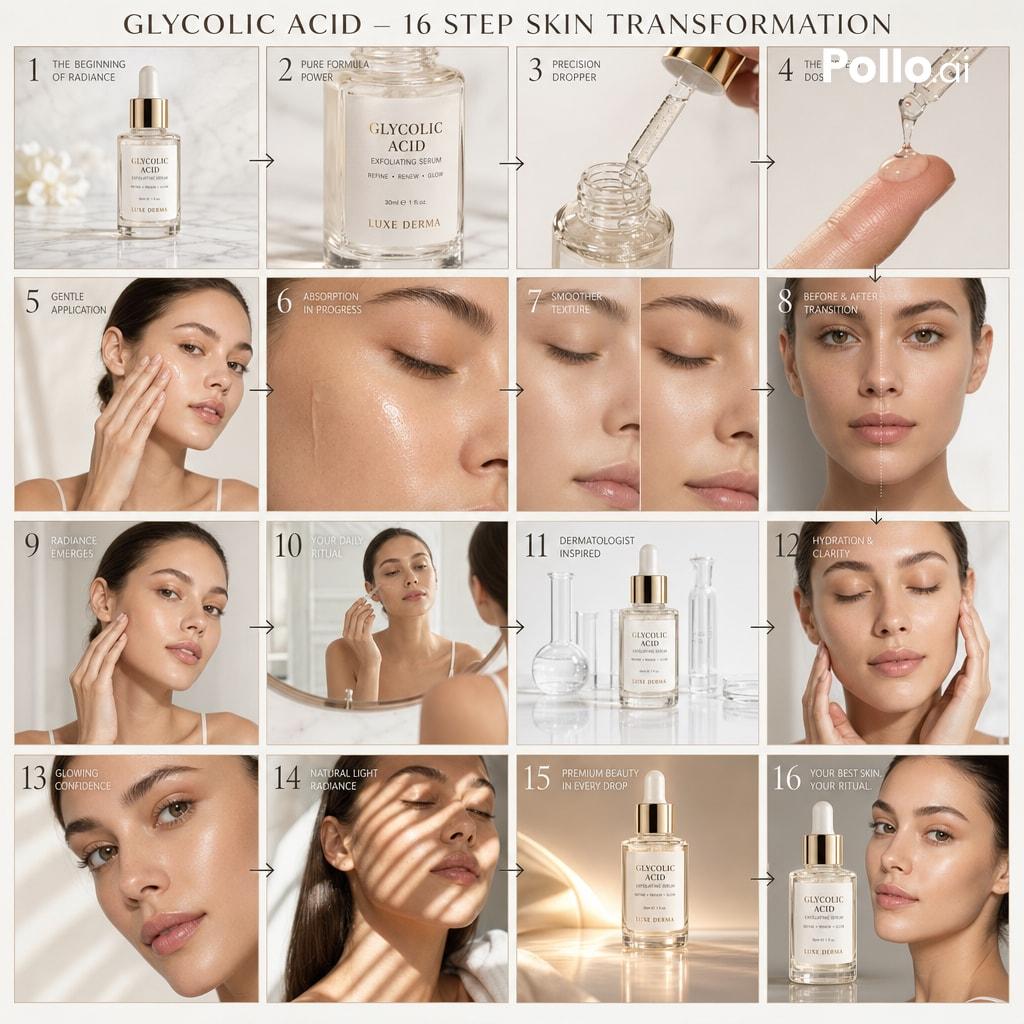
A cinematic luxury skincare advertising storyboard infographic for a glycolic acid exfoliating serum. Layout: 16 panels arranged in a clean 4x4 grid, each panel showing a progressive skincare routine and transformation sequence. Subject: A modern young woman with clear glowing skin, natural makeup, soft minimal beauty aesthetic, holding and using a premium glass dropper bottle of glycolic acid serum. Style: high-end skincare advertisement storyboard, ultra clean dermatology aesthetic, soft cinematic lighting, white marble and pastel background tones, premium editorial beauty photography style, realistic illustration with subtle glow and smooth skin refinement effects. Sequence (visual progression across panels): 1. luxury serum bottle hero shot on marble surface 2. close-up of glass bottle and label 3. dropper extracting serum 4. serum applied to fingertip 5. gentle application on face 6. absorption into skin close-up 7. skin texture smoothing effect 8. subtle before-after transition hint 9. radiant glow beginning to appear 10. skincare routine mirror scene 11. dermatologist clean aesthetic vibe 12. hydration and clarity improvement focus 13. close-up glowing healthy skin portrait 14. sunlight reflecting on smooth skin 15. premium product beauty shot with glow 16. final hero frame: serum bottle + glowing skin model Design: clean grid separation, minimal elegant numbering 1–16, thin lines between panels, soft arrows indicating progression flow, refined editorial layout, balanced composition. Title at top: “GLYCOLIC ACID – 16 STEP SKIN TRANSFORMATION”
Choose the primary action to open PicX Studio with the available template settings. Review the model and format, personalize the creative direction, and generate when ready.
Yes. You can change the subject, setting, lighting, mood, format, and available model controls before creating your image.
This template is free to open and customize. Generation usage is shown in PicX Studio before you create.
Start with GPT Image 2, which is the model associated with this template. You can compare another compatible model for a different finish.
© 2026 PicX Studio. All rights reserved.

Follow a topic to a crawlable collection of related PicX Studio templates.
43,474 public templates available. Verified via the PicX Studio public templates API; refreshed hourly.













![Minimalist Flat Vector Travel Poster — Premium minimalist flat-vector travel poster for {argument name="city name" default="[CITY_NAME]"}, 3:4 vertical format.](https://cms-assets.youmind.com/media/1787917359711_3ug846_HQX205cbMAA6F6S-300x400.jpg)































![Refractive High Fashion Editorial Portrait — "Refractive photography",
"Fine art portrait"
],
"photography_style": {
"genre": "High-end fashion edit](https://pbs.twimg.com/media/G9ys-IDaQAA5ZWL.jpg)