How do I use the Reference Photo to Soft Watercolor template?
Choose the primary action to open PicX Studio with the available template settings. Review the model and format, personalize the creative direction, and generate when ready.
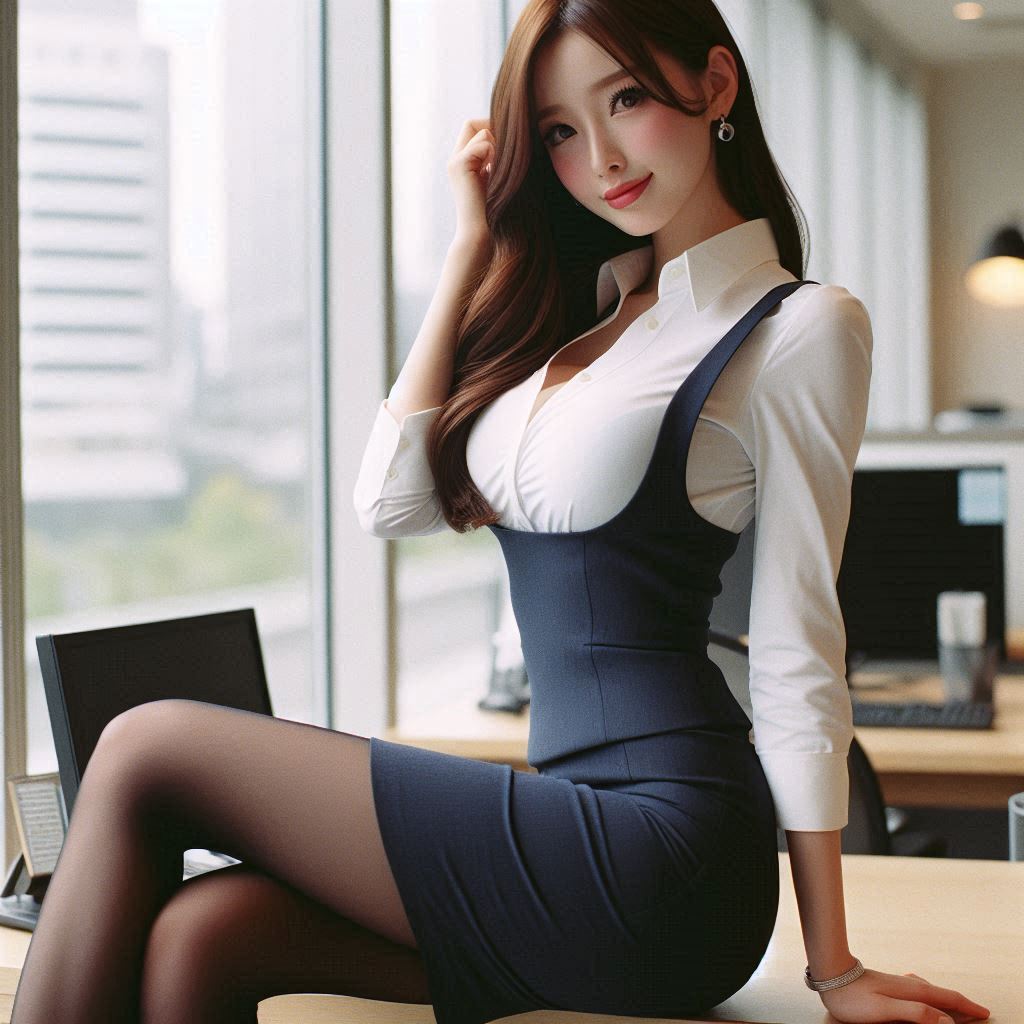
Transforms a provided portrait-style reference photo into a loose, translucent watercolor illustration while preserving the original pose and composition. Change the subject, setting, or lighting one variable at a time.

Using the provided reference image, regenerate the same composition as a soft modern watercolor illustration. Preserve the subject’s pose, outfit, proportions, cropped face anonymization, and office-window setting, but reinterpret everything with translucent washes, loose edges, granulating paper texture, muted warm beige lighting, gentle color bleeding, and lightly suggested background details instead of photorealism. Keep the image square and maintain the same overall framing.
Reference Photo to Soft Watercolor needs input media to work. Open it in the studio and these load alongside the prompt — pick whichever ones your chosen model can take.
Choose the primary action to open PicX Studio with the available template settings. Review the model and format, personalize the creative direction, and generate when ready.
Yes. You can change the subject, setting, lighting, mood, format, and available model controls before creating your image.
This template is free to open and customize. Generation usage is shown in PicX Studio before you create.
Start with GPT Image 2, which is the model associated with this template. You can compare another compatible model for a different finish.
© 2026 PicX Studio. All rights reserved.

Follow a topic to a crawlable collection of related PicX Studio templates.
43,474 public templates available. Verified via the PicX Studio public templates API; refreshed hourly.












![Minimalist Flat Vector Travel Poster — Premium minimalist flat-vector travel poster for {argument name="city name" default="[CITY_NAME]"}, 3:4 vertical format.](https://cms-assets.youmind.com/media/1787917359711_3ug846_HQX205cbMAA6F6S-300x400.jpg)




















![Bakery Product Poster Template — 变量配置
基础信息
品牌名称:{argument name="品牌名称" default="H·X"}
品牌标签:[如:H·X SIGNATURE / 招牌出品 / ARTISAN BAKED]
画面规格
画面比例:9比16竖版 / 3比4 / 1比](https://cms-assets.youmind.com/media/1777711053774_nlg3gy_HHNjpeLbkAA2WtQ.jpg)













![Raw High-Contrast Mirror Selfie (iPhone Ultra-Wide) — (Vertical 9:16 smartphone aspect ratio). A raw, high-contrast [Candid Mirror Documentation] captured with](https://pbs.twimg.com/media/G_Ci0ozWMAQBspT.jpg)