How do I use the Urban street fashion portrait with AR overlays template?
Edit the prompt in the box under the preview — the template's model and format are already selected — and press Generate. Your version appears right on this page.
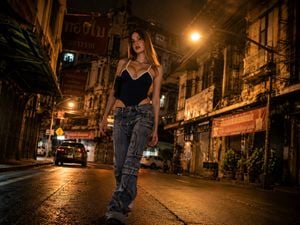
A highly detailed editorial-style prompt for an urban street fashion portrait featuring Y2K aesthetics and augmented reality overlays.

Hyperrealistic full-body urban street fashion portrait of a cool {argument name="subject" default="Gen Z blonde woman"} leaning casually against a silver street pole on a city sidewalk outside a modern café during overcast afternoon daylight, contemporary Y2K revival aesthetic blended with surreal mixed-media augmented reality overlays, photorealistic streetwear editorial style,effortless influencer energy, relaxed detached expression, eyes partially hidden beneath the shadow of a {argument name="accessory" default="black trucker cap with bold yellow “1080” lettering"}, long straight blonde hair falling naturally over shoulders with soft daylight highlights, minimal makeup, natural skin texture, neutral lips, confident but emotionally distant vibe, oversized dark wash ultra-baggy low-rise denim jeans with realistic folds and weight, fitted white baby tee with subtle tiny graphic text, visible white OFFONOFF waistband, black studded grommet belt, yellow sneakers, gold cross necklace, silver rings, black shoulder bag hanging naturally from shoulder, standing with legs crossed at ankles while slumping comfortably against pole, grounded stance on tactile pavement, realistic urban environment with white building façade and softly blurred café background, shallow to medium depth of field, candid street photography composition, eye-level 35mm lens look, natural overcast daylight with soft shadows and cool neutral tones, desaturated urban palette with pops of yellow and blonde highlights, subtle social-media-inspired color grading, realistic denim texture, realistic fabric tension and folds, clean modern editorial photography feel, floating translucent AR music player widget beside subject displaying the {argument name="song" default="song “Demons” by Imagine Dragons"} with elegant glassmorphism UI, holographic interface integrated naturally into the scene, digital overlay reflections and subtle transparency, small 2D anime-style chibi version of the same blonde girl standing beside her mimicking the exact pose and outfit, mixed-media collage energy combining realism with playful digital nostalgia, urban greys and cool tones dominating scene, blue Vietnamese street sign reading “ĐƯỜNG ĐÔNG DU” mounted above on the pole, subtle city motion in background calm trendy atmosphere, viral social media fit-check aesthetic, fashionable but emotionally muted mood, cinematic realism, ultra detailed skin pores and hair strands, realistic lighting physics, premium fashion campaign quality, natural proportions, sharp focus on outfit styling and augmented reality overlays, soft ambient occlusion, clean polished editing, masterpiece quality, 8K ultra-HD, photorealistic, raw streetwear energy, cool relaxed posture, modern youth culture aesthetic, authentic urban fashion storytelling, realistic perspective, no blur, no extra limbs, no distorted anatomy, no painting look, no heavy noise, no overexposure, no glitch artifacts.
Hyperrealistic full-body urban street fashion portrait of a cool {argument name="subject" default="Gen Z blonde woman"} leaning casually against a silver street pole on a city sidewalk outside a modern café during overcast afternoon daylight, contemporary Y2K revival aesthetic blended with surreal mixed-media augmented reality overlays, photorealistic streetwear editorial style,effortless influencer energy, relaxed detached expression, eyes partially hidden beneath the shadow of a {argument name="accessory" default="black trucker cap with bold yellow “1080” lettering"}, long straight blonde hair falling naturally over shoulders with soft daylight highlights, minimal makeup, natural skin texture, neutral lips, confident but emotionally distant vibe, oversized dark wash ultra-baggy low-rise denim jeans with realistic folds and weight, fitted white baby tee with subtle tiny graphic text, visible white OFFONOFF waistband, black studded grommet belt, yellow sneakers, gold cross necklace, silver rings, black shoulder bag hanging naturally from shoulder, standing with legs crossed at ankles while slumping comfortably against pole, grounded stance on tactile pavement, realistic urban environment with white building façade and softly blurred café background, shallow to medium depth of field, candid street photography composition, eye-level 35mm lens look, natural overcast daylight with soft shadows and cool neutral tones, desaturated urban palette with pops of yellow and blonde highlights, subtle social-media-inspired color grading, realistic denim texture, realistic fabric tension and folds, clean modern editorial photography feel, floating translucent AR music player widget beside subject displaying the {argument name="song" default="song “Demons” by Imagine Dragons"} with elegant glassmorphism UI, holographic interface integrated naturally into the scene, digital overlay reflections and subtle transparency, small 2D anime-style chibi version of the same blonde girl standing beside her mimicking the exact pose and outfit, mixed-media collage energy combining realism with playful digital nostalgia, urban greys and cool tones dominating scene, blue Vietnamese street sign reading “ĐƯỜNG ĐÔNG DU” mounted above on the pole, subtle city motion in background calm trendy atmosphere, viral social media fit-check aesthetic, fashionable but emotionally muted mood, cinematic realism, ultra detailed skin pores and hair strands, realistic lighting physics, premium fashion campaign quality, natural proportions, sharp focus on outfit styling and augmented reality overlays, soft ambient occlusion, clean polished editing, masterpiece quality, 8K ultra-HD, photorealistic, raw streetwear energy, cool relaxed posture, modern youth culture aesthetic, authentic urban fashion storytelling, realistic perspective, no blur, no extra limbs, no distorted anatomy, no painting look, no heavy noise, no overexposure, no glitch artifacts.
Edit the prompt in the box under the preview — the template's model and format are already selected — and press Generate. Your version appears right on this page.
Yes. You can change the subject, setting, lighting, mood, format, and available model controls before creating your image.
Opening and editing this template is free. Generating uses credits, shown on the Generate button when you are signed in.
Start with GPT Image 2, which is the model associated with this template. You can compare another compatible model for a different finish.
Follow a topic to a crawlable collection of related PicX Studio templates.