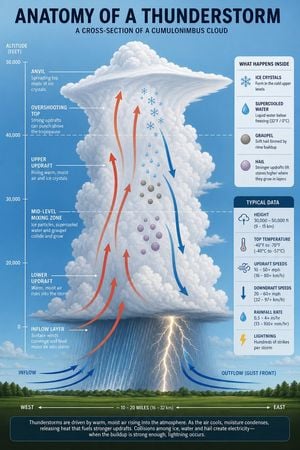
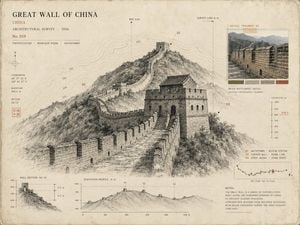
How do I use the Natural Master Specimen Anatomy Prompt template?
Edit the prompt in the box under the preview — the template's model and format are already selected — and press Generate. Your version appears right on this page.
A highly detailed prompt for creating scientific anatomy illustrations of food in the style of natural history masters and Caravaggio lighting.

A whole/a piece/a single {argument name="food name" default="strawberry"}, dissected the way a master naturalist would dissect a specimen found in the wild. Cut open, unfolded, pinned in place — like a precious specimen in a museum, yet lit the way Caravaggio would light it if he were shooting for National Geographic. Every internal structure glows with the truth of its own material. The cross-section is cut almost violently sharp. The interior is beautiful, almost sacred. The image shows a complete specimen: one half left intact, showing {argument name="outer surface description" default="red, bumpy skin"}; the other half cut open to the core, with {argument name="inner core structure description" default="the flesh and seeds"} clearly visible. {argument name="cross-section detail" default="the internal veins clearly visible"} Background: pure black velvet. [Food name] floats in the middle, like something precious and dangerous. Label text sits right against the edge of each structure, in a handwritten-feel serif font, never floating detached in empty space. The image includes the following annotations, each with three lines: line one the structure's name, line two the composition/data, line three one plain-spoken sentence: [Structure 01 Name] [Composition / Data Description] [What this structure does, and why it matters] Main title, top-left corner, warm ivory-white capital letters: [Food name] · Anatomy An italic subtitle follows right below it: {argument name="subtitle" default="This is a kind of natural wonder"} Overall mood: Audubon natural-history illustration × Caravaggio lighting × the most beautiful scientific photography ever made. 4K precision, specimen lighting, extreme internal detail. Photorealistic style — not a diagram, not a cartoon, not a simplified illustration.
A whole/a piece/a single {argument name="food name" default="strawberry"}, dissected the way a master naturalist would dissect a specimen found in the wild. Cut open, unfolded, pinned in place — like a precious specimen in a museum, yet lit the way Caravaggio would light it if he were shooting for National Geographic. Every internal structure glows with the truth of its own material. The cross-section is cut almost violently sharp. The interior is beautiful, almost sacred. The image shows a complete specimen: one half left intact, showing {argument name="outer surface description" default="red, bumpy skin"}; the other half cut open to the core, with {argument name="inner core structure description" default="the flesh and seeds"} clearly visible. {argument name="cross-section detail" default="the internal veins clearly visible"} Background: pure black velvet. [Food name] floats in the middle, like something precious and dangerous. Label text sits right against the edge of each structure, in a handwritten-feel serif font, never floating detached in empty space. The image includes the following annotations, each with three lines: line one the structure's name, line two the composition/data, line three one plain-spoken sentence: [Structure 01 Name] [Composition / Data Description] [What this structure does, and why it matters] Main title, top-left corner, warm ivory-white capital letters: [Food name] · Anatomy An italic subtitle follows right below it: {argument name="subtitle" default="This is a kind of natural wonder"} Overall mood: Audubon natural-history illustration × Caravaggio lighting × the most beautiful scientific photography ever made. 4K precision, specimen lighting, extreme internal detail. Photorealistic style — not a diagram, not a cartoon, not a simplified illustration.
Edit the prompt in the box under the preview — the template's model and format are already selected — and press Generate. Your version appears right on this page.
Yes. You can change the subject, setting, lighting, mood, format, and available model controls before creating your image.
Opening and editing this template is free. Generating uses credits, shown on the Generate button when you are signed in.
Start with GPT Image 2, which is the model associated with this template. You can compare another compatible model for a different finish.
Follow a topic to a crawlable collection of related PicX Studio templates.