How do I use the Chinese Traditional Luxury Product Design template?
Edit the prompt in the box under the preview — the template's model and format are already selected — and press Generate. Your version appears right on this page.
Two prompts for high-end product design: a Tang Dynasty inspired silk shawl and a Song Dynasty style Ru-ware tea set.

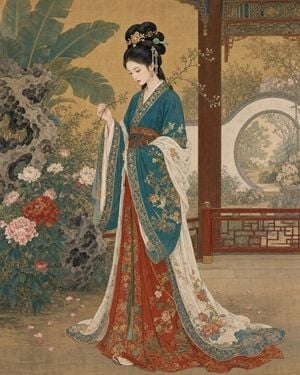
A silk shawl inspired by the High Tang "Court Ladies Adorning Their Hair with Flowers" painting, {argument name="pattern motif" default="a motif of court ladies encircling in the style of Zhou Fang"}, begonia medallion patterns woven with gold thread, a shimmering satin texture, an opulent imperial court style Song-dynasty Ru-ware sky-blue glazed tea ware, fine crackle-glaze ice crackling, a "clear sky after rain" blue-green hue, a minimalist Song-dynasty aesthetic display, museum-quality studio still-life photography
A silk shawl inspired by the High Tang "Court Ladies Adorning Their Hair with Flowers" painting, {argument name="pattern motif" default="a motif of court ladies encircling in the style of Zhou Fang"}, begonia medallion patterns woven with gold thread, a shimmering satin texture, an opulent imperial court style Song-dynasty Ru-ware sky-blue glazed tea ware, fine crackle-glaze ice crackling, a "clear sky after rain" blue-green hue, a minimalist Song-dynasty aesthetic display, museum-quality studio still-life photography
Edit the prompt in the box under the preview — the template's model and format are already selected — and press Generate. Your version appears right on this page.
Yes. You can change the subject, setting, lighting, mood, format, and available model controls before creating your image.
Opening and editing this template is free. Generating uses credits, shown on the Generate button when you are signed in.
Start with GPT Image 2, which is the model associated with this template. You can compare another compatible model for a different finish.
Follow a topic to a crawlable collection of related PicX Studio templates.