How do I use the Cinematic Desert Nomad at Sunset template?
Edit the prompt in the box under the preview — the template's model and format are already selected — and press Generate. Your version appears right on this page.
A photorealistic wide desert scene featuring a lone robed traveler walking toward an oasis at sunset, ideal for cinematic travel or adventure visuals.

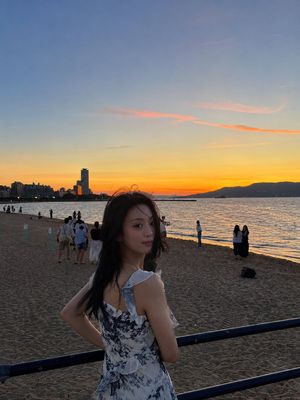
This template uses your photo — add one with the + button.
Create a cinematic wide-angle desert landscape at golden hour: a lone {argument name="traveler" default="robed nomad"} seen from behind walks along the crest of a rippled sand dune, leaving a trail of footprints and a long shadow across the foreground. The figure wears flowing earth-toned robes and a wrapped headscarf, slightly backlit by the low sun. In the middle distance, show a small oasis with palm trees and a reflective pool nestled among rolling dunes. The background stretches into endless soft sand hills fading into atmospheric haze, with the bright {argument name="sun position" default="low sun near the upper right horizon"} casting warm orange and amber light over everything. Use photorealistic detail, shallow atmospheric perspective, dramatic cinematic composition, warm desert color grading, subtle lens glow, high dynamic range, natural textures in the sand, and a serene epic travel mood. Aspect ratio 16:9, no text, no borders.
Create a cinematic wide-angle desert landscape at golden hour: a lone {argument name="traveler" default="robed nomad"} seen from behind walks along the crest of a rippled sand dune, leaving a trail of footprints and a long shadow across the foreground. The figure wears flowing earth-toned robes and a wrapped headscarf, slightly backlit by the low sun. In the middle distance, show a small oasis with palm trees and a reflective pool nestled among rolling dunes. The background stretches into endless soft sand hills fading into atmospheric haze, with the bright {argument name="sun position" default="low sun near the upper right horizon"} casting warm orange and amber light over everything. Use photorealistic detail, shallow atmospheric perspective, dramatic cinematic composition, warm desert color grading, subtle lens glow, high dynamic range, natural textures in the sand, and a serene epic travel mood. Aspect ratio 16:9, no text, no borders.
Edit the prompt in the box under the preview — the template's model and format are already selected — and press Generate. Your version appears right on this page.
Yes. You can change the subject, setting, lighting, mood, format, and available model controls before creating your image.
Opening and editing this template is free. Generating uses credits, shown on the Generate button when you are signed in.
Start with GPT Image 2, which is the model associated with this template. You can compare another compatible model for a different finish.
Follow a topic to a crawlable collection of related PicX Studio templates.