How do I use the Mysterious Japanese Warrior template?
Edit the prompt in the box under the preview — the template's model and format are already selected — and press Generate. Your version appears right on this page.
A cinematic video prompt for an Asian warrior woman in a traditional Japanese village with moody lighting.
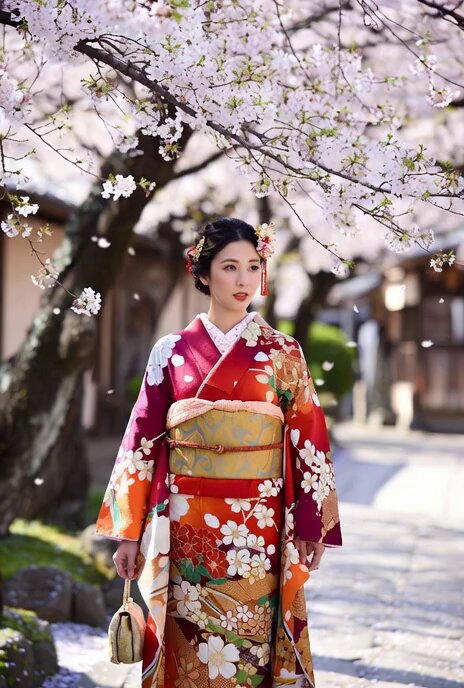
A highly detailed cinematic scene of a mysterious Asian warrior woman standing in an ancient Japanese village during a cloudy day. She wears a dark, elegant kimono with intricate patterns and a black face mask covering her lower face. Her hair is styled in an elaborate updo adorned with sharp, artistic hair ornaments. She carries a traditional bag on her shoulder. The background shows a slightly blurred crowd and old wooden buildings, creating depth and realism. Soft wind gently moves her kimono fabric and loose hair strands. The atmosphere is moody and dramatic with cool, desaturated color grading. Camera slowly pushes in with a shallow depth of field, focusing on her eyes. Subtle cinematic motion, realistic lighting, ultra-realistic textures, 4K quality, film grain, soft shadows, dramatic tone.
A highly detailed cinematic scene of a mysterious Asian warrior woman standing in an ancient Japanese village during a cloudy day. She wears a dark, elegant kimono with intricate patterns and a black face mask covering her lower face. Her hair is styled in an elaborate updo adorned with sharp, artistic hair ornaments. She carries a traditional bag on her shoulder. The background shows a slightly blurred crowd and old wooden buildings, creating depth and realism. Soft wind gently moves her kimono fabric and loose hair strands. The atmosphere is moody and dramatic with cool, desaturated color grading. Camera slowly pushes in with a shallow depth of field, focusing on her eyes. Subtle cinematic motion, realistic lighting, ultra-realistic textures, 4K quality, film grain, soft shadows, dramatic tone.
Edit the prompt in the box under the preview — the template's model and format are already selected — and press Generate. Your version appears right on this page.
Yes. You can change the subject, setting, lighting, mood, format, and available model controls before creating your video.
Opening and editing this template is free. Generating uses credits, shown on the Generate button when you are signed in.
Start with Grok Imagine, which is the model associated with this template. You can compare another compatible model for a different finish.
Follow a topic to a crawlable collection of related PicX Studio templates.