How do I use the Colossal Mecha Robot template?
Edit the prompt in the box under the preview — the template's model and format are already selected — and press Generate. Your version appears right on this page.
A highly detailed cinematic prompt for a battle-worn mecha robot in a foggy industrial cityscape, featuring specific colors and lighting.
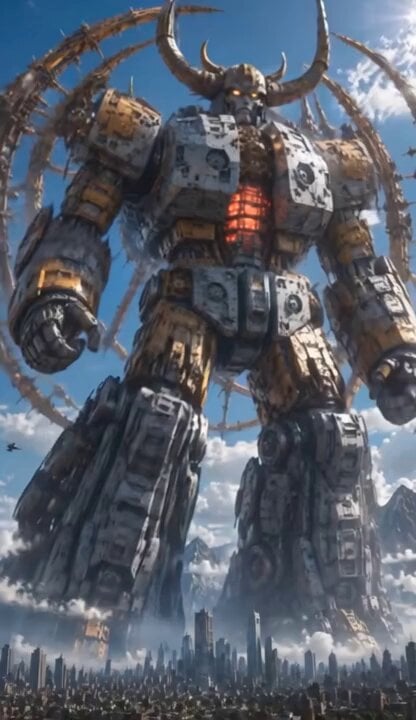
A colossal, battle-worn mecha robot standing 20+ meters tall, cinematic low-angle shot, teal-blue and gunmetal armor with gold-yellow accents and heavy riveted plating, heavily weathered and scratched with realistic battle damage. The robot has a menacing samurai-knight style helmet with two tall pointed horns/antennas, glowing intense yellow visor eyes that emit bright light beams. Large glowing yellow kanji “市” prominently displayed on the chest plate. Massive shoulder-mounted dual circular glowing cannons, intricate mechanical details, exposed hydraulic pipes, pistons, and armor panels. Thick white smoke/steam dramatically billowing from the torso and shoulders. Dramatic foggy industrial cityscape background with towering power lines, electricity pylons, and hazy skyscrapers barely visible in the mist. Cinematic lighting, volumetric fog, god rays, epic scale, photorealistic, ultra-detailed, 8K, shot on IMAX, dynamic motion, slight motion blur on moving armor plates, masterpiece, best quality.
A colossal, battle-worn mecha robot standing 20+ meters tall, cinematic low-angle shot, teal-blue and gunmetal armor with gold-yellow accents and heavy riveted plating, heavily weathered and scratched with realistic battle damage. The robot has a menacing samurai-knight style helmet with two tall pointed horns/antennas, glowing intense yellow visor eyes that emit bright light beams. Large glowing yellow kanji “市” prominently displayed on the chest plate. Massive shoulder-mounted dual circular glowing cannons, intricate mechanical details, exposed hydraulic pipes, pistons, and armor panels. Thick white smoke/steam dramatically billowing from the torso and shoulders. Dramatic foggy industrial cityscape background with towering power lines, electricity pylons, and hazy skyscrapers barely visible in the mist. Cinematic lighting, volumetric fog, god rays, epic scale, photorealistic, ultra-detailed, 8K, shot on IMAX, dynamic motion, slight motion blur on moving armor plates, masterpiece, best quality.
Edit the prompt in the box under the preview — the template's model and format are already selected — and press Generate. Your version appears right on this page.
Yes. You can change the subject, setting, lighting, mood, format, and available model controls before creating your video.
Opening and editing this template is free. Generating uses credits, shown on the Generate button when you are signed in.
Start with Grok Imagine, which is the model associated with this template. You can compare another compatible model for a different finish.
Follow a topic to a crawlable collection of related PicX Studio templates.