How do I use the Tabby Cat Chasing a Butterfly in a Sunny Garden template?
Edit the prompt in the box under the preview — the template's model and format are already selected — and press Generate. Your version appears right on this page.
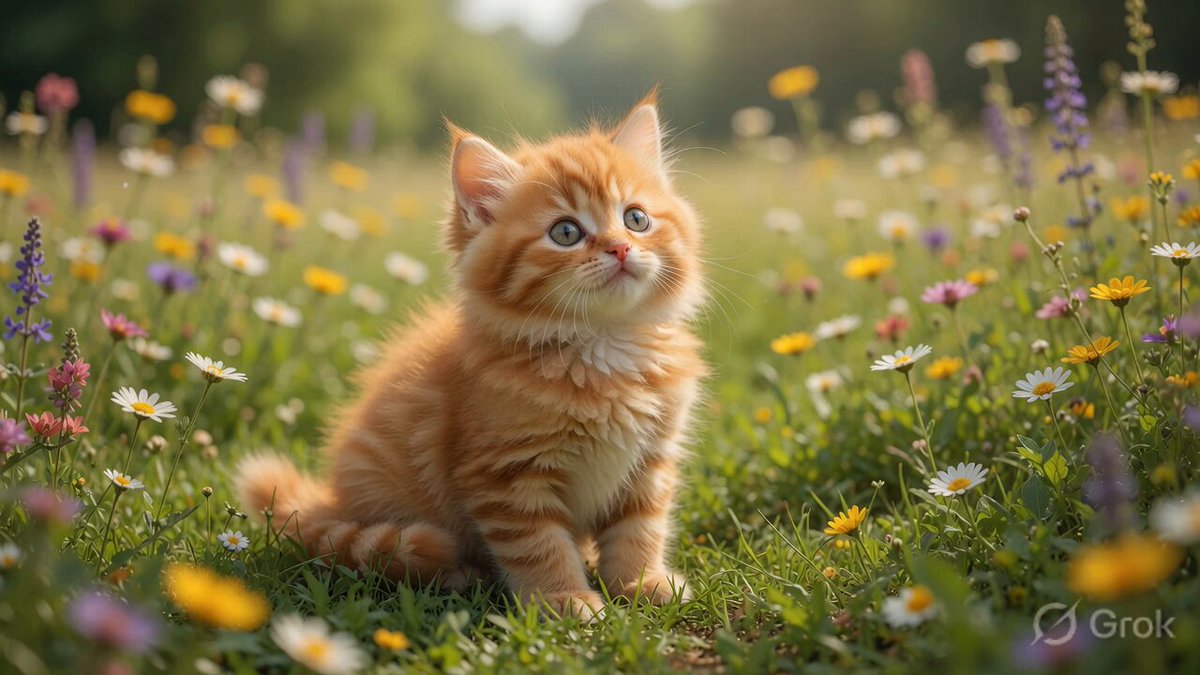
A detailed 10-second Grok Imagine video prompt describing a fluffy orange tabby cat playfully chasing a butterfly in a sunny garden, focusing on joyful style, fresh colors, and specific camera movements (sudden leap…
A fluffy orange tabby cat playfully chasing a butterfly in a sunny garden, soft morning light filtering through green leaves, colorful flowers swaying, dew drops on grass, ultra-detailed textures – cat fur, butterfly wings, petal movement, realistic joyful cat style, fresh color palette of greens, yellows and oranges, 16k resolution. Animation (10 seconds): STRONG START – At 0–2 seconds sudden burst as the cat leaps forward with paws extended. At 3 seconds the camera transitions into smooth low-angle tracking following the chase. Final 4 seconds: the tracking rises gently upward, ending with powerful hold on the cat sitting proudly as the butterfly lands on its nose. Soundtrack: Playful cat pounces and soft paw steps at start, layered with butterfly wing flutters and gentle wind, warm acoustic melody rising to joyful climax.
A fluffy orange tabby cat playfully chasing a butterfly in a sunny garden, soft morning light filtering through green leaves, colorful flowers swaying, dew drops on grass, ultra-detailed textures – cat fur, butterfly wings, petal movement, realistic joyful cat style, fresh color palette of greens, yellows and oranges, 16k resolution. Animation (10 seconds): STRONG START – At 0–2 seconds sudden burst as the cat leaps forward with paws extended. At 3 seconds the camera transitions into smooth low-angle tracking following the chase. Final 4 seconds: the tracking rises gently upward, ending with powerful hold on the cat sitting proudly as the butterfly lands on its nose. Soundtrack: Playful cat pounces and soft paw steps at start, layered with butterfly wing flutters and gentle wind, warm acoustic melody rising to joyful climax.
Edit the prompt in the box under the preview — the template's model and format are already selected — and press Generate. Your version appears right on this page.
Yes. You can change the subject, setting, lighting, mood, format, and available model controls before creating your video.
Opening and editing this template is free. Generating uses credits, shown on the Generate button when you are signed in.
Start with Grok Imagine, which is the model associated with this template. You can compare another compatible model for a different finish.
Follow a topic to a crawlable collection of related PicX Studio templates.