How do I use the 10-second epic cinematic storm video prompt template?
Edit the prompt in the box under the preview — the template's model and format are already selected — and press Generate. Your version appears right on this page.
A highly detailed 10-second video generation prompt for Grok Imagine describing a lone figure on a mountain peak during a violent storm, focusing on dramatic lighting (god-rays), intense textures, and specific cinematic…
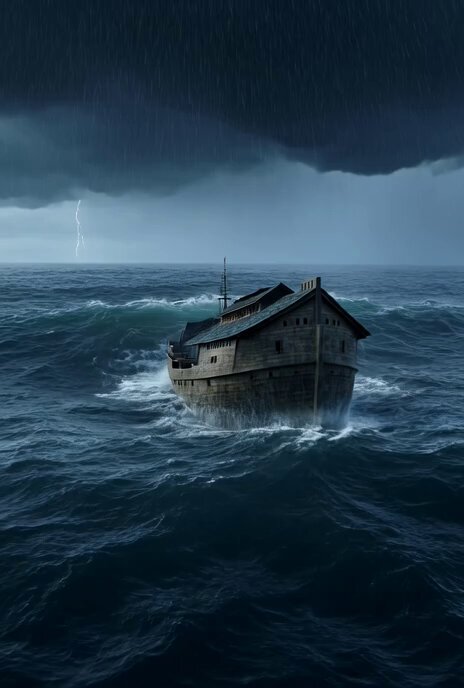
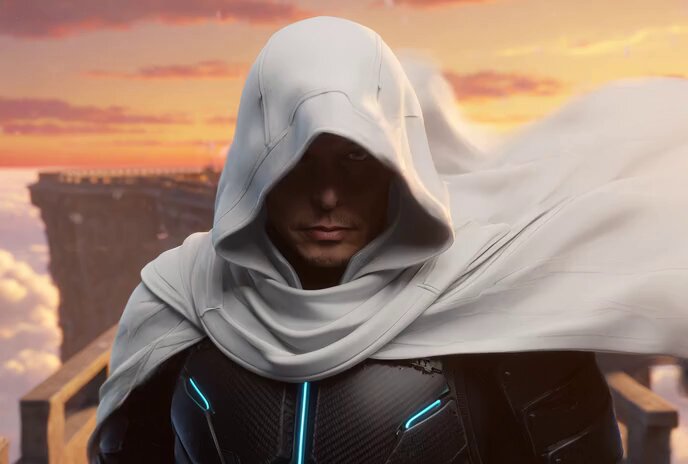
A lone figure standing on the razor edge of a towering mountain peak during a violent storm at sunrise, fierce wind whipping his long coat and hair, dark thunderclouds swirling around him like a living vortex, sudden blinding golden sun rays exploding through a crack in the clouds directly behind him, creating dramatic god-rays that pierce the chaos and illuminate his silhouette in pure fire, rain and snow mixing in the air, lightning cracking in the distance, the entire world below lost in mist and shadow, ultra-detailed textures – coat fabric tearing in the wind, rain droplets frozen mid-air, lightning reflections on wet rock, skin and hair catching the golden light, masterpiece quality, epic cinematic dramatic style with raw emotional power and transcendent beauty, intense color palette of deep stormy blacks, electric blues, violent whites and exploding molten gold sunrise, 16k resolution. Animation (10 seconds): The scene opens with a sudden violent burst – wind and rain slamming into the figure as lightning cracks across the frame. At 3 seconds the camera begins a slow, powerful push-in combined with a rising crane movement, revealing the full terrifying scale of the storm and the tiny human against it. At 7 seconds the sun fully breaks through in a blinding explosion of light, god-rays slamming down like divine spears. Final 3 seconds: the camera stops moving and holds in a majestic low-angle shot as the figure slowly raises his head toward the light, coat whipping wildly, ending with an overwhelming sense of triumph and awe. Soundtrack: Thunderous orchestral hit and howling wind at the very first second, building into a massive rising crescendo of strings and brass as the sun breaks through, lightning cracks synced with sharp percussion, ending with a single powerful sustained horn note that feels like victory over the storm.
A lone figure standing on the razor edge of a towering mountain peak during a violent storm at sunrise, fierce wind whipping his long coat and hair, dark thunderclouds swirling around him like a living vortex, sudden blinding golden sun rays exploding through a crack in the clouds directly behind him, creating dramatic god-rays that pierce the chaos and illuminate his silhouette in pure fire, rain and snow mixing in the air, lightning cracking in the distance, the entire world below lost in mist and shadow, ultra-detailed textures – coat fabric tearing in the wind, rain droplets frozen mid-air, lightning reflections on wet rock, skin and hair catching the golden light, masterpiece quality, epic cinematic dramatic style with raw emotional power and transcendent beauty, intense color palette of deep stormy blacks, electric blues, violent whites and exploding molten gold sunrise, 16k resolution. Animation (10 seconds): The scene opens with a sudden violent burst – wind and rain slamming into the figure as lightning cracks across the frame. At 3 seconds the camera begins a slow, powerful push-in combined with a rising crane movement, revealing the full terrifying scale of the storm and the tiny human against it. At 7 seconds the sun fully breaks through in a blinding explosion of light, god-rays slamming down like divine spears. Final 3 seconds: the camera stops moving and holds in a majestic low-angle shot as the figure slowly raises his head toward the light, coat whipping wildly, ending with an overwhelming sense of triumph and awe. Soundtrack: Thunderous orchestral hit and howling wind at the very first second, building into a massive rising crescendo of strings and brass as the sun breaks through, lightning cracks synced with sharp percussion, ending with a single powerful sustained horn note that feels like victory over the storm.
Edit the prompt in the box under the preview — the template's model and format are already selected — and press Generate. Your version appears right on this page.
Yes. You can change the subject, setting, lighting, mood, format, and available model controls before creating your video.
Opening and editing this template is free. Generating uses credits, shown on the Generate button when you are signed in.
Start with Grok Imagine, which is the model associated with this template. You can compare another compatible model for a different finish.
Follow a topic to a crawlable collection of related PicX Studio templates.