
How do I use the Sunset Balcony Candid Snap template?
Choose the primary action to open PicX Studio with the available template settings. Review the model and format, personalize the creative direction, and generate when ready.
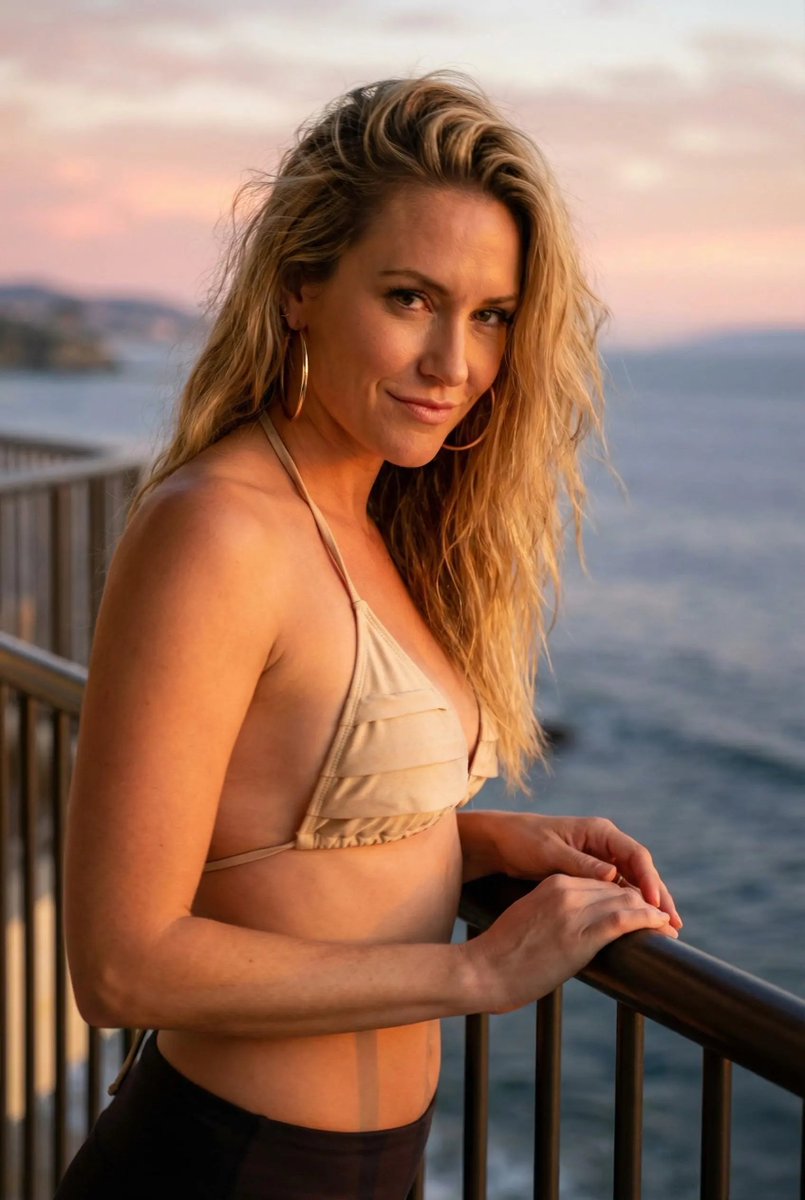
A detailed prompt for Nano Banana Pro designed to mimic an ultra-photorealistic, candid iPhone snap taken at sunset on a balcony overlooking the ocean. It specifies warm lighting, wind movement in the hair, a curvy subject in a sheer champagne bikini, and a specific pose (turning back toward the camera). (free to use) — Free AI image template on PicX Studio.
{ "meta": { "camera": "iPhone 17 Pro Max", "lens": "48mm", "aspect_ratio": "2:3", "style": "sunset iphone candid snap", "quality": "ultra photorealistic", "time_of_day": "8:02 PM", "lighting_temperature": "warm sunset 5000K", "natural_mobile_hdr": true, "slight_handheld_motion": true, "realistic_depth_of_field": true, "authentic_iphone_color_science": true }, "character_lock": { "hair": "long blonde, soft wind movement", "body": "curvy thick hourglass, defined waist, round hips", "face": "soft but dangerous confidence" }, "scene": { "location": "balcony overlooking ocean", "background": "pink sunset sky, blurred coastline" }, "pose": { "position": "leaning on balcony rail, turning back toward camera", "expression": "slow over-shoulder glance", "camera_angle": "slightly behind and low" }, "outfit": { "bikini": "sheer champagne-toned bikini layered over opaque lining, minimal cut", "accessories": "large gold hoops, glossy lip" }, "details": { "fabric_behavior": "tight contour fit", "lighting_effect": "sunset rim light on silhouette", "vibe": "the ex you still think about" } }
Use Sunset Balcony Candid Snap to plan an AI image around nano-banana-2 generation. Match the preview's composition first, then personalize the subject, setting, and mood for your own project.
Use the primary action to load the template settings in PicX Studio.
Adjust the subject and creative details for your destination.
Create the image, compare the result with the preview, and refine one variable at a time.
A continuous mix — similar concepts first, woven with same-model prompts and fresh picks from the catalog.
Choose the primary action to open PicX Studio with the available template settings. Review the model and format, personalize the creative direction, and generate when ready.
Yes. You can change the subject, setting, lighting, mood, format, and available model controls before creating your image.
This template is free to open and customize. Generation usage is shown in PicX Studio before you create.
Start with nano-banana-2, which is the model associated with this template. You can compare another compatible model for a different finish.
Follow a topic to a crawlable collection of related PicX Studio templates.
39,155 public templates available. Verified via the PicX Studio public templates API; refreshed hourly.
A continuous mix — similar concepts first, woven with same-model prompts and fresh picks from the catalog.