How do I use the Luxury Peach Lip Campaign 3x3 Grid template?
Choose the primary action to open PicX Studio with the available template settings. Review the model and format, personalize the creative direction, and generate when ready.
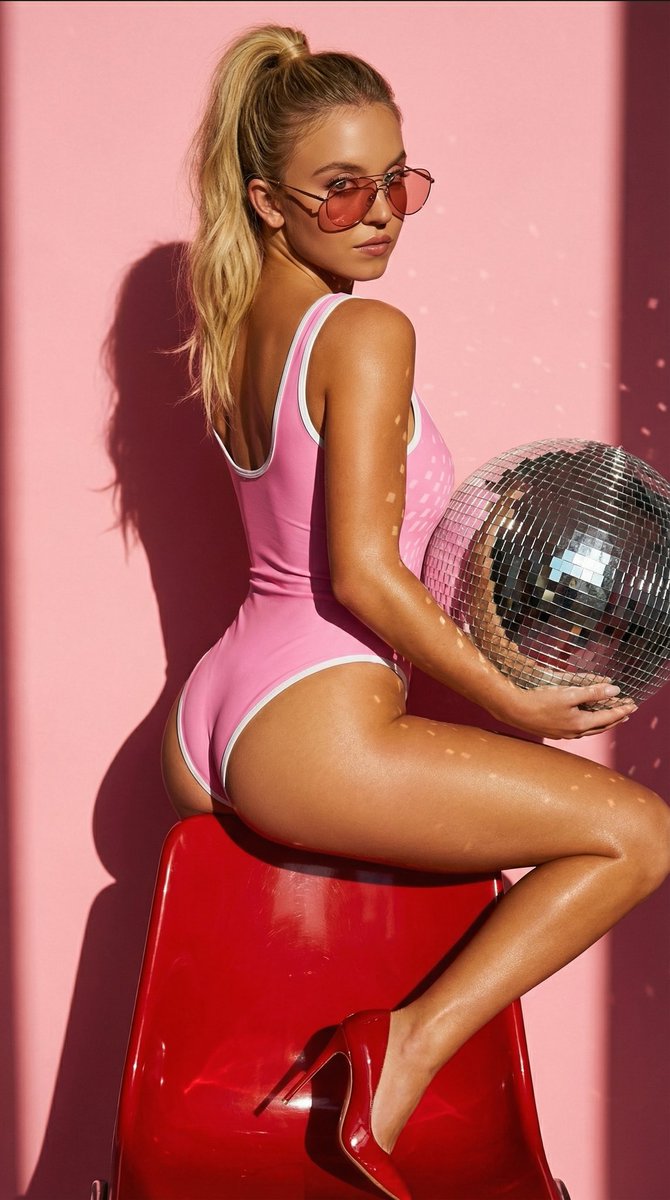
A highly structured JSON prompt for Nano Banana 2 to generate a 3x3 grid of images for a luxury beauty editorial campaign (BAGEL LABS Peach Gloss Balm). It specifies the model, product details, lighting, and composition for nine distinct panels, focusing on photorealism and a soft peach aesthetic. (free to use) — Free AI image template on PicX Studio.
{ "generation_request": { "meta_data": { "tool": "NanoBanana Pro", "task_type": "luxury_beauty_lip_campaign_3x3_grid", "language": "en", "priority": "highest", "version": "v1.0_BAGEL_LABS_PEACH_LUXURY_GRID" }, "input": { "mode": "image_to_image", "reference_image_usage": "very_high", "preserve_grid_layout": true, "preserve_beauty_campaign_structure": true }, "output_settings": { "aspect_ratio": "1:1", "orientation": "square", "resolution_target": "ultra_high_res", "num_images": 1, "layout": { "type": "grid", "rows": 3, "cols": 3, "gutter": "thin", "outer_border": "none" }, "render_style": "photoreal_luxury_beauty_editorial", "sharpness": "editorial_crisp", "grain": "none", "color_grade": "soft_peach_luxury", "dynamic_range": "clean_soft_luminous", "skin_rendering": "real_texture_refined" }, "brand_direction": { "brand_name": "BAGEL LABS", "style": "modern minimal luxury beauty branding", "packaging": "sleek peach-nude glossy lip balm tube with refined premium typography" }, "subject": { "model": { "type": "adult woman", "look": "luxury beauty campaign model with soft glamorous styling", "hair": "polished voluminous soft blonde waves", "makeup": "clean luminous skin, refined brows, fresh peach-nude blush, peach glossy lips, soft defined eyes", "expression": "fresh, confident, soft, elegant, inviting" }, "product": { "type": "peach gloss balm", "shade": "soft peach nude", "finish": "creamy glossy luminous", "packaging_color": "peach nude", "branding": "BAGEL LABS" } }, "scene": { "background": "minimal clean luxury beauty studio background in soft peach, nude, warm ivory, and blush-neutral tones", "lighting": "soft diffused beauty lighting, luminous skin highlights, premium campaign finish", "mood": "fresh, luxurious, feminine, modern, polished" }, "composition": { "panel_1": "playful beauty portrait, model smiling softly while holding the peach BAGEL LABS lip product near her lips", "panel_2": "clean close portrait with the model presenting the product in a chic modern pose", "panel_3": "macro close-up of glossy peach lips with luxurious creamy texture", "panel_4": "editorial beauty close-up with the product gently touching the lower lip, luminous skin and refined makeup", "panel_5": "hero product shot of the peach BAGEL LABS tube surrounded by tiny elegant bagels and soft peach-toned cream details instead of flowers", "panel_6": "relaxed reclining portrait with a different angle and a more fashion-forward luxury pose", "panel_7": "extreme lip close-up applying peach gloss balm with smooth creamy shine", "pan
Use Luxury Peach Lip Campaign 3x3 Grid to plan an AI image around nano-banana-2 generation. Match the preview's composition first, then personalize the subject, setting, and mood for your own project.
Use the primary action to load the template settings in PicX Studio.
Adjust the subject and creative details for your destination.
Create the image, compare the result with the preview, and refine one variable at a time.
A continuous mix — similar concepts first, woven with same-model prompts and fresh picks from the catalog.
Choose the primary action to open PicX Studio with the available template settings. Review the model and format, personalize the creative direction, and generate when ready.
Yes. You can change the subject, setting, lighting, mood, format, and available model controls before creating your image.
This template is free to open and customize. Generation usage is shown in PicX Studio before you create.
Start with nano-banana-2, which is the model associated with this template. You can compare another compatible model for a different finish.
Follow a topic to a crawlable collection of related PicX Studio templates.
39,155 public templates available. Verified via the PicX Studio public templates API; refreshed hourly.
A continuous mix — similar concepts first, woven with same-model prompts and fresh picks from the catalog.