How do I use the Grok Video Prompt: High-Speed City Skateboarding template?
Choose the primary action to open PicX Studio with the available template settings. Review the model and format, personalize the creative direction, and generate when ready.
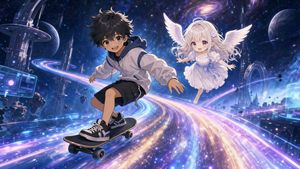
The user generated a still image using Nano Banana Pro and then generated a video using Grok. Change the subject, setting, or lighting one variable at a time.
Quality: Live action, high-speed cuts, numerous frames, 24fps, photorealistic, high-quality live action. 2.5x speed action. Cuts: Footage composed of cuts from various camera angles, including aerial and drone shots. Music: EDM Scene 1: Skateboarding through the city at super-super-super speeds. Scene 3: Skateboarding tricks are performed one after another at super-super-super speeds in the city.
Choose the primary action to open PicX Studio with the available template settings. Review the model and format, personalize the creative direction, and generate when ready.
Yes. You can change the subject, setting, lighting, mood, format, and available model controls before creating your image.
This template is free to open and customize. Generation usage is shown in PicX Studio before you create.
Start with Nano Banana 2, which is the model associated with this template. You can compare another compatible model for a different finish.
© 2026 PicX Studio. All rights reserved.

Follow a topic to a crawlable collection of related PicX Studio templates.
43,474 public templates available. Verified via the PicX Studio public templates API; refreshed hourly.









![Naive doodle-style subject illustration — A doodle-style {argument name="subject" default="[subject]"}, naive lines, humorous shape exaggeration](https://pbs.twimg.com/media/G6Wl2YxbsAARB2b.jpg)


















![Ghibli Nezha Character Turnaround — use the character turnaround format from [img1] to create 哪吒 in the same style](https://pbs.twimg.com/media/HEFSAOWbkAAK4k5.jpg)