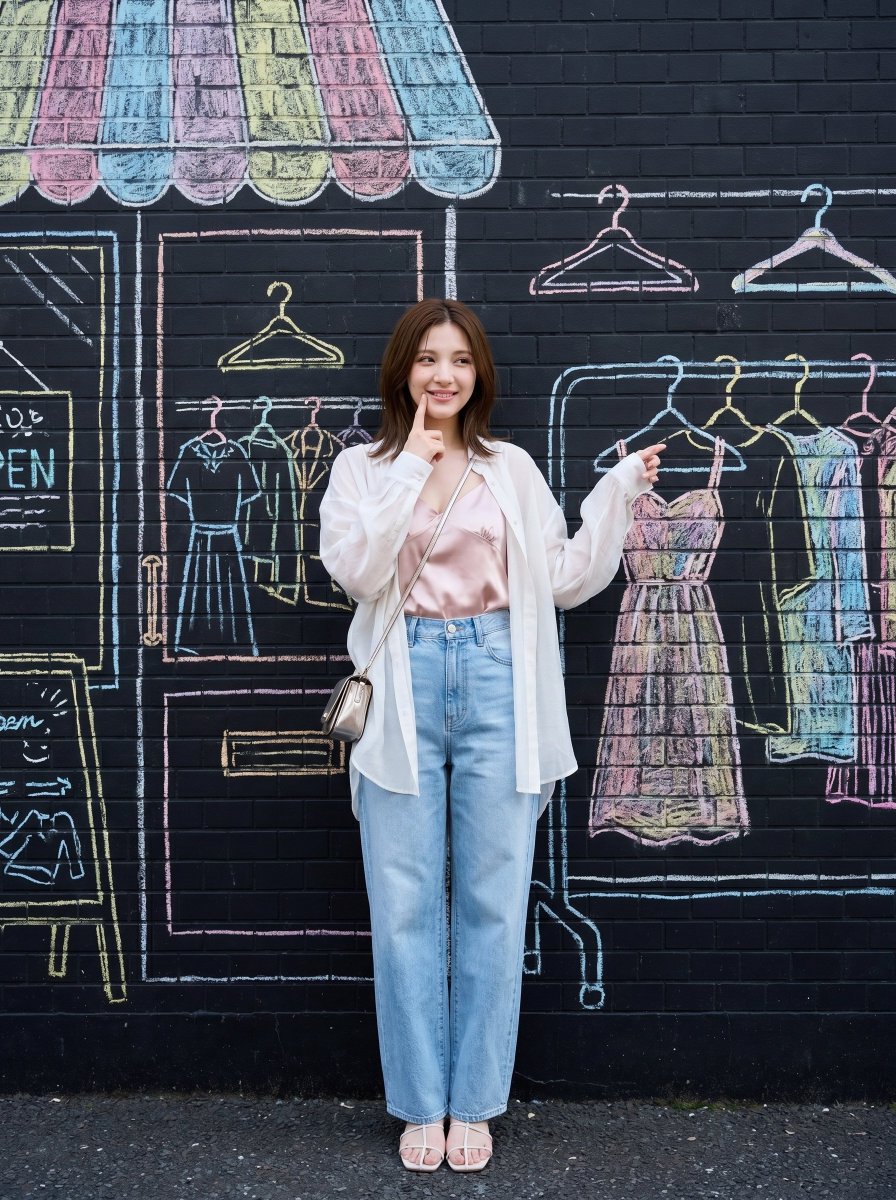


How do I use the Japanese Fashion Chalk Mural Portrait template?
Choose the primary action to open PicX Studio with the available template settings. Review the model and format, personalize the creative direction, and generate when ready.
A unique prompt for Nano Banana Pro that places a realistic fashion subject in front of a flat, 2D chalk drawing background, blending photography with illustration. (free to use) — Free AI image template on PicX Studio.
Medium shot of a {argument name="subject" default="young woman"} as in <user portrait>, low height spring summer casual fashion, {argument name="clothing" default="oversized sheer white shirt"} worn open over a light pink satin camisole, high-waisted dark blue wide denim, delicate white sandals, small metallic shoulder bag, playfully putting her index finger near her cheek, shows amusement at the clothes, airy neutral styling, natural candid posture, transparent fresh mood, realistic Japanese fashion photography, vertical full-body composition. The background is a black brick wall with a strict 2D frontal view of a store front in the form of a {argument name="mural style" default="hand-drawn colourful pastel / minimalist hand-drawn white"} chalk drawing. In a {argument name="location" default="Shimokitazawa side street"}. There are also some drawn objects that she can interact with, like leaning on a cafe table. Japan street style. camera capturing the strict frontal view of the wall. negative prompt: angled shot, angled view
Use Japanese Fashion Chalk Mural Portrait to plan an AI image around nano-banana-2 generation. Match the preview's composition first, then personalize the subject, setting, and mood for your own project.
Use the primary action to load the template settings in PicX Studio.
Adjust the subject and creative details for your destination.
Create the image, compare the result with the preview, and refine one variable at a time.
A continuous mix — similar concepts first, woven with same-model prompts and fresh picks from the catalog.
Choose the primary action to open PicX Studio with the available template settings. Review the model and format, personalize the creative direction, and generate when ready.
Yes. You can change the subject, setting, lighting, mood, format, and available model controls before creating your image.
This template is free to open and customize. Generation usage is shown in PicX Studio before you create.
Start with nano-banana-2, which is the model associated with this template. You can compare another compatible model for a different finish.
A continuous mix — similar concepts first, woven with same-model prompts and fresh picks from the catalog.
Follow a topic to a crawlable collection of related PicX Studio templates.
32,032 public templates available. Verified via the PicX Studio public templates API; refreshed hourly.


