How do I use the Wet Look Fashion Portrait JSON template?
Edit the prompt in the box under the preview — the template's model and format are already selected — and press Generate. Your version appears right on this page.
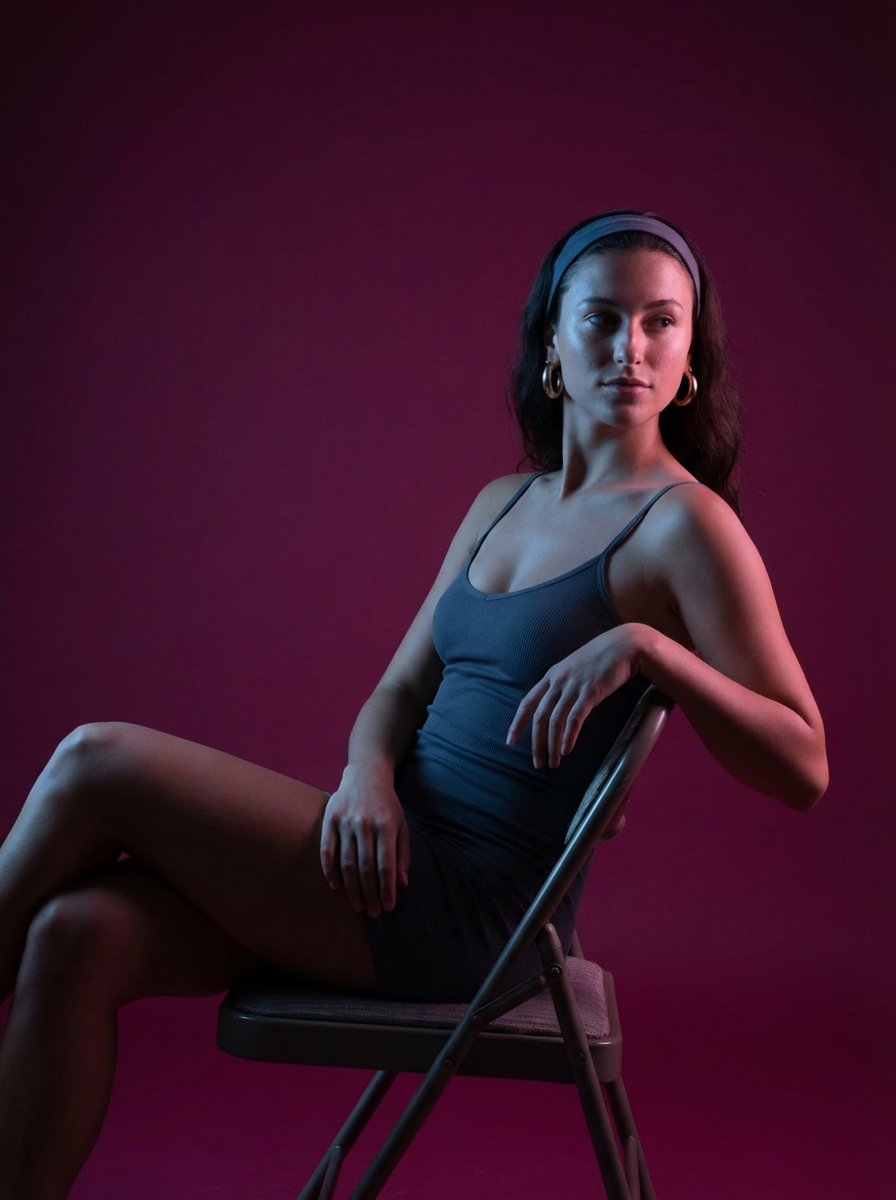
A highly detailed, technical JSON-based prompt for a wet-look fashion portrait of Emily Rudd, emphasizing anatomical accuracy and high-fidelity textures.

{ "subject": { "identity": { "likeness_calibration": "{argument name="subject likeness" default="A 100% high-fidelity physical and anatomical representation of Emily Rudd, capturing her specific facial morphology and genetic markers."}", "features": { "facial_structure": "Accurate representation of Emily Rudd's oval face shape, button nose, and defined jawline.", "eyes": "Striking, clear blue-grey iris pattern (specific to Emily Rudd) with realistic light refraction and wet, detailed eyelashes.", "expression": "A serious, composed, and neutral expression. No smile, maintaining a high-fashion editorial look.", "hair": "Emily Rudd's signature dark brown hair (#2B1E16), presented in a heavy wet-look. The hair is slicked back, saturated with water, showing visible droplets and a high-gloss sheen, clinging to the neck and shoulders.", "skin": "Wet, glistening skin texture with visible water droplets and a continuous moisture film. Natural skin pores and fine details are prioritized. Skin tone is a natural fair porcelain with a subtle sun-kissed glow (HEX: #F5E1D2), darkened and saturated by moisture." } }, "body": { "form": { "structure": "A precise anatomical representation of Emily Rudd's fit and athletic hourglass physique.", "definition": "Toned core and limb definition, glistening with water and reflecting dual light sources. Zero tolerance for anatomical artifacts or smoothing.", "constraints": { "zero_tolerance": [ "no anatomical artifacts", "no extra limbs", "no beautify smoothing", "no distorted joints" ] } }, "measurements": { "waist_to_hip": "Accurate physical ratio maintained in the seated, cross-legged pose." } } }, "wardrobe": { "primary": { "item": "Criss-cross strap monokini with cutout design.", "color": "{argument name="wardrobe color" default="Vibrant Crimson Red (HEX: #B22222)"}. The fabric is dark and saturated due to water, showing realistic weight and clinging properties.", "details": "Central gold-tone metal ring connector (#D4AF37) at the solar plexus with high-gloss reflections." }, "accessories": "None." }, "pose_action": { "description": "Seated on the edge of a light-colored stone pool coping (#D2D2D2). Legs are crossed and extended forward. The right hand rests on the coping. The pose maintains a structured, symmetrical skeletal alignment." }, "scene": { "description": "Luxury resort pool area at night. Foreground features wet marble with reflection integrity for the red monokini and turquoise lights.", "environment": { "midground": "Turquoise illuminated pool water (#00CED1) with surface ripples. Symmetrical rows of light gray lounge chairs and closed umbrellas.", "background": "Distant palm trees with warm uplighting" } } }
{ "subject": { "identity": { "likeness_calibration": "{argument name="subject likeness" default="A 100% high-fidelity physical and anatomical representation of Emily Rudd, capturing her specific facial morphology and genetic markers."}", "features": { "facial_structure": "Accurate representation of Emily Rudd's oval face shape, button nose, and defined jawline.", "eyes": "Striking, clear blue-grey iris pattern (specific to Emily Rudd) with realistic light refraction and wet, detailed eyelashes.", "expression": "A serious, composed, and neutral expression. No smile, maintaining a high-fashion editorial look.", "hair": "Emily Rudd's signature dark brown hair (#2B1E16), presented in a heavy wet-look. The hair is slicked back, saturated with water, showing visible droplets and a high-gloss sheen, clinging to the neck and shoulders.", "skin": "Wet, glistening skin texture with visible water droplets and a continuous moisture film. Natural skin pores and fine details are prioritized. Skin tone is a natural fair porcelain with a subtle sun-kissed glow (HEX: #F5E1D2), darkened and saturated by moisture." } }, "body": { "form": { "structure": "A precise anatomical representation of Emily Rudd's fit and athletic hourglass physique.", "definition": "Toned core and limb definition, glistening with water and reflecting dual light sources. Zero tolerance for anatomical artifacts or smoothing.", "constraints": { "zero_tolerance": [ "no anatomical artifacts", "no extra limbs", "no beautify smoothing", "no distorted joints" ] } }, "measurements": { "waist_to_hip": "Accurate physical ratio maintained in the seated, cross-legged pose." } } }, "wardrobe": { "primary": { "item": "Criss-cross strap monokini with cutout design.", "color": "{argument name="wardrobe color" default="Vibrant Crimson Red (HEX: #B22222)"}. The fabric is dark and saturated due to water, showing realistic weight and clinging properties.", "details": "Central gold-tone metal ring connector (#D4AF37) at the solar plexus with high-gloss reflections." }, "accessories": "None." }, "pose_action": { "description": "Seated on the edge of a light-colored stone pool coping (#D2D2D2). Legs are crossed and extended forward. The right hand rests on the coping. The pose maintains a structured, symmetrical skeletal alignment." }, "scene": { "description": "Luxury resort pool area at night. Foreground features wet marble with reflection integrity for the red monokini and turquoise lights.", "environment": { "midground": "Turquoise illuminated pool water (#00CED1) with surface ripples. Symmetrical rows of light gray lounge chairs and closed umbrellas.", "background": "Distant palm trees with warm uplighting" } } }
Edit the prompt in the box under the preview — the template's model and format are already selected — and press Generate. Your version appears right on this page.
Yes. You can change the subject, setting, lighting, mood, format, and available model controls before creating your image.
Opening and editing this template is free. Generating uses credits, shown on the Generate button when you are signed in.
Start with Nano Banana 2, which is the model associated with this template. You can compare another compatible model for a different finish.
Follow a topic to a crawlable collection of related PicX Studio templates.