How do I use the Luxury Fashion Magazine Cover Portrait template?
Edit the prompt in the box under the preview — the template's model and format are already selected — and press Generate. Your version appears right on this page.
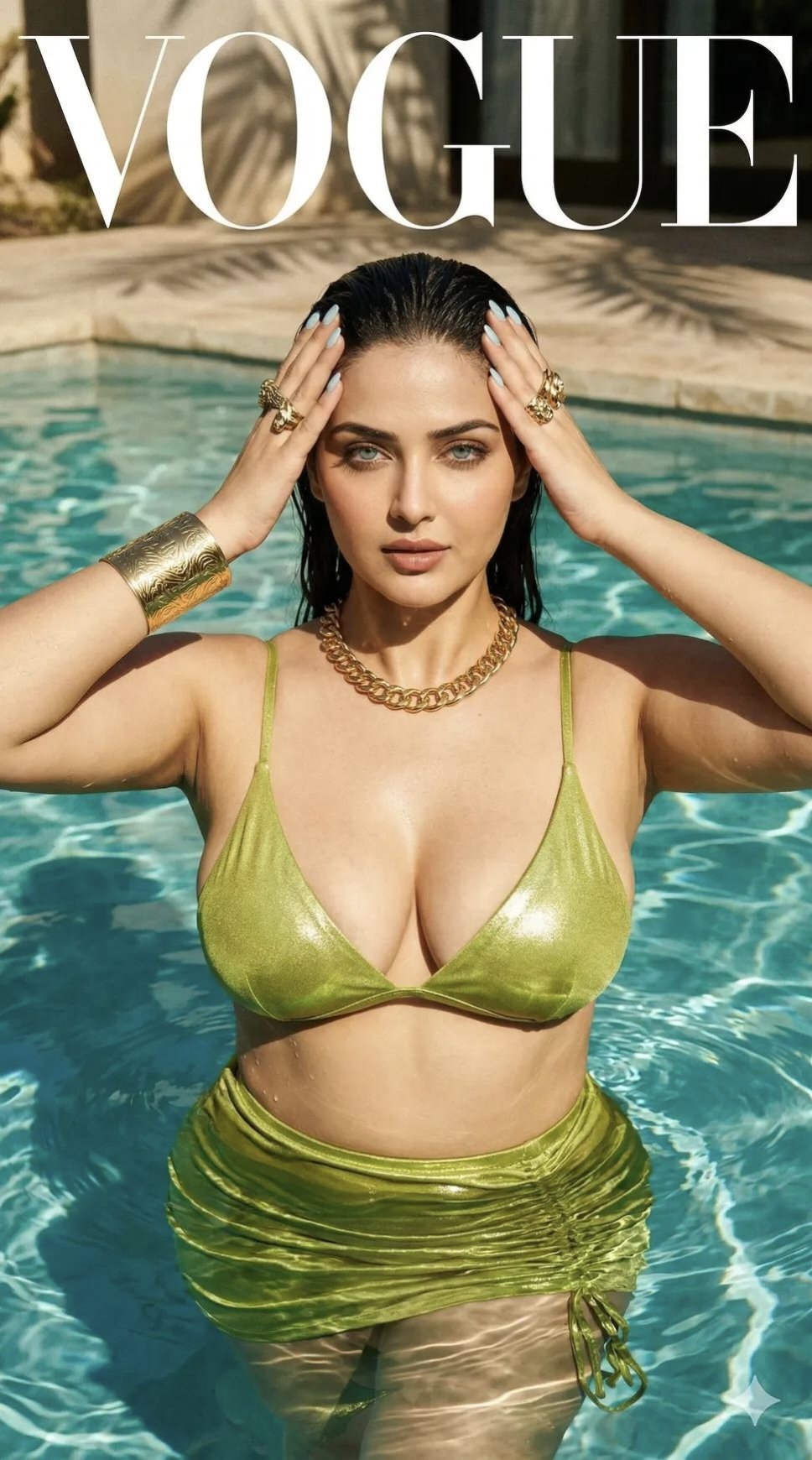
A sophisticated editorial-style prompt for creating a luxury magazine cover, featuring a dramatic monochrome aesthetic with selective color in the eyes and precise typography.

Use my uploaded face image as the primary identity reference. Preserve my exact facial structure, jawline, cheekbones, eye shape, eyebrows, nose shape, lips, beard/stubble pattern, hairstyle, hair texture, skin tone, skin texture, natural South Asian masculine features, and overall recognizable appearance with extremely high identity fidelity. Maintain realistic proportions, authentic skin details, and natural facial anatomy. Do not alter my facial identity. Create an ultra-realistic high-fashion magazine cover portrait inspired by luxury editorial photography. The composition features a dramatic black-and-white monochrome aesthetic where nearly the entire image is desaturated except for the eyes, which retain a subtle, mesmerizing {argument name="eye color" default="natural color"}. The portrait is arranged in a sophisticated layered editorial layout: •Main portrait shows me lying sideways with my head resting on folded arms on a glossy reflective surface. •Calm, introspective expression with direct eye contact. •Large close-up crop of my eyes positioned across the top portion of the frame, creating a double-exposure editorial composition. •Soft reflection of my face visible beneath the main portrait on the reflective surface. •Luxury fashion magazine cover design with elegant typography and minimalistic layout. •Massive translucent serif title text reading “{argument name="title" default="FOCUS"}” across the upper section. •Thin white rectangular framing element highlighting the eyes. •Vertical editorial quote along the left edge: “{argument name="quote" default="It’s in the eyes. Always in the eyes."}” •Modern publication date and issue information placed at the bottom left. •Small barcode positioned at the bottom right. •Clean negative space and premium magazine-cover balance. Photography style: •Vogue, Harper’s Bazaar, Numero, Elle editorial quality. •85mm medium telephoto lens. •f/1.8 shallow depth of field. •Ultra-sharp eyes. •Soft cinematic skin rendering. •Delicate contrast with rich grayscale tones. •Fine art monochrome processing. •Natural catchlights. •Studio beauty lighting combined with soft window light. •High-end retouching while preserving realistic skin texture. •Luxurious fashion atmosphere. Color treatment: •Predominantly black-and-white image. •Only the eyes retain subtle realistic color (deep hazel/green/brown depending on reference image). •Rich grayscale transitions. •Smooth tonal gradients. •Premium print-magazine finish. Technical quality: •Hyperrealistic. •8K resolution. •Ultra-detailed facial features. •Sharp eyelashes and eyebrows. •Photorealistic skin pores. •Professional magazine cover design. •Luxury editorial photography. •Award-winning fashion portrait. •Perfect typography placement. •Cinematic composition. •Masterpiece quality. Negative Prompt: low resolution, distorted face, altered identity, extra fingers, asymmetrical eyes, cartoon, anime, over-sharpening, excessive skin smoothing, bad typography, blurry eyes, duplicate facial features, unrealistic reflection, waterm
Use my uploaded face image as the primary identity reference. Preserve my exact facial structure, jawline, cheekbones, eye shape, eyebrows, nose shape, lips, beard/stubble pattern, hairstyle, hair texture, skin tone, skin texture, natural South Asian masculine features, and overall recognizable appearance with extremely high identity fidelity. Maintain realistic proportions, authentic skin details, and natural facial anatomy. Do not alter my facial identity. Create an ultra-realistic high-fashion magazine cover portrait inspired by luxury editorial photography. The composition features a dramatic black-and-white monochrome aesthetic where nearly the entire image is desaturated except for the eyes, which retain a subtle, mesmerizing {argument name="eye color" default="natural color"}. The portrait is arranged in a sophisticated layered editorial layout: •Main portrait shows me lying sideways with my head resting on folded arms on a glossy reflective surface. •Calm, introspective expression with direct eye contact. •Large close-up crop of my eyes positioned across the top portion of the frame, creating a double-exposure editorial composition. •Soft reflection of my face visible beneath the main portrait on the reflective surface. •Luxury fashion magazine cover design with elegant typography and minimalistic layout. •Massive translucent serif title text reading “{argument name="title" default="FOCUS"}” across the upper section. •Thin white rectangular framing element highlighting the eyes. •Vertical editorial quote along the left edge: “{argument name="quote" default="It’s in the eyes. Always in the eyes."}” •Modern publication date and issue information placed at the bottom left. •Small barcode positioned at the bottom right. •Clean negative space and premium magazine-cover balance. Photography style: •Vogue, Harper’s Bazaar, Numero, Elle editorial quality. •85mm medium telephoto lens. •f/1.8 shallow depth of field. •Ultra-sharp eyes. •Soft cinematic skin rendering. •Delicate contrast with rich grayscale tones. •Fine art monochrome processing. •Natural catchlights. •Studio beauty lighting combined with soft window light. •High-end retouching while preserving realistic skin texture. •Luxurious fashion atmosphere. Color treatment: •Predominantly black-and-white image. •Only the eyes retain subtle realistic color (deep hazel/green/brown depending on reference image). •Rich grayscale transitions. •Smooth tonal gradients. •Premium print-magazine finish. Technical quality: •Hyperrealistic. •8K resolution. •Ultra-detailed facial features. •Sharp eyelashes and eyebrows. •Photorealistic skin pores. •Professional magazine cover design. •Luxury editorial photography. •Award-winning fashion portrait. •Perfect typography placement. •Cinematic composition. •Masterpiece quality. Negative Prompt: low resolution, distorted face, altered identity, extra fingers, asymmetrical eyes, cartoon, anime, over-sharpening, excessive skin smoothing, bad typography, blurry eyes, duplicate facial features, unrealistic reflection, waterm
Edit the prompt in the box under the preview — the template's model and format are already selected — and press Generate. Your version appears right on this page.
Yes. You can change the subject, setting, lighting, mood, format, and available model controls before creating your image.
Opening and editing this template is free. Generating uses credits, shown on the Generate button when you are signed in.
Start with Nano Banana 2, which is the model associated with this template. You can compare another compatible model for a different finish.
Follow a topic to a crawlable collection of related PicX Studio templates.