How do I use the Summer Balcony Relaxation Portrait template?
Choose the primary action to open PicX Studio with the available template settings. Review the model and format, personalize the creative direction, and generate when ready.
A detailed JSON-formatted prompt for a serene balcony scene with warm natural sunlight and city views.
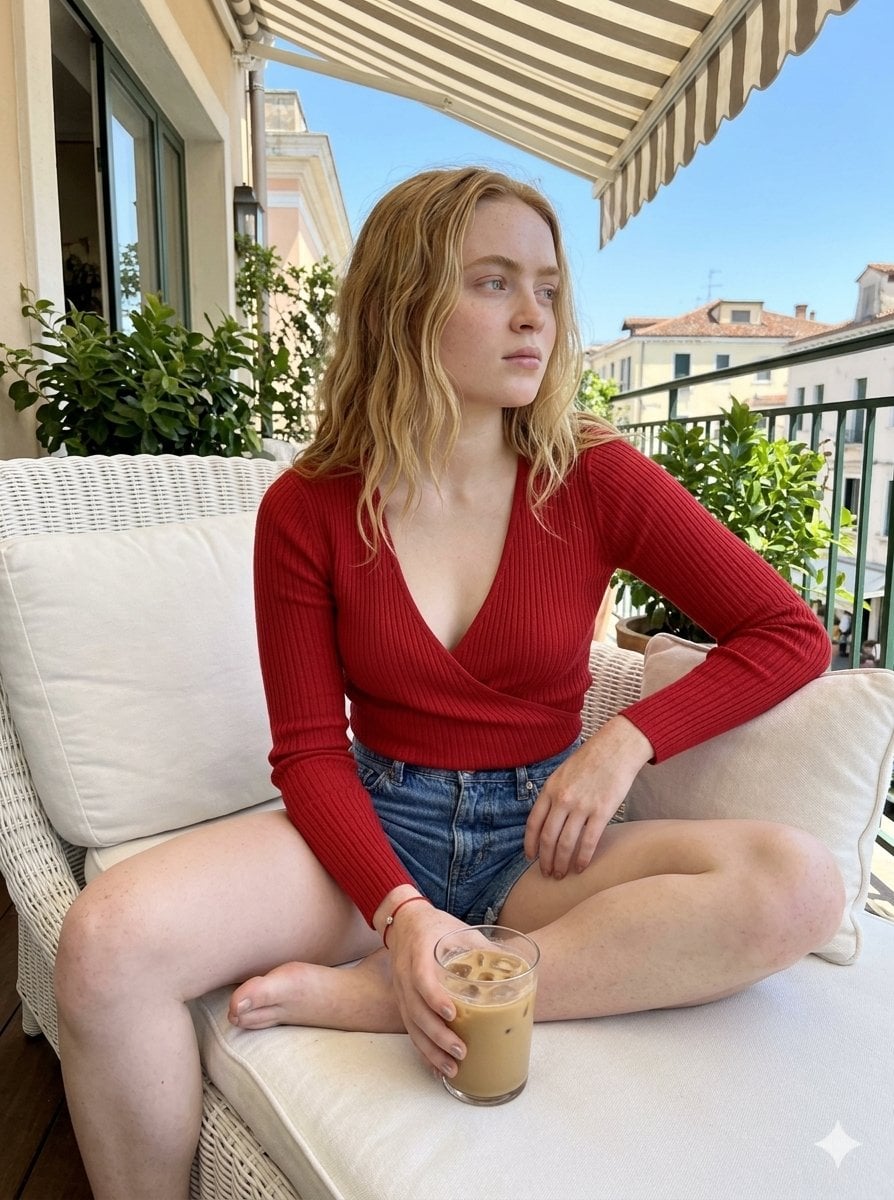
{ "core_content": { "main_description": "{argument name="description" default="A young woman with blonde curly hair relaxes on a plush white chaise lounge on a sunny balcony, holding an iced coffee and looking off into the distance with a serene expression."}" }, "subjects": [ { "type": "Person", "identity": "Woman", "spatial_position": { "placement": "Center frame", "scale": "Medium shot (Upper body visible, legs spread)", "dynamic_framing": { "visual_vector": "Looking to the right, out of frame", "frame_interaction": "Legs extend towards the foreground and right edge, torso is cropped at the shoulders." } }, "pose": { "body_narrative": "Seated with legs widely spread and bent, the subject leans back into the chaise lounge, creating a relaxed and casual posture. Her upper body is slightly twisted towards the camera.", "hand_gesture": "Right hand holding a glass of iced coffee, with her left hand resting on her thigh." }, "eye_gaze": { "direction": "To the right", "contact": "Averted", "focus": "Soft, looking into the distance" }, "appearance": { "features": "Fair skin, blonde wavy hair, light freckles", "expression": "Calm, contemplative" }, "attire": { "top": "{argument name="top" default="Red long-sleeved wrap top with a deep V-neck tied with strings"}", "bottom": "Denim shorts (partially visible)", "details": "Ribbed texture on the top" } } ], "environment": { "scene": "Balcony cafe with a city view", "background_elements": [ { "object": "Building awnings", "description": "Striped beige and white awning overhead" }, { "object": "Plants", "description": "Green potted plants and lavender bushes" }, { "object": "Wicker basket", "description": "Wicker basket with handles" }, { "object": "Buildings", "description": "Distant city skyline with modern and traditional architecture" }, { "object": "Table", "description": "White outdoor table with another iced drink" }, { "object": "Railing", "description": "Balcony railing" } ] }, "aesthetics": { "art_style": "Realistic Photography with {argument name="tones" default="warm, natural tones"}", "lighting": { "key_light": "Bright, warm sunlight from the right, creating soft shadows", "shadows": "Soft shadows on the subject and surroundings, indicating a sunny day." }, "camera": { "angle": "Eye-level", "lens": "Likely a moderate telephoto lens, creating a slight compression and shallow depth of field." } } }
Choose the primary action to open PicX Studio with the available template settings. Review the model and format, personalize the creative direction, and generate when ready.
Yes. You can change the subject, setting, lighting, mood, format, and available model controls before creating your image.
This template is free to open and customize. Generation usage is shown in PicX Studio before you create.
Start with Nano Banana 2, which is the model associated with this template. You can compare another compatible model for a different finish.
Follow a topic to a crawlable collection of related PicX Studio templates.