How do I use the Chic Fashion Magazine Collage template?
Choose the primary action to open PicX Studio with the available template settings. Review the model and format, personalize the creative direction, and generate when ready.
A fashion-focused collage prompt with a pink and cream aesthetic, styled like a magazine or scrapbook with torn edges and bold typography.
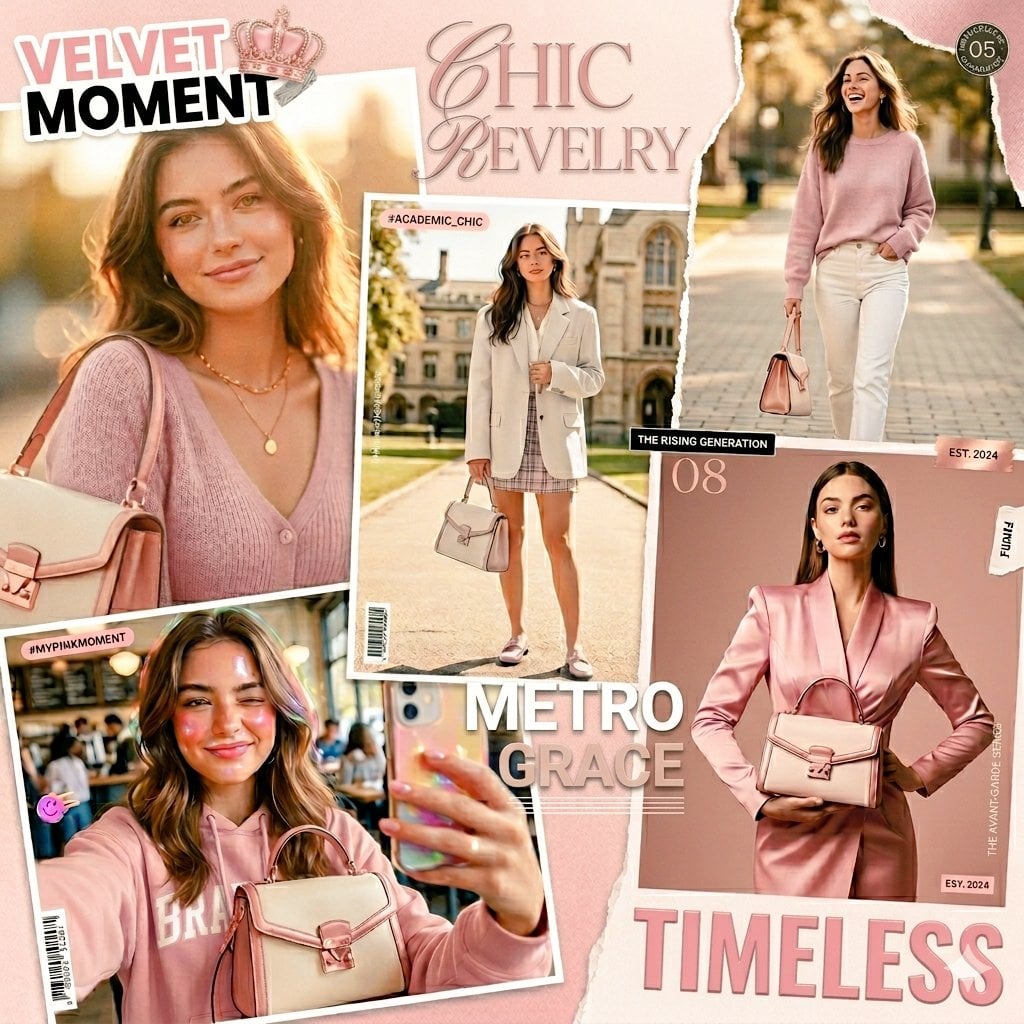
A fashion collage layout with a {argument name="aesthetic" default="soft pink and cream aesthetic"}, featuring several photos of a stylish young woman showcasing trendy outfits and a signature structured handbag. The photos are arranged like a scrapbook with torn edges and overlapping polaroid styles. In the top left, a close-up shows her smiling gently in a {argument name="outfit 1" default="mauve ribbed cardigan and layered gold necklaces"}. In the center, she poses outdoors in an oversized off-white blazer, a plaid mini skirt, and loafers, holding the bag. On the right, she walks gracefully down a path wearing a cozy pink sweater and white trousers. The bottom left features a playful mirror selfie of her in a pink hoodie taking a picture with a holographic phone case. The bottom right displays a more formal look with her wearing a sleek, satin pink blazer dress while holding the handbag in front of her. Text elements like "VELVET MOMENT", "CHIC REVELRY", "METRO GRACE", and "TIMELESS" are scattered throughout the design in elegant and bold typography, completing the magazine-inspired look.
Choose the primary action to open PicX Studio with the available template settings. Review the model and format, personalize the creative direction, and generate when ready.
Yes. You can change the subject, setting, lighting, mood, format, and available model controls before creating your image.
This template is free to open and customize. Generation usage is shown in PicX Studio before you create.
Start with Nano Banana 2, which is the model associated with this template. You can compare another compatible model for a different finish.
Follow a topic to a crawlable collection of related PicX Studio templates.