How do I use the Watercolor Floral Portrait of a Girl template?
Choose the primary action to open PicX Studio with the available template settings. Review the model and format, personalize the creative direction, and generate when ready.
This prompt creates a soft and detailed watercolor illustration of a young girl with braids and flowers, framed by a rustic wooden border in a classic storybook
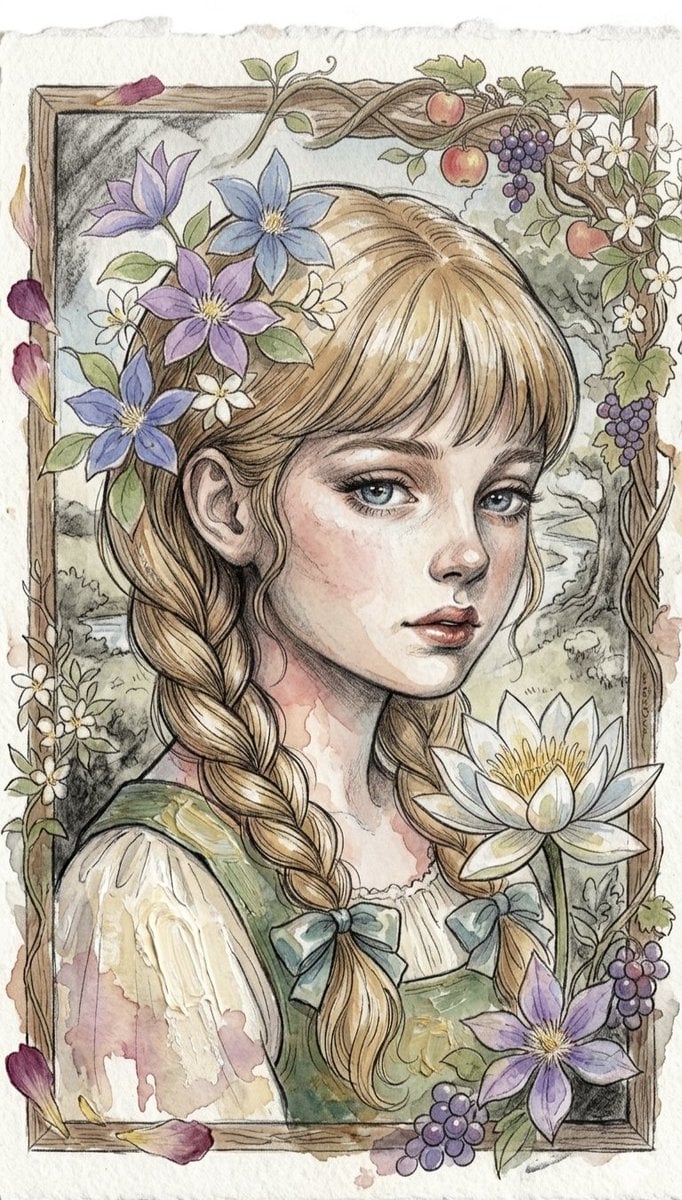
A beautiful {argument name="art style" default="watercolor and ink illustration"} of a {argument name="subject" default="young girl"} with clear blue eyes, soft rosy cheeks, and light brown or blonde hair styled into {argument name="hairstyle" default="two long braids"} tied with small blue bows. She has delicate purple and white clematis flowers woven into her hair. The portrait is framed by a rustic wooden border adorned with climbing vines, small apples, and clusters of purple grapes. In the foreground, a large, detailed white water lily blooms beside her. The background features a soft, scenic landscape with hints of a river and trees, rendered in a classic storybook art style with gentle pastel tones, delicate line work, and textured watercolor paper.
Choose the primary action to open PicX Studio with the available template settings. Review the model and format, personalize the creative direction, and generate when ready.
Yes. You can change the subject, setting, lighting, mood, format, and available model controls before creating your image.
This template is free to open and customize. Generation usage is shown in PicX Studio before you create.
Start with Nano Banana 2, which is the model associated with this template. You can compare another compatible model for a different finish.
Follow a topic to a crawlable collection of related PicX Studio templates.