How do I use the Retro Cosmic Watercolor Collage template?
Choose the primary action to open PicX Studio with the available template settings. Review the model and format, personalize the creative direction, and generate when ready.
A surreal digital collage combining a retro TV showing a galaxy with vintage astronomical charts and watercolor floral art.
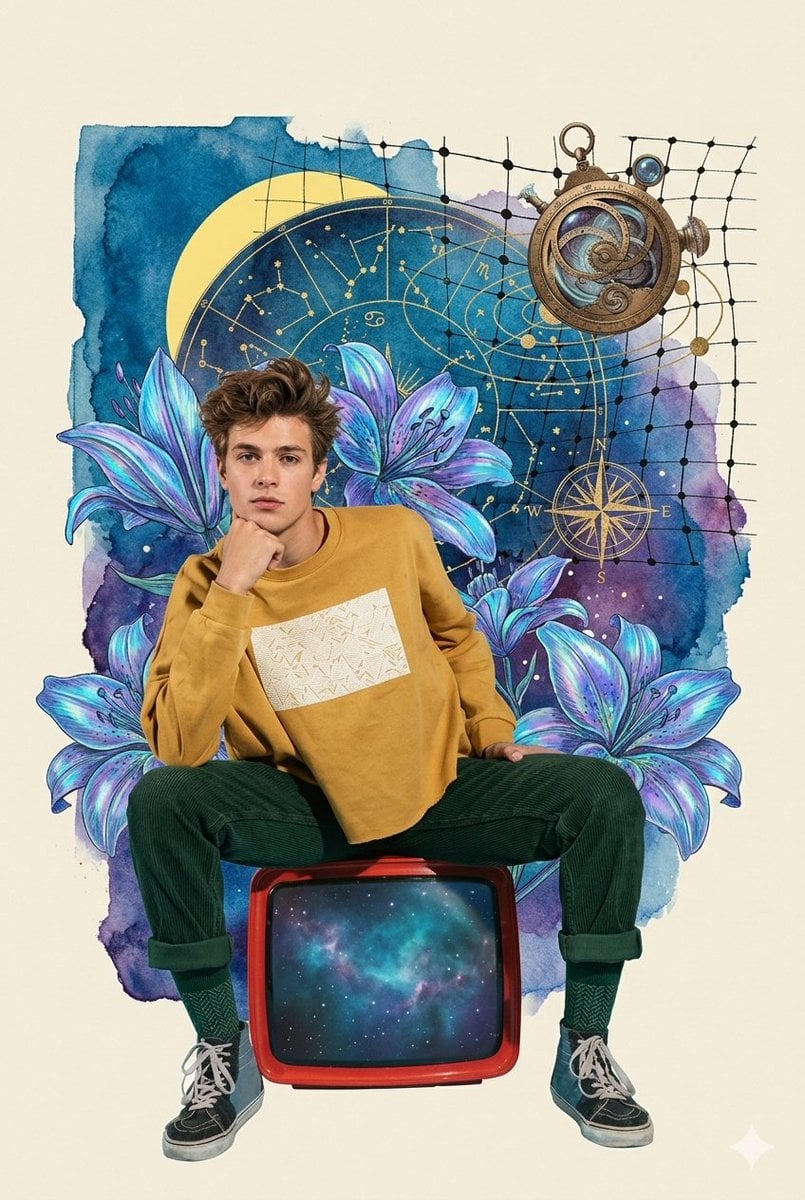
A digital collage artwork featuring a young man with styled brown hair sitting casually on top of a {argument name="retro device" default="retro red television screen"}, which displays a vibrant turquoise and blue galaxy inside it. He is wearing a {argument name="outfit" default="mustard yellow sweatshirt with a textured graphic pattern across the chest"}, dark green corduroy trousers rolled at the cuffs, teal socks, and worn-out blue and black high-top sneakers. The background is a surreal, artistic mix of deep blue and purple watercolor splashes, adorned with large, iridescent glowing purple lilies. Elements of astronomy and navigation float in the upper half, including a golden celestial zodiac chart, a detailed antique brass astrolabe, a compass rose, and a fine black grid pattern arcing across the sky. The overall aesthetic combines vintage retro-futurism, cosmic surrealism, and a dreamy watercolor collage style.
Choose the primary action to open PicX Studio with the available template settings. Review the model and format, personalize the creative direction, and generate when ready.
Yes. You can change the subject, setting, lighting, mood, format, and available model controls before creating your image.
This template is free to open and customize. Generation usage is shown in PicX Studio before you create.
Start with Nano Banana 2, which is the model associated with this template. You can compare another compatible model for a different finish.
Follow a topic to a crawlable collection of related PicX Studio templates.