How do I use the Split-Medium Sketch and Watercolor Portrait template?
Choose the primary action to open PicX Studio with the available template settings. Review the model and format, personalize the creative direction, and generate when ready.
A creative prompt for a split-medium portrait, dividing the image into a detailed pencil sketch on one side and a vibrant watercolor wash on the other.
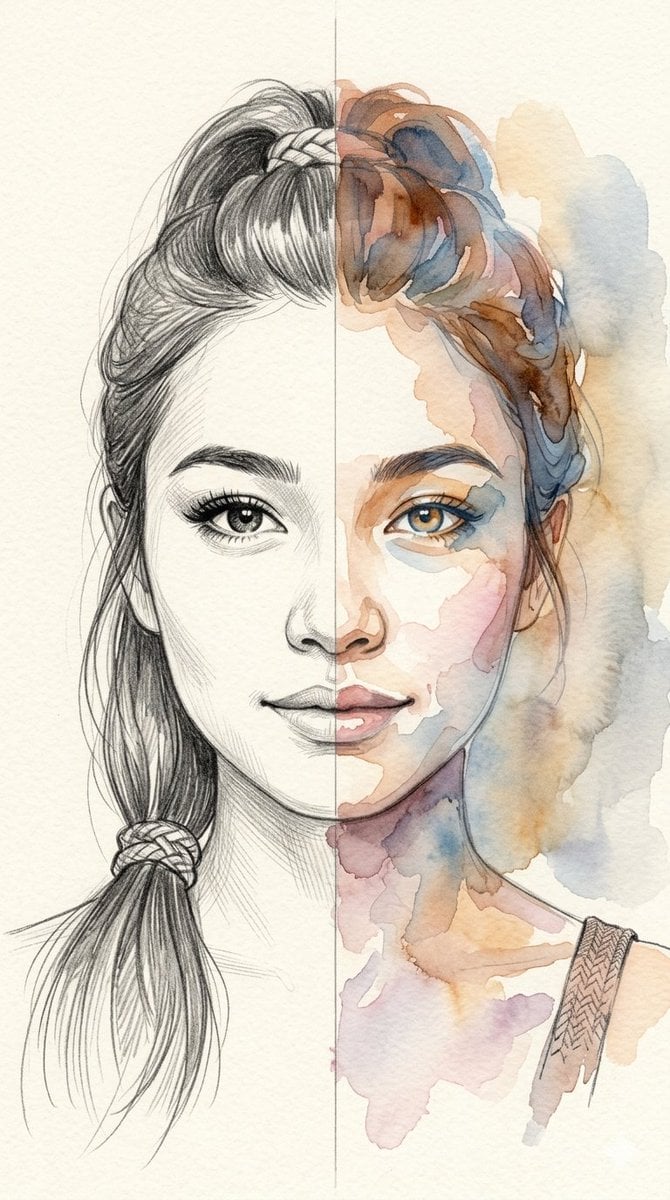
A vertical, split-medium portrait of a {argument name="subject" default="beautiful and cute biracial young woman"}. The image is divided perfectly down the center to showcase two distinct artistic styles. The left side of her face is rendered as a {argument name="left style" default="detailed pencil sketch with fine, delicate linework, soft shading, and realistic textures"} in her hair and eye. The right side of her face transitions seamlessly into a {argument name="right style" default="vibrant, soft watercolor wash technique, featuring expressive, bleeding hues of warm amber, soft rose, and cool blue"} that blend into the textured paper background. She has a gentle smile, captivating eyes, and her hair is styled in a high braided ponytail that reflects both mediums perfectly.
Choose the primary action to open PicX Studio with the available template settings. Review the model and format, personalize the creative direction, and generate when ready.
Yes. You can change the subject, setting, lighting, mood, format, and available model controls before creating your image.
This template is free to open and customize. Generation usage is shown in PicX Studio before you create.
Start with Nano Banana 2, which is the model associated with this template. You can compare another compatible model for a different finish.
Follow a topic to a crawlable collection of related PicX Studio templates.