How do I use the Cinematic Rain Night Portrait template?
Choose the primary action to open PicX Studio with the available template settings. Review the model and format, personalize the creative direction, and generate when ready.
A striking night portrait of a woman in the rain, featuring cool blue rim lighting and urban bokeh.
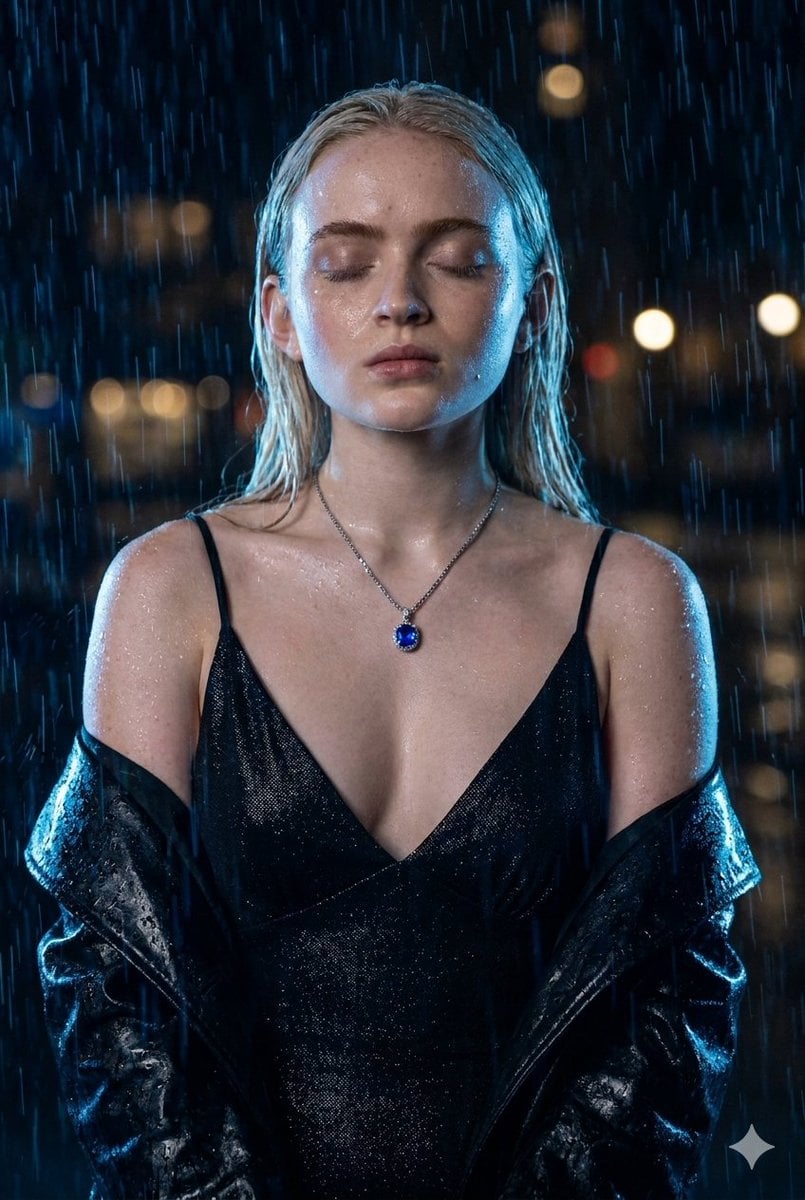
A mesmerizing, cinematic allure defines this striking night portrait, capturing an ethereal moment enveloped in falling rain. The subject stands with her eyes gently closed, her serene expression illuminated by a cool, blue-toned glow that catches the moisture glistening on her skin. Her sleek, platinum blonde hair falls straight down her shoulders, contrasting beautifully with the deep, dark tones of the night. She is adorned in a shimmering, deep-V black slip dress paired with a wet-look dark jacket slung casually off her shoulders, while a delicate silver necklace with a brilliant sapphire blue pendant rests against her collarbone. Water droplets streak down the frame, creating a dynamic texture over a softly blurred urban backdrop filled with distant, warm bokeh lights. The strong blue rim lighting sculpts her silhouette and reflects brilliantly off the wet surfaces, creating a moody, high-end noir aesthetic that feels lifted straight from a modern cyberpunk film or an elite fashion editorial.
Choose the primary action to open PicX Studio with the available template settings. Review the model and format, personalize the creative direction, and generate when ready.
Yes. You can change the subject, setting, lighting, mood, format, and available model controls before creating your image.
This template is free to open and customize. Generation usage is shown in PicX Studio before you create.
Start with Nano Banana 2, which is the model associated with this template. You can compare another compatible model for a different finish.
Follow a topic to a crawlable collection of related PicX Studio templates.