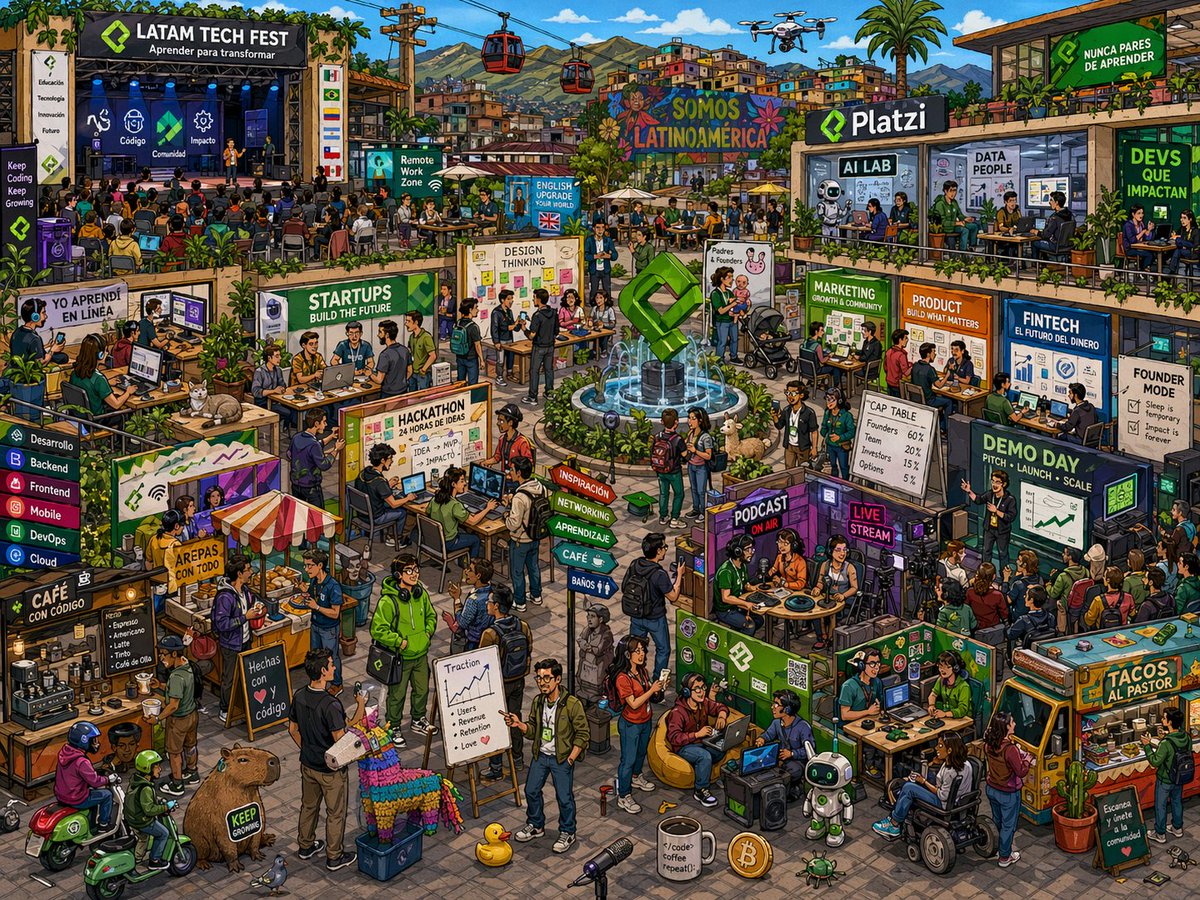
Latin American Tech Festival Poster
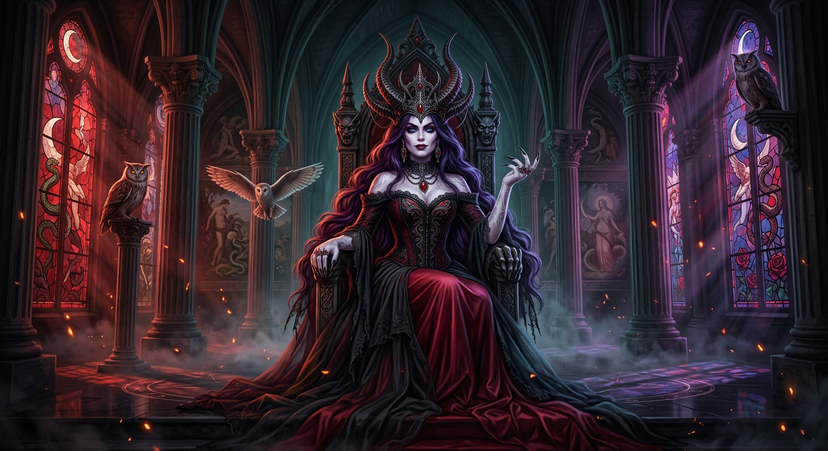
Create a highly detailed, colorful isometric festival poster illustration of a bustling Latin American technology fair in an open urban plaza, packed with dozens of people networking, coding, presenting, eating, recording media, and attending talks. The overall style should feel like a premium editorial cityscape poster: vibrant, dense, optimistic, playful, and full of readable signage, with crisp linework, painterly textures, warm sunlight, and a celebratory startup-community atmosphere. The main headline on the large stage at upper left reads {argument name="headline text" default="LATAM TECH FEST"}, with a subheading in Spanish reading "Aprender para transformar". On the stage, show a live conference with blue lighting, a presenter, and a seated audience; include 4 vertical icon panels on the stage area labeled "Educación", "Tecnología", "Innovación", and "Futuro", plus 3 glowing topic icons on the back wall labeled "Código", "Comunidad", and "Impacto". Build the plaza as a dense multi-zone event map with exactly 24 clearly labeled signs or booths distributed across the scene: "Keep Coding Keep Growing", "YO APRENDÍ EN LÍNEA", "Remote Work Zone", "ENGLISH UPGRADE YOUR FUTURE", "STARTUPS BUILD THE FUTURE", "DESIGN THINKING", "HACKATHON 24 HORAS DE IDEAS", "Café con código", "AREPAS CON TODO", "Hechas con código y ♥", "Inspiración", "Networking", "Aprendizaje", "Café", "Baños", "SOMOS LATINOAMÉRICA", "AI LAB", "DATA PEOPLE", "DEVS QUE IMPACTAN", "MARKETING GROWTH & COMMUNITY", "PRODUCT BUILD WHAT MATTERS", "FINTECH EL FUTURO DEL DINERO", "FOUNDER MODE", and "DEMO DAY LAUNCH · SCALE". In the center of the plaza, place a circular fountain with a large green geometric logo sculpture as the visual anchor. Surround it with tables, laptops, whiteboards, crowds, planters, and benches. Include a colorful hillside neighborhood in the background with mountains, palm trees, power lines, and exactly 2 red cable cars crossing the sky; also add exactly 1 small drone flying overhead. On the upper right building, place a large brand sign reading {argument name="brand name" default="Platzi"} and a green billboard that says "NUNCA PARES DE APRENDER". Populate the lower and middle foreground with many micro-scenes: a podcast booth labeled "PODCAST ON AIR", a neon "LIVE STREAM" corner, a startup workspace with people using laptops, a hackathon judging table, a founder pitch area, a fintech board with charts, and a coffee stand with espresso equipment and menu boards. Add 6 animal or mascot details across the scene: 1 orange cat lounging near the left worktables, 1 capybara at the lower left, 1 multicolor llama piñata in the lower center-left, 1 yellow rubber duck near the center-bottom, 1 small green robot near the bottom center-right, and 1 tiny turtle near the bottom beside a coin. Also place exactly 4 vehicle elements: 2 green scooters at the lower left, 1 decorated taco truck at the lower right with the sign "TACOS AL PASTOR", and 1 wheelchair user moving through the crowd. Include extra props that reinforce tech culture: whiteboards with sticky notes, a board titled "Traction" with an upward graph and bullet points "Users", "Revenue", "Retention", "Love", a board titled "CAP TABLE" with percentage rows, a Bitcoin-style coin on the ground, microphones, cameras, cables, monitors, smartphones, and branded green merchandise. Clothing should be modern casual startup attire with hoodies, jackets, backpacks, jeans, sneakers, and conference badges, featuring a diverse mix of ages and Latin American identities. Use rich greens, teals, oranges, purples, and warm neutrals, with lush plants and vines integrated into architecture. Make every corner busy and discoverable, like a Where's-Waldo-style tech ecosystem celebration, but keep the composition readable and inviting.




























![Minimalist Flat Vector Travel Poster — Premium minimalist flat-vector travel poster for {argument name="city name" default="[CITY_NAME]"}, 3:4 vertical format.](https://cms-assets.youmind.com/media/1787917359711_3ug846_HQX205cbMAA6F6S-300x400.jpg)






























![Giant Hugging Tokyo Tower Photo Prompt — [写真の人物]が巨大化し東京の近代的な都市景観の上にしゃがんで、東京タワーをやさしく抱きしめている、カメラ目線、昼間の明るい空、柔らかな自然光、下に広がる詳細な建物、リアルさとファンタジーが調和した雰囲気、鮮明なフォーカス、鮮やかな色彩](https://pbs.twimg.com/media/G7vRj8Pa0AAIrmZ.jpg)




![K-Pop Choreography Instruction Sheet — K-Pop Dance 16-Step Instruction Sheet (4×4 Grid)
[VISUAL STYLE]
High-end K-pop choreography guide in monochrome grayscal](https://cms-assets.youmind.com/media/1777539302475_28y0fd_HHFfuhfbkAAWGXK.jpg)