How do I use the Cinematic Fashion Poster Luxury Editorial template?
Choose the primary action to open PicX Studio with the available template settings. Review the model and format, personalize the creative direction, and generate when ready.
A luxury fashion poster prompt with a dual-portrait composition and warm golden highlights.
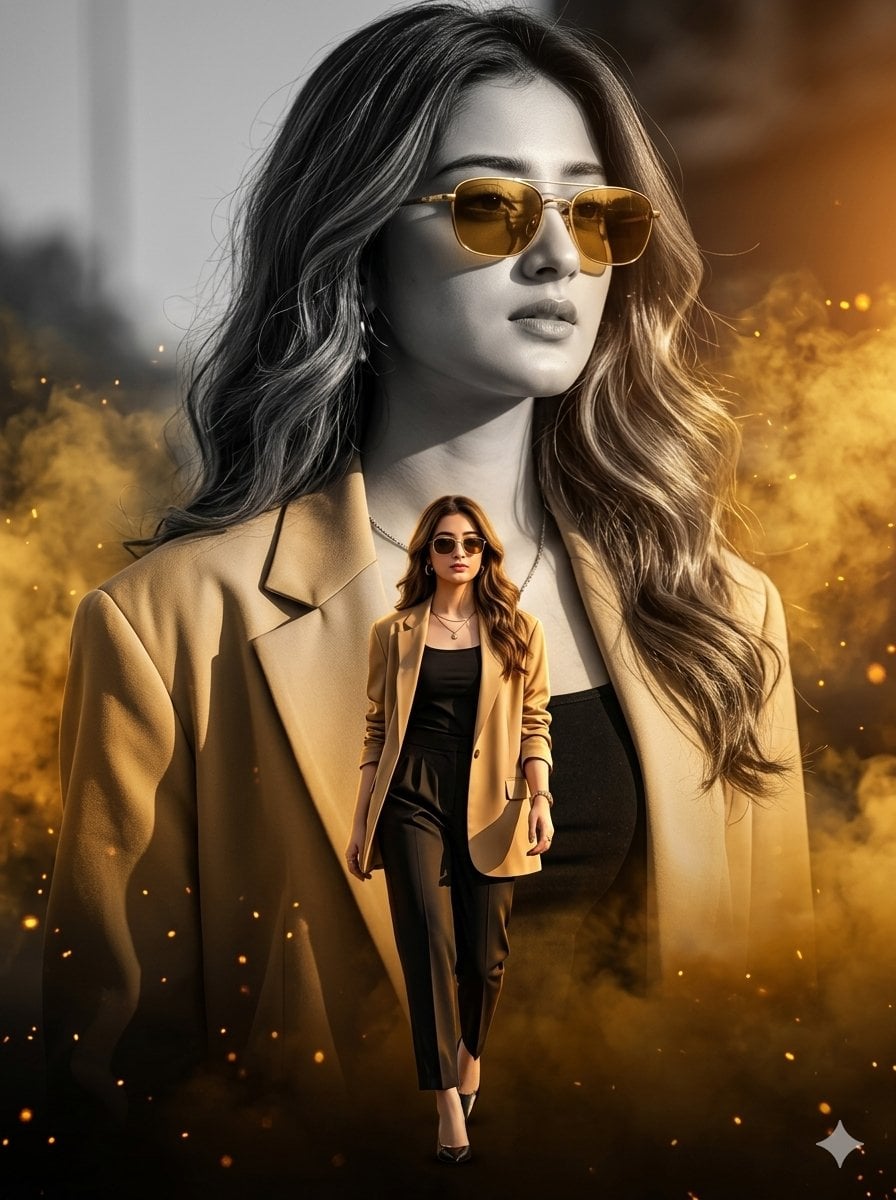
Ultra-realistic 8K cinematic fashion poster of a stylish young woman, vertical composition, luxury editorial aesthetic. Face perfectly matching the reference image with 100% facial accuracy, no morphing or facial alteration. Dual-portrait composition with dramatic depth and premium fashion photography vibes. Background: a giant monochrome portrait of the same girl wearing elegant golden-tinted sunglasses, soft wavy hair flowing naturally, confident expression, oversized beige-gold open blazer layered over a black fitted top, looking slightly away from the camera. Warm {argument name="lighting tone" default="golden sunset"} lighting hitting one side of the face with cinematic highlights and shadows. Rich golden smoke and glowing particles in the background creating a luxury atmosphere. Foreground: full-body colorful version of the same girl walking confidently toward the viewer in the center frame, stylish fashion pose, wearing modern sunglasses, premium street-luxury outfit in black and gold tones, subtle jewelry, confident runway-style stride. Dramatic depth of field, ultra detailed skin texture, realistic fabric folds, glossy lighting reflections, cinematic contrast, fashion magazine cover style, sharp focus, volumetric lighting, orange-gold glow effects, premium Vogue-inspired composition, hyper-detailed, realistic shadows, 3:4 aspect ratio.
Choose the primary action to open PicX Studio with the available template settings. Review the model and format, personalize the creative direction, and generate when ready.
Yes. You can change the subject, setting, lighting, mood, format, and available model controls before creating your image.
This template is free to open and customize. Generation usage is shown in PicX Studio before you create.
Start with Nano Banana 2, which is the model associated with this template. You can compare another compatible model for a different finish.
Follow a topic to a crawlable collection of related PicX Studio templates.