How do I use the Coastal High Fashion Editorial template?
Choose the primary action to open PicX Studio with the available template settings. Review the model and format, personalize the creative direction, and generate when ready.
A structured, high-fashion editorial prompt for a subject in a bold royal blue and yellow costume-inspired dress set against a modern coastal background.
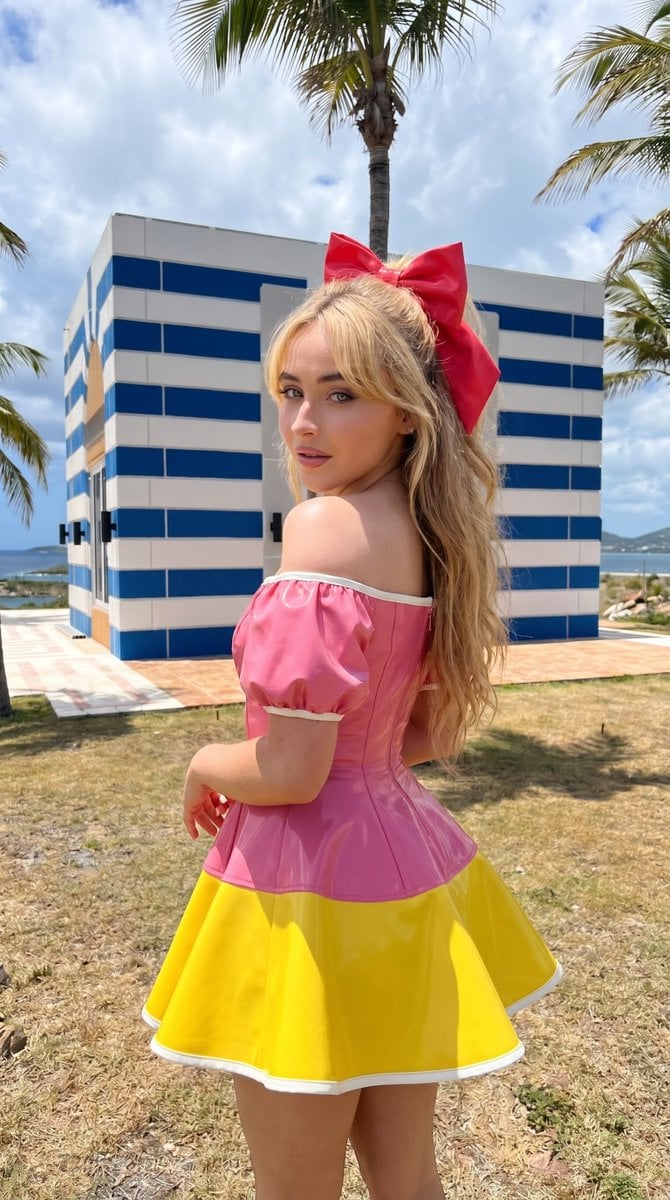
{ "type": "image_prompt", "version": "1.0", "description": { "subject": { "identity": "Use uploaded reference image, keep identity exact", "appearance": { "expression": "{argument name="expression" default="Confident soft gaze with slightly parted lips and composed facial expression"}", "hair": "Use uploaded reference image, keep identity exact, long hair styled in a high sleek ponytail tied with a large bright red bow", "accessories": [ "Bold red bow hair accessory" ], "details": [ "Defined eyebrows and clean makeup", "Matte skin finish with subtle highlight on cheekbones", "Natural skin texture preserved" ] }, "body": { "type": "Slim feminine physique", "features": [ "Defined waist", "Long legs", "Elegant posture" ] } }, "clothing": { "dress": { "type": "Structured mini dress", "color": "{argument name="dress colors" default="Primary royal blue top with bright yellow skirt and white trim"}", "design": [ "Off-shoulder puff sleeves in glossy blue material", "Fitted bodice", "Flared skirt with yellow panel and white hem detail", "High-fashion costume-inspired silhouette", "Slight reflective finish on fabric" ] } }, "pose": { "stance": "Standing with body slightly turned away", "body_position": "Torso twisted backward toward camera emphasizing back and shoulder line", "hands": "Arms relaxed downward with slight bend", "head_direction": "Turned over shoulder toward camera", "gaze": "Direct confident eye contact", "details": [ "Back slightly arched", "Shoulders angled for dynamic silhouette" ] }, "environment": { "location": "{argument name="location" default="Coastal outdoor modern setting"}", "background": [ "Small modern structure painted in bold horizontal blue-and-white stripes", "Flat roof with clean geometric architecture", "Large glass doors and beige entrance detail", "Dry grassy terrain with sand patches and stone edging", "Tall slender palm trees bending slightly in coastal breeze", "Calm blue ocean with distant landforms", "Vivid blue sky with large soft white clouds", "Minimal white concrete benches and low platforms" ], "atmosphere": "Bright sunny coastal day with crisp shadows and vibrant colors" }, "lighting": { "type": "Natural sunlight", "style": "Strong direct daylight", "effect": "Crisp shadows, high contrast, vibrant color rendering with clear highlights" }, "mood": [ "Confident", "Vibrant", "Fashion-forward", "Sunny", "Editorial" ], "technical": { "framing": "Mid to full-body shot", "camera_angle": "Slightly low angle" } } }
Choose the primary action to open PicX Studio with the available template settings. Review the model and format, personalize the creative direction, and generate when ready.
Yes. You can change the subject, setting, lighting, mood, format, and available model controls before creating your image.
This template is free to open and customize. Generation usage is shown in PicX Studio before you create.
Start with Nano Banana 2, which is the model associated with this template. You can compare another compatible model for a different finish.
Follow a topic to a crawlable collection of related PicX Studio templates.