How do I use the Tour de France Live Broadcast Style template?
Edit the prompt in the box under the preview — the template's model and format are already selected — and press Generate. Your version appears right on this page.
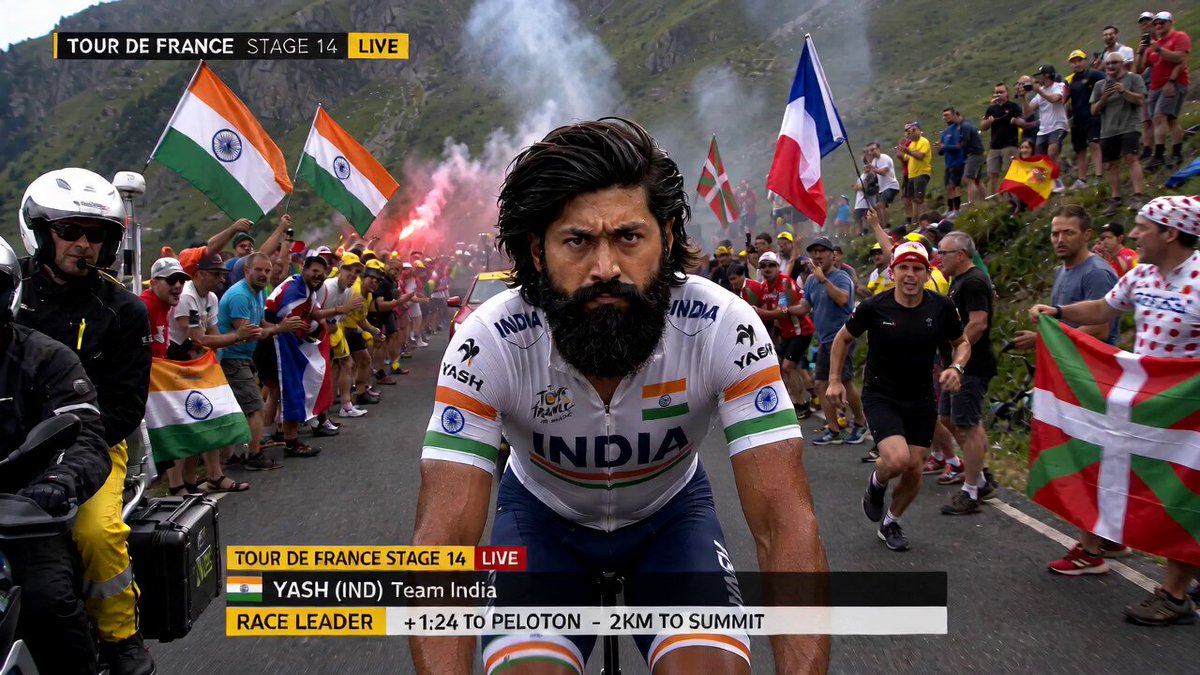
A broadcast-style video prompt capturing a mountain climb in the Tour de France from a motorcycle tracking shot.
[风格 + 镜头 + 氛围] \n环法自行车赛摩托车摄像机直播,第 14 赛段山地爬坡。连续单镜头跟踪拍摄,从赛段摩托车上拍摄,先与车手平行,然后略微落后。严苛的高海拔日光、汗水、尘土、逼真的路面震动、真实的观众能量、细微的直播颗粒感和压缩。\n\n[图像参考]
[风格 + 镜头 + 氛围] \n环法自行车赛摩托车摄像机直播,第 14 赛段山地爬坡。连续单镜头跟踪拍摄,从赛段摩托车上拍摄,先与车手平行,然后略微落后。严苛的高海拔日光、汗水、尘土、逼真的路面震动、真实的观众能量、细微的直播颗粒感和压缩。\n\n[图像参考]
Edit the prompt in the box under the preview — the template's model and format are already selected — and press Generate. Your version appears right on this page.
Yes. You can change the subject, setting, lighting, mood, format, and available model controls before creating your video.
Opening and editing this template is free. Generating uses credits, shown on the Generate button when you are signed in.
Start with Seedance 2.0, which is the model associated with this template. You can compare another compatible model for a different finish.
Follow a topic to a crawlable collection of related PicX Studio templates.