How do I use the Slow Motion Flood Disaster Cinematography template?
Edit the prompt in the box under the preview — the template's model and format are already selected — and press Generate. Your version appears right on this page.
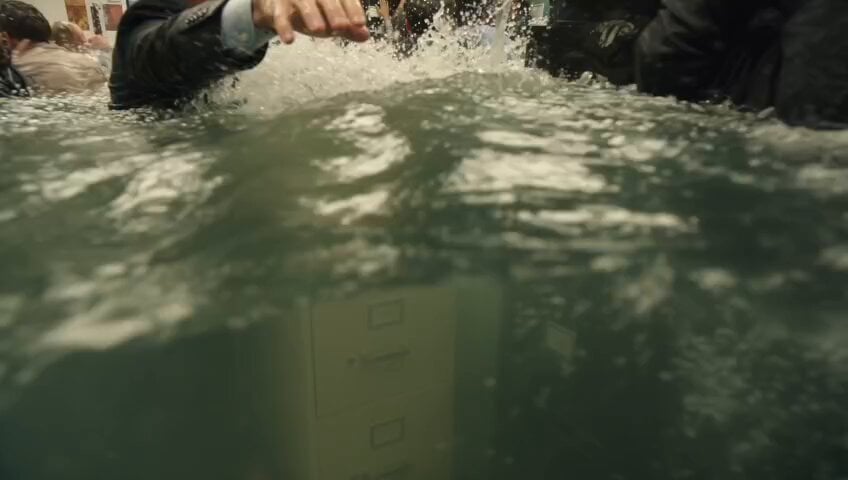
A dramatic 35mm film-style prompt depicting a man in a flood disaster scene with intense handheld camera work and slow-motion water effects.
Slow-motion handheld close-up, 16:9. Shaky organic handheld shot shoving in close on an older grey-haired man in a soaked white shirt and tie, chest-deep in churning green-grey flood water clutching a glass bottle, mouth open mid-shout — while all around him a dense crowd churns: a woman shoves past his shoulder, two men wrestle a floating chair behind him, someone falls backward into the water beside him sending up a slow sheet of spray, more panicking bodies wade and thrash in the background. In slow motion water explodes across the whole frame, droplets suspended everywhere. Dynamic jostling handheld movement at water level in the thick of the crowd. Sickly institutional palette — seafoam green, cream, muted teal, cold reflective water. All faces anatomically correct, stable, realistic, genuine emotion, no warping. Heavy coarse analog 35mm film grain baked into every frame, thick and consistent, grain crawling over highlights and shadows, like a scanned celluloid film print, never clean, never digital-looking. Flat overhead fluorescent light, dramatic slow-motion intensity, cinematic photorealistic, ultra-detailed.
Slow-motion handheld close-up, 16:9. Shaky organic handheld shot shoving in close on an older grey-haired man in a soaked white shirt and tie, chest-deep in churning green-grey flood water clutching a glass bottle, mouth open mid-shout — while all around him a dense crowd churns: a woman shoves past his shoulder, two men wrestle a floating chair behind him, someone falls backward into the water beside him sending up a slow sheet of spray, more panicking bodies wade and thrash in the background. In slow motion water explodes across the whole frame, droplets suspended everywhere. Dynamic jostling handheld movement at water level in the thick of the crowd. Sickly institutional palette — seafoam green, cream, muted teal, cold reflective water. All faces anatomically correct, stable, realistic, genuine emotion, no warping. Heavy coarse analog 35mm film grain baked into every frame, thick and consistent, grain crawling over highlights and shadows, like a scanned celluloid film print, never clean, never digital-looking. Flat overhead fluorescent light, dramatic slow-motion intensity, cinematic photorealistic, ultra-detailed.
Edit the prompt in the box under the preview — the template's model and format are already selected — and press Generate. Your version appears right on this page.
Yes. You can change the subject, setting, lighting, mood, format, and available model controls before creating your video.
Opening and editing this template is free. Generating uses credits, shown on the Generate button when you are signed in.
Start with Seedance 2.0, which is the model associated with this template. You can compare another compatible model for a different finish.
Follow a topic to a crawlable collection of related PicX Studio templates.