How do I use the Luxury Perfume Cinematic Action template?
Edit the prompt in the box under the preview — the template's model and format are already selected — and press Generate. Your version appears right on this page.
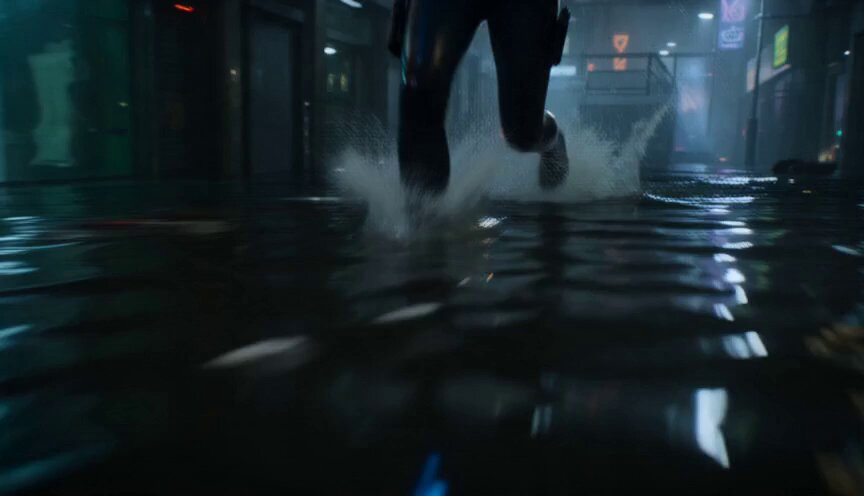
A dramatic, moody perfume commercial prompt set in a rain-soaked city, featuring an elegant combat sequence.
Style: Ultra-realistic luxury commercial, cinematic, moody lighting, rain-soaked city, dramatic slow motion, premium color grading, 4K HDR. 0–4s: Midnight in a modern city. A sharply dressed man walks alone through rain-covered streets carrying a mysterious briefcase. Suddenly, four suited men step out from the shadows, surrounding him. Their leader smirks. The atmosphere is tense as thunder rumbles overhead. 4–7s: The man calmly loosens his tie, reaches into his coat pocket, and pulls out a sleek bottle of Dior Men's Perfume. He sprays it once onto his neck and wrists. Time seems to freeze. Raindrops hang in the air as the fragrance disperses in slow motion. 7–12s: His confidence transforms instantly. He moves with effortless precision, dodging every punch and disarming each attacker in a breathtaking sequence of elegant, fluid combat. His coat flows dramatically through the rain as every movement feels graceful and controlled. 12–15s: The attackers lie defeated. He adjusts his suit, picks up the briefcase, and walks away without looking back. The camera lingers on the Dior perfume bottle resting on a rain-soaked stone ledge. A deep voice-over says: "Confidence isn't worn. It's unforgettable." Fade to the Dior logo with the tagline: "Dior. The Scent of Confidence."
Style: Ultra-realistic luxury commercial, cinematic, moody lighting, rain-soaked city, dramatic slow motion, premium color grading, 4K HDR. 0–4s: Midnight in a modern city. A sharply dressed man walks alone through rain-covered streets carrying a mysterious briefcase. Suddenly, four suited men step out from the shadows, surrounding him. Their leader smirks. The atmosphere is tense as thunder rumbles overhead. 4–7s: The man calmly loosens his tie, reaches into his coat pocket, and pulls out a sleek bottle of Dior Men's Perfume. He sprays it once onto his neck and wrists. Time seems to freeze. Raindrops hang in the air as the fragrance disperses in slow motion. 7–12s: His confidence transforms instantly. He moves with effortless precision, dodging every punch and disarming each attacker in a breathtaking sequence of elegant, fluid combat. His coat flows dramatically through the rain as every movement feels graceful and controlled. 12–15s: The attackers lie defeated. He adjusts his suit, picks up the briefcase, and walks away without looking back. The camera lingers on the Dior perfume bottle resting on a rain-soaked stone ledge. A deep voice-over says: "Confidence isn't worn. It's unforgettable." Fade to the Dior logo with the tagline: "Dior. The Scent of Confidence."
Edit the prompt in the box under the preview — the template's model and format are already selected — and press Generate. Your version appears right on this page.
Yes. You can change the subject, setting, lighting, mood, format, and available model controls before creating your video.
Opening and editing this template is free. Generating uses credits, shown on the Generate button when you are signed in.
Start with Seedance 2.0, which is the model associated with this template. You can compare another compatible model for a different finish.
Follow a topic to a crawlable collection of related PicX Studio templates.