
Tom and Jerry Live Action Interaction
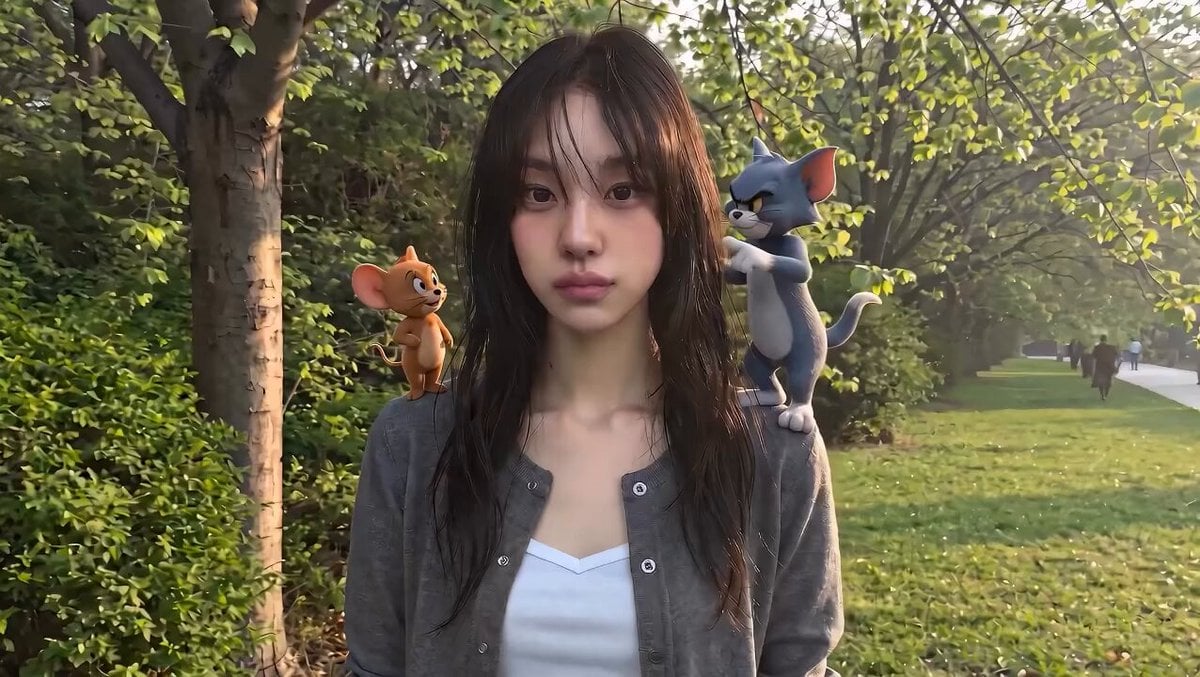
A technical prompt for integrating 3D animated characters (Tom and Jerry) into a real-world golden hour park scene with complex physical interactions.
- Prompt included
- Model and format preset
- Free template
The prompt behind this video
Copy the exact prompt behind Tom and Jerry Live Action Interaction, or open it in the studio and make it yours.
A young woman with long dark hair and side-swept bangs stands on a tree-lined park pathway during warm golden-hour sunlight. Lush green trees and grass fill the background, while a few distant pedestrians walk along the path. She wears a gray cardigan over a white V-neck top and initially looks calmly into the camera with a relaxed, natural expression. Jerry (3D CGI mouse) stands on her left shoulder, while Tom (3D CGI cat) stands on her right shoulder. Jerry notices Tom across her shoulders and becomes visibly nervous. Tom slowly points toward Jerry. Suddenly, Jerry dashes across her shoulders and through her hair, and Tom immediately begins chasing him. The woman notices the movement and starts laughing naturally. Jerry jumps from shoulder to shoulder while Tom follows closely behind. Their playful chase loops around her head, shoulders, and neck, weaving through her hair and around her cardigan. She tracks them with her eyes, reacting with genuine amusement and delight. Tom makes one final dramatic leap toward Jerry but completely misses. Jerry lands safely on her shoulder and celebrates victoriously. Tom appears frustrated and defeated. The woman smiles warmly and looks directly into the camera as the scene concludes. Visual Style - Photorealistic outdoor environment - Warm golden-hour lighting - Smooth cinematic camera movement - Natural facial expressions - Premium commercial-quality production - Highly detailed rendering - Family-friendly tone - Viral social-media aesthetic - Consistent character scale throughout - Realistic interaction with hair, clothing, and environment - Smooth 3D animation matching modern movie-style Tom and Jerry characters - Believable physics and character integration
How to use Tom and Jerry Live Action Interaction in 3 steps
- 1
Open
The prompt is already in the box next to the preview, with the template's model and format selected.
- 2…a portrait of your subject in softgolden-hour light, 85mm…
Personalize
Edit the subject and creative details for your destination.
- 3Generate
Generate
Press Generate — your video is created in PicX Studio, so you can compare it with the original and refine one variable at a time.
More like this
Templates with the same subject, style or setup. Open one to see its prompt.
Emotional Breakdown and Fabric Interaction - Seedance 2.5
Anthropomorphic Rock Band Live Concert - Seedance 2.5

Walking Factory with Rebel on Hoverbike - Wasteland
Thornmaw Monarch — Crimson Glass Desert Beast
Warhorse Sprint on Cliff Aqueduct
Parametric Fight Scenes Seedance

Nano Banana Seedance Time Control Streets
Colossal Sea Creature — Stormy Shore Charge (Seedance)
Skybridge Rescue — Supertall Tower Collapse (Seedance)
Highway Biker — Aggressive Lane Split (PixVerse C1)
Bullet Time Selfie — Modular Parameter Template (Seedance)
Dragon Rescue — Volcanic Kingdom Collapse (Seedance)
Make it yours
Tom and Jerry Live Action Interaction works as-is. These are the safest ways to change it without losing the look.
Change one field
Copy a single group, rewrite it, and generate again so you can see what that field is doing.
Keep the frame, change the subject
Hold the composition and light of Tom and Jerry Live Action Interaction, then swap wardrobe, props or the person for a new take.
| If the result… | Why | Fix |
|---|---|---|
| The result drifts from the preview | Too many fields changed at once. | Reuse Tom and Jerry Live Action Interaction as-is first, then change one group — subject, light, or setting. |
| The model over-stylizes the scene | The prose prompt leaves finish and camera underspecified. | Add one camera or lighting sentence and stay on Seedance 2.0. |
More Seedance 2.0 templates
Other prompts made for Seedance 2.0.

Comical Martial Arts Punch Scene

Maglev Train Action Sequence

Martial Arts Fight Sequence

Wuxia Protection and Trust Script

Vintage Korean Arcade MiniDV Vlog

Mercedes 190 SL Luxury Ad

Rainy Night Supernatural Reverse Comedy Video Script

Amazon Civilization Discovery

Futuristic South Asian City Transformation

Cozy Luxury Cafe Commercial
More video prompts
Fresh picks from across the catalog.

3D Animated Newspaper Delivery Short - Seedance 2.5

School Uniform to Starry Gown Dissolve Transition

Miniature Woman Skincare Commercial
Giant Cat at Tokyo Station Video Prompt
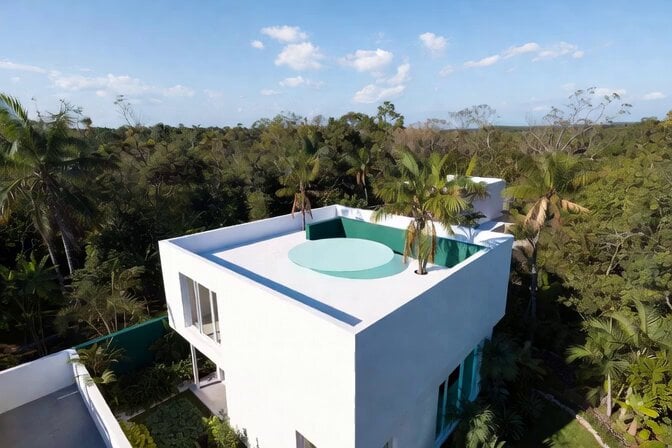
Futuristic Water Landing Platform

Water Slider to Summer Festival

First Person Perspective Hospital Birth

Multi-Cut 3D Title Animation

Cinematic Number 97 Particle Vortex Video

Sunflower Field Character Consistency Video Prompt
Browse template categories
Tom and Jerry Live Action Interaction questions
How do I use the Tom and Jerry Live Action Interaction template?
Add your photo if the template asks for one, edit the prompt if you like — the template's model and format are already selected — and press Generate. Your version opens in PicX Studio.
Can I customize the Tom and Jerry Live Action Interaction template?
Yes. You can change the subject, setting, lighting, mood, format, and available model controls before creating your video.
Is the Tom and Jerry Live Action Interaction template free?
Opening and editing this template is free. Generating uses credits, shown on the Generate button when you are signed in.
Which AI model should I use?
Start with Seedance 2.0, which is the model associated with this template. You can compare another compatible model for a different finish.
Looking for something else? Browse all templates.

Your photo, any look
Thousands of ready templates for every top image and video model, from one credit balance.